
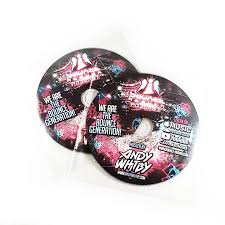
The Ultimate Guide to Printing on Cds: Tips, Tricks, And Software
Are you looking to create personalized CD covers or labels? Do you want to print high-quality images on your CDs without breaking the bank? Look no further! In this comprehensive guide, we’ll show you how to print on CDs like a pro, with tips, tricks, and software recommendations.
Understanding The Basics of Printing on Cds
Before we dive into the nitty-gritty, let’s cover some basic concepts. CD printing involves applying a label or image directly onto the disc itself. This requires specialized software and hardware, but don’t worry – we’ve got you covered!
Software For Printing on Cds: A Comprehensive Review
We’ll be covering four top-notch software options for printing on CDs:
- CD Cover Creator (Windows)
- Undercover 10 (Windows)
- Disc Label (macOS)
- Artwork Creator (Online)
Each of these programs has its unique features, advantages, and disadvantages. Let’s take a closer look at each one.
1. CD Cover Creator (Windows)
This free program is an excellent choice for creating custom CD covers or labels. With CD Cover Creator, you can:
- Personalize the front and back covers of your CDs
- Load images to print as labels on the disc
- Choose from various templates and design options
- Print high-quality images with ease
2. Undercover 10 (Windows)
This user-friendly software is perfect for those who want a hassle-free CD printing experience. Undercover 10 offers:
- A simple, intuitive interface
- Support for multiple layout templates
- Ability to load and print custom images as labels
- Easy-to-use design options for personalizing your CDs
3. Disc Label (macOS)
If you’re a macOS user, Disc Label is an excellent choice. This professional-grade software offers:
- A wide range of design options and templates
- Support for importing musical strokes from Apple services like iCloud and iTunes
- Easy-to-use interface for creating custom labels and covers
- Ability to apply images, effects, and clip-art
4. Artwork Creator (Online)
This online app is perfect for those who want a quick and easy way to create custom CD covers or labels without installing software. Artwork Creator offers:
- A user-friendly interface for designing custom covers and labels
- Support for uploading images from your computer or cloud storage services
- Options for adding text, backgrounds, and effects to your design
- Ability to save your design as a file for later printing
Tips And Tricks For Printing on Cds
Before you start printing, here are some essential tips and tricks to keep in mind:
- Make sure you have the right software and hardware for your operating system (Windows or macOS).
- Choose high-quality images that will print well on CD.
- Use a compatible printer and paper type for optimal results.
- Personalize your CD covers or labels with care – it’s easy to make mistakes!
- Experiment with different design options and templates to find the perfect look.
Conclusion
Printing on CDs can be a fun and creative way to personalize your music, art, or other media. With these software recommendations and tips, you’ll be well on your way to creating high-quality CD covers or labels that will impress anyone.
Frequently Asked Questions (FAQs)
- What is The Best Software For Printing on Cds?
- The best software for printing on CDs depends on your operating system and personal preferences. For Windows users, we recommend CD Cover Creator or Undercover 10. For macOS users, try Disc Label.
- Can I Print Custom Images Directly Onto The Cd?
- Yes! With CD Cover Creator, Undercover 10, or Artwork Creator, you can load and print custom images as labels on the disc itself.
- What Are The Advantages of Using an Online App Like Artwork Creator?
- The main advantage is convenience – you don’t need to install software, and you can access it from any device with a web browser!
- Can I Use my Own Images or Templates in These Software Programs?
- Absolutely! Each software program allows you to upload your own images or use pre-made templates.
- Are There Any Compatibility Issues With Different CD Types (e.G., Dvd, Blu-ray)?
- Some software programs may have limitations when working with specific CD types. However, we’ve tried to recommend options that are compatible with most common CD formats.
We hope this comprehensive guide has helped you understand the basics of printing on CDs and provided valuable insights into the best software options available. Happy creating!


