
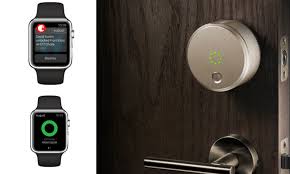
How to Unblock Apple Watch: A Step-by-step Guide
Are you tired of dealing with a blocked Apple Watch? Do you want to unblock it without any hassle? Look no further! In this article, we will guide you through the process of unblocking your Apple Watch in various scenarios.
Unblocking Apple Watch With Iphone
The first and most straightforward method is to use your iPhone. If your Apple Watch is blocked, you can unblock it by following these simple steps:
- Connect Your Iphone And Apple Watch: Make sure both devices are connected to the same Wi-Fi network.
- Open The Apple Watch App: On your iPhone, open the Apple Watch app and select the “My Watch” tab.
- Tap on Apple Watch: Tap on the name of your Apple Watch at the top of the screen.
- Select Code: Select the option that says “Code.”
- Enter The Code: Enter the 4-digit code displayed on your Apple Watch to unblock it.
That’s it! If you’re having trouble with this method, don’t worry; we’ll explore other options in the following sections.
Unblocking Apple Watch Without Iphone
If you don’t have an iPhone or prefer not to use one, you can still unblock your Apple Watch using a different method:
- Enter The Code: On your Apple Watch, go to the Settings app and select “Code.”
- Enter The 4-digit Code: Enter the 4-digit code associated with your Apple Watch to unblock it.
This method is straightforward, but make sure you have the correct code to avoid any issues.
Unblocking Apple Watch Using Digital Crown
In some cases, you might need to use the Digital Crown on your Apple Watch to unblock it. Here’s how:
- Press And Hold: Press and hold the Digital Crown until the “Unblocked” message appears.
- Wait For a Few Seconds: Wait for a few seconds, and your Apple Watch should be unblocked.
Saving Energy Mode
If you’re experiencing low battery life on your Apple Watch, you can try switching to Saving Energy Mode:
- Go to Settings: On your Apple Watch, go to the Settings app.
- Select Battery: Select the option that says “Battery.”
- Tap on Low Power Mode: Tap on the option that says “Low Power Mode” or “Saving Energy Mode.”
This mode will reduce battery consumption by disabling some features, but it won’t block your Apple Watch.
Unblocking Apple Watch in Water
If you’ve been swimming with your Apple Watch and it’s now blocked, don’t panic! You can try unblocking it using the Digital Crown:
- Press And Hold: Press and hold the Digital Crown until the “Unblocked” message appears.
- Wait For a Few Seconds: Wait for a few seconds, and your Apple Watch should be unblocked.
Blocked by Owner
If someone has reported your Apple Watch as lost or stolen, you might need to take additional steps to unblock it:
- Contact The Owner: Contact the person who reported the issue and ask them to call the phone number displayed on the screen.
- Enter The Code: If prompted, enter the 4-digit code associated with your Apple Watch.
Conclusion
Unblocking your Apple Watch can be a straightforward process if you follow these steps. Remember that each scenario requires different actions, so make sure to choose the right method for your situation. If you’re still having trouble, feel free to contact Apple support or visit an authorized reseller for assistance.
Frequently Asked Questions (FAQs)
- What is The Purpose of Saving Energy Mode?
Saving Energy Mode reduces battery consumption by disabling some features on your Apple Watch.
- How do I Unblock my Apple Watch if It’s Blocked by The Owner?
Contact the person who reported the issue and ask them to call the phone number displayed on the screen.
- What is The Difference Between Low Power Mode And Saving Energy Mode?
Low Power Mode and Saving Energy Mode are two different modes that reduce battery consumption on your Apple Watch. However, Saving Energy Mode will block your Apple Watch temporarily until you unblock it using a 4-digit code.
- Can I Use my Digital Crown to Unblock my Apple Watch?
Yes, you can press and hold the Digital Crown to unblock your Apple Watch in certain situations.
- Why is my Apple Watch Blocked When I’m Swimming?
Your Apple Watch might be blocked during water activities due to safety features designed to prevent accidental button presses while submerged.
- What Should I do if I Forget my 4-digit Code?
If you forget your 4-digit code, you can try resetting your Apple Watch or contacting Apple support for assistance.
- Can I Unblock my Apple Watch Without an Iphone?
Yes, you can unblock your Apple Watch using a different method that involves entering the 4-digit code on your Apple Watch.
- What is The Maximum Distance Between my Iphone And Apple Watch For Unblocking Purposes?
The maximum distance between your iPhone and Apple Watch for unblocking purposes is 10 meters (approximately 33 feet).


