
How to Require Payment on Paypal: A Step-by-step Guide
As a seasoned blogger and tech enthusiast, I’ve been asked countless times about the process of requiring payment on PayPal. In this article, I’ll walk you through the simple steps to follow in order to send or request payments using this popular online payment platform.
Why Use Paypal?
PayPal is one of the most widely used online payment systems, offering a secure and convenient way to send and receive money. With over 400 million active accounts worldwide, it’s no wonder why many individuals and businesses choose to use PayPal for their financial transactions.
Requiring Payment on Paypal: The Basics
Before we dive into the nitty-gritty of requiring payment on PayPal, let’s cover the basics:
- You can require payment on PayPal using a personal or business account.
- The process is relatively simple and takes only a few minutes to complete.
- You’ll need to have a valid PayPal account with sufficient funds in your balance.
Step 1: Log In to Your Paypal Account
To initiate the payment process, you’ll need to log in to your PayPal account using your username and password. If you’re new to PayPal, you can sign up for an account directly on their website.
Step 2: Access The Payment Section
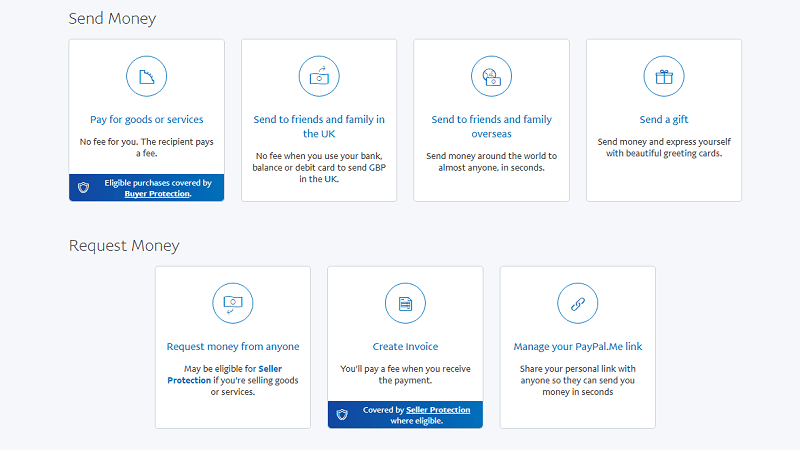
Once logged in, navigate to the “Payment” section of your PayPal account. This is where you’ll find all the tools you need to send or request payments.
Step 3: Choose The Payment Method
Next, select the payment method you’d like to use. You can choose from a variety of options, including bank transfer, credit card, or debit card. If you’re unsure about which option to choose, refer to your PayPal account settings for guidance.
Step 4: Enter The Recipient’s Details
Enter the recipient’s details accurately and correctly, including their name, email address, and payment amount. Be sure to double-check these details before submitting the request.
Step 5: Confirm The Payment Request
Once you’ve entered all the required information, confirm the payment request by clicking on the “Send” or “Request” button. This will initiate the payment process and send a notification to the recipient.
Step 6: Track The Payment Status
Keep track of the payment status by monitoring your PayPal account activity. You can view the transaction history and see if the payment has been successfully processed.
Requiring Refund on Paypal
Sometimes, you might need to require a refund for a payment that’s already been made. In such cases, follow these steps:
- Contact the vendor or seller directly and request a refund.
- If the vendor doesn’t respond or refuses to provide a refund, open a dispute with PayPal within 180 days of the original transaction date.
- Provide detailed information about the payment and the reason for requesting a refund.
Common Issues With Requiring Payment on Paypal
While the process of requiring payment on PayPal is straightforward, some users may encounter issues along the way. Here are some common problems you might face:
- Insufficient Funds: Make sure you have sufficient funds in your PayPal account to cover the payment amount.
- Incorrect Recipient Details: Double-check the recipient’s details before submitting the request to avoid delays or failed payments.
- Technical Issues: Troubleshoot any technical issues by checking your internet connection, browser settings, or PayPal account configuration.
Conclusion
Requiring payment on PayPal is a simple process that can be completed in just a few minutes. By following these steps and understanding the basics of PayPal, you’ll be able to send or request payments with confidence. Remember to keep track of your payment status and resolve any issues promptly if they arise.
Faqs
Here are some frequently asked questions about requiring payment on PayPal:
- Q: What is the maximum amount I can require for a single payment?
A: The maximum amount you can require for a single payment depends on your PayPal account type. Personal accounts have a limit of $10,000, while business accounts have no upper limit. - Q: Can I require payment from someone outside my country?
A: Yes, you can require payment from anyone with a PayPal account, regardless of their location. - Q: How do I cancel a payment request on PayPal?
A: To cancel a payment request, navigate to the “Payment” section of your PayPal account and click on the “Cancel” button.
Hope this helps!


