
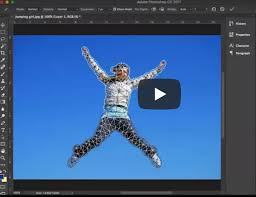
The Art of Deformare: Transforming Photos Like a Pro
Deformare is an Italian term that means “to deform” or “to distort.” In photography, it refers to the process of modifying and transforming a photo to create a unique and captivating image. This article will explore the art of deformare, a technique used to transform and modify photos using various software and tools.
Why Deformare?
Deformare is an essential skill for photographers, graphic designers, and digital artists who want to stand out from the crowd. By mastering this technique, you can create stunning images that will grab attention and spark imagination.
Software And Tools For Deformare
There are several software and tools available for deformare:
Photoshop: The Industry Standard
Adobe Photoshop is the industry standard for photo editing and deformare. With its vast array of features and tools, you can achieve professional-grade results with ease.
- Fluidifica: This tool allows you to create a fluid, liquid-like effect on your photos by applying a series of distortions.
- Alteration Marionette: This feature enables you to manipulate the shape and size of objects within an image.
- Distortion: This filter allows you to apply various distortions to your photos, such as curvature or spiral shapes.
Gimp: A Free Alternative
GIMP (GNU Image Manipulation Program) is a free and open-source alternative to Photoshop. While it may not have all the features of Adobe’s flagship software, GIMP offers many of the same tools and effects for deformare.
- Transformation Cage: This tool allows you to apply a series of distortions to an image by creating a grid or mesh.
- Warp: This feature enables you to manipulate the shape and size of objects within an image using a brush-like effect.
- Filters: GIMP offers a range of filters for deformare, including distortion, fluidifica, and others.
Online Services
If you don’t have access to Photoshop or GIMP, there are several online services that offer deformare capabilities. Here are some popular options:
- Photopea: This service allows you to upload your photos and apply various effects and filters using a user-friendly interface.
- Stretchyourface: This site enables you to create caricatures of your friends and family by applying a series of distortions to their faces.
- Lunapic: This online editor offers a range of tools for deformare, including filters and effects.
Mobile Apps
If you want to deformare on-the-go, there are several mobile apps available for both iOS and Android devices. Here are some popular options:
- Snapseed: This app offers a range of tools for deformare, including filters and effects.
- Pixlr X: This service allows you to upload your photos and apply various effects and filters using a user-friendly interface.
Tips And Tricks
Here are some tips and tricks for achieving professional-grade results with deformare:
- Experiment With Different Tools And Effects: Don’t be afraid to try out new tools and effects to see what works best for your image.
- Pay Attention to Details: Make sure to pay attention to the smallest details, such as color and texture, when deformare.
- Practice Makes Perfect: The more you practice, the better you’ll become at deformare.


