
How to Open Inventory on Minecraft: A Comprehensive Guide
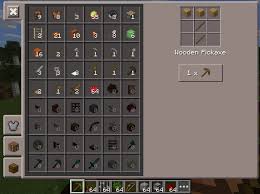
Are you tired of struggling to open your inventory while playing Minecraft? Do you find yourself constantly searching for the correct command or shortcut? Look no further! This article will guide you through the process of opening your inventory on Minecraft, covering both Java and Bedrock editions.
Understanding The Basics
Before we dive into the specifics, it’s essential to understand the basics of the game. Minecraft is a sandbox-style video game that allows players to build and explore 3D worlds. The game has two primary modes: Survival and Creative. In Survival mode, players must gather resources, craft tools, and build shelter while fending off monsters that come out at night. In Creative mode, players have unlimited resources and can build anything they imagine.
Opening Inventory on Minecraft PC (Java Edition)
If you’re playing the Java edition of Minecraft on your PC, opening your inventory is a straightforward process. To do this:
- Press The ‘E’ Key: Simply press the ‘E’ key on your keyboard to open your inventory.
- Accessing Inventory in Survival Mode: In Survival mode, pressing the ‘E’ key will automatically open your inventory.
- Accessing Inventory in Creative Mode: If you’re in Creative mode, pressing the ‘E’ key will display a menu that allows you to access various creative tools and resources.
Opening Inventory on Minecraft PC (Bedrock Edition)
If you’re playing the Bedrock edition of Minecraft on your PC, the process is slightly different. To open your inventory:
- Press The ‘I’ Key: Press the ‘I’ key on your keyboard to open your inventory.
- Accessing Inventory in Survival Mode: In Survival mode, pressing the ‘I’ key will automatically open your inventory.
- Accessing Inventory in Creative Mode: If you’re in Creative mode, pressing the ‘I’ key will display a menu that allows you to access various creative tools and resources.
Opening Inventory on Minecraft Bedrock Edition (Mobile Devices)
If you’re playing the Bedrock edition of Minecraft on your mobile device, such as an Android or iOS smartphone, the process is slightly different. To open your inventory:
- Tap The ‘…’ Icon: Tap the three-dot icon located in the bottom-right corner of the screen to access various menus and options.
- Accessing Inventory: From the menu, tap on the “Inventory” option to access your virtual rucksack.
Opening Inventory on Minecraft Bedrock Edition (Consoles)
If you’re playing the Bedrock edition of Minecraft on a console such as PlayStation 4, Xbox One, or Nintendo Switch, the process is slightly different. To open your inventory:
- Press The ‘View’ Button: Press the “View” button on your controller to access various menus and options.
- Accessing Inventory: From the menu, select the “Inventory” option to access your virtual rucksack.
Modifying The Command to Open Inventory
If you find that the default command to open inventory is not comfortable for you, don’t worry! You can modify it in the game’s settings. To do this:
- Accessing Settings: In Java edition, press the “Options” button and select the “Command” tab.
- Modifying Command: In Bedrock edition, access the “Settings” menu and select the “Mouse and Keyboard” or “Controller” option, depending on your control scheme.
Conclusion
Opening inventory in Minecraft is a simple process that can be customized to suit your needs. Whether you’re playing on PC (Java or Bedrock), mobile devices, or consoles, this guide has provided you with the necessary information to access your virtual rucksack.


