
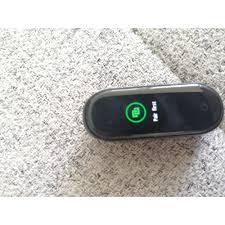
How to Light Your Mi Band: A Step-by-step Guide
Are you having trouble getting your Mi Band to light up? Don’t worry, we’ve got you covered! In this article, we’ll walk you through the simple steps to get your Mi Band shining in no time.
The Basics of Lighting Up Your Mi Band
Before we dive into the nitty-gritty, it’s essential to understand that lighting up your Mi Band is a straightforward process. You don’t need to be an expert in tech to do it. All you need to do is connect your Mi Band to a power source and wait for the magic to happen.
Step 1: Connect Your Mi Band to a Power Source
To light up your Mi Band, you’ll need to connect it to a power source using the magnetic charger provided with your device. This charger has two parts: One that attaches to your Mi Band and another that plugs into a USB port on your computer or wall outlet.
Step 2: Wait For The Magic to Happen
Once you’ve connected your Mi Band to the charger, wait for about 30 seconds to a minute. During this time, your device will charge up and light up automatically. If your Mi Band doesn’t light up after this time, don’t worry! We’ll explore some troubleshooting steps below.
Troubleshooting: Why Won’t My Mi Band Light Up?
If your Mi Band won’t light up despite following the steps above, there could be a few reasons why. Here are some possible solutions:
Issue 1: Incorrect Charging Method
Make sure you’re using the correct charging method for your Mi Band. If you’re using a USB cable, ensure it’s properly plugged into both the charger and the USB port on your computer or wall outlet.
Issue 2: Faulty Charger or Cable
Try using a different charger or cable to rule out any issues with the original one. Sometimes, a faulty charger can prevent your Mi Band from charging properly.
Issue 3: Device Defect
If none of the above solutions work, it’s possible that your Mi Band is defective. In this case, you may need to contact Xiaomi support for assistance.
How to Contact Xiaomi Support
If you’re experiencing issues with your Mi Band and can’t resolve them on your own, don’t hesitate to reach out to Xiaomi support. Here’s how:
- Visit the official Xiaomi website and click on the “Contact Us” tab.
- Fill out the contact form with your details, including your device model, serial number, and a brief description of the issue you’re experiencing.
Additional Resources
For more information on lighting up your Mi Band or troubleshooting common issues, check out these additional resources:
Mi Band User Guide
The official Xiaomi Mi Band user guide is a comprehensive resource that covers everything from basic usage to advanced settings. You can find it on the Xiaomi website or in the Mi Fit app.
Xiaomi Support Forums
The Xiaomi support forums are a great place to connect with other users who may be experiencing similar issues. You can ask questions, share your experiences, and get advice from experts and fellow users.
Conclusion
Lighting up your Mi Band is a simple process that requires minimal effort. If you’re having trouble getting it to light up, try the troubleshooting steps above or contact Xiaomi support for assistance. Remember to always refer to the official user guide and support resources for more information on using your device effectively.
Compatible Magazine With Xiaomi Mi Band 5 / Xiaomi Mi Band 6 / Amazf…
- Cablepelado Take Out #USB Ricarica And Compatible | Synchronisation With Xia…
- You can bid on this item on Amazon
What’s Next?
Want more tips and tricks for using your Mi Band effectively? Stay tuned for our next article, where we’ll dive into advanced settings and features of this amazing device!


