
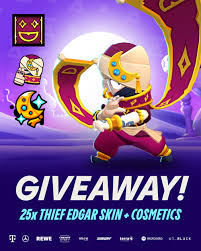
How to Give a Skin on Brawl Stars: A Step-by-step Guide
Are you looking to give a skin to your friend in Brawl Stars, but don’t know how? Look no further! In this article, we will guide you through the process of giving a skin on Brawl Stars, including the necessary steps and requirements.
What is a Skin in Brawl Stars?
A skin in Brawl Stars is an aesthetic element that can be applied to your character’s appearance. It doesn’t affect their stats or performance, but rather makes them look unique and personalized. Skins are usually acquired through gems, which are the in-game currency.
How to Give a Skin on Brawl Stars
Giving a skin on Brawl Stars is relatively easy and straightforward. Here’s what you need to do:
On Android Devices
- Acquire a Gift Card: First, you’ll need to acquire a gift card that can be used to purchase gems in the Play Store.
- Activate The Gift Card: Once you have the gift card, open the Play Store and select the “Redeem” option. Follow the instructions to activate the gift card.
- Add Credit to Your Account: After activating the gift card, add the credit to your account by following the prompts.
- Open Brawl Stars: Open Brawl Stars on your device and select the “Shop” icon.
- Select The Skin: Choose the skin you want to give to your friend from the available options.
On Ios/ipados Devices
- Acquire an App Store & Itunes Card: First, you’ll need to acquire an App Store & iTunes card that can be used to purchase gems in the App Store.
- Activate The Card: Once you have the card, open the App Store and select the “Redeem” option. Follow the instructions to activate the card.
- Add Credit to Your Account: After activating the card, add the credit to your account by following the prompts.
- Open Brawl Stars: Open Brawl Stars on your device and select the “Shop” icon.
- Select The Skin: Choose the skin you want to give to your friend from the available options.
Tips And Variations
- You can also purchase gems directly using PayPal or other payment methods.
- Make sure to choose a skin that your friend will appreciate, as it’s a thoughtful gift!
- If you’re having trouble redeeming your gift card, try contacting Apple Support for assistance.
Conclusion
Giving a skin on Brawl Stars is a simple and fun process that can be completed in just a few steps. By following the instructions outlined above, you can give a unique and personalized gift to your friend in no time! Remember to choose a skin that they’ll appreciate, and don’t hesitate to reach out if you have any questions or need further assistance.
Frequently Asked Questions
- What is a Skin in Brawl Stars?
A skin in Brawl Stars is an aesthetic element that can be applied to your character’s appearance. - How do I Give a Skin on Brawl Stars?
To give a skin on Brawl Stars, you’ll need to acquire a gift card or purchase gems directly using PayPal or other payment methods. - Can I Give a Skin to my Friend in Real-time?
Yes, you can give a skin to your friend in real-time by following the steps outlined above. - What Happens if I Have Trouble Redeeming my Gift Card?
If you’re having trouble redeeming your gift card, try contacting Apple Support for assistance. - Can I Purchase Gems Directly Using Paypal or Other Payment Methods?
Yes, you can purchase gems directly using PayPal or other payment methods. - How do I Choose The Right Skin For my Friend?
To choose the right skin for your friend, consider their interests and preferences. You can also browse through the available options to find a skin that you think they’ll appreciate. - Can I Give Multiple Skins at Once?
Yes, you can give multiple skins at once by purchasing multiple gift cards or using PayPal or other payment methods.
Recommended Reading


