
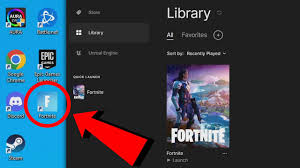
Accessing Fortnite on Pc: A Step-by-step Guide
Are you ready to join the millions of players who have experienced the thrill of Fortnite? If so, this article is perfect for you! We’ll take you through the process of accessing Fortnite on your PC, covering all the essential requirements and steps.
System Requirements
Before we dive into the guide, let’s ensure that your computer meets the minimum system requirements to run Fortnite smoothly. The game requires:
- Operating System: Windows 7/8/10 64-bit
- Processor: I3-3225 3.3 GHz or equivalent
- Memory RAM: 4 GB
- Graphics Card: Intel HD 4000 or Intel Iris Pro 5200
While the minimum requirements will get you playing, we recommend upgrading to meet the recommended specifications for a more enjoyable experience:
- Operating System: Windows 7/8/10 64-bit
- Processor: I5-7300U 3.5 GHz or superior
- Memory RAM: 8 GB
- Graphics Card: NVIDIA GeForce GTX 660 or AMD Radeon HD 7870, or a graphics card with support for DX11
Creating an Account on Fortnite
The first step to accessing Fortnite is creating an account on the Epic Games platform. This will allow you to log in and access various features of the game.
- Go to the official Fortnite website and click on the “Access” button.
- Select your preferred method for logging in, such as using a Facebook, Google, Xbox Live, PlayStation Network, Nintendo, Steam, or Apple ID account.
- If you prefer to create an Epic Games account, select the option to sign up with your email address.
- Fill out the registration form with your details and click on the “Sign Up” button.
Downloading The Epic Games Launcher
After creating your account, it’s time to download the Epic Games launcher. This software will allow you to access Fortnite and other Epic Games titles.
- Visit the official Epic Games website and navigate to the Fortnite section.
- Click on the “Download” button to initiate the automatic download of the launcher file (MSI).
- Once the download is complete, open the MSI file and follow the setup instructions.
Accessing Fortnite on PC
Now that you have downloaded the Epic Games launcher, it’s time to access Fortnite on your PC.
- Launch the Epic Games launcher and log in with your account details.
- Click on the “Shop” tab and search for Fortnite using the search bar.
- Select the Fortnite game from the search results and click on the “Get” button.
- Follow the prompt to validate the association of Fortnite to your account.
Conclusion
Accessing Fortnite on PC is a straightforward process that requires minimal technical knowledge. By following this guide, you’ll be able to create an account, download the Epic Games launcher, and access the game with ease. Don’t forget to check the system requirements to ensure a smooth gaming experience.
Frequently Asked Questions (FAQs)
- Q: What Are The Minimum System Requirements For Running Fortnite?
A: The minimum system requirements include Windows 7/8/10 64-bit, i3-3225 3.3 GHz processor, 4 GB RAM, and Intel HD 4000 graphics card. - Q: Can I Play Fortnite on Mac?
A: Unfortunately, no. Due to a dispute between Epic Games and Apple, Fortnite is not currently available on Mac. - Q: What Are The Recommended System Specifications For Playing Fortnite?
A: The recommended specifications include Windows 7/8/10 64-bit, i5-7300U 3.5 GHz processor, 8 GB RAM, NVIDIA GeForce GTX 660 graphics card, or AMD Radeon HD 7870. - Q: How do I Create an Epic Games Account?
A: To create an account, visit the official Fortnite website and click on the “Access” button. Follow the prompts to register with your preferred method of logging in.
We hope this guide has been helpful!


