
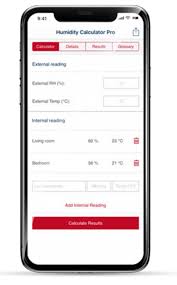
The Importance of Measuring Humidity at Home
Are you tired of feeling uncomfortable and lethargic due to high humidity levels in your home? Do you know that measuring humidity is crucial for maintaining a healthy environment? In this article, we will explore the importance of measuring humidity at home and introduce you to some amazing apps that can help you achieve just that.
Why Measure Humidity?
Humidity levels can greatly impact our physical comfort and even affect our health. When humidity is too high or too low, it can cause discomfort, fatigue, and even lead to serious health issues. Measuring humidity at home allows you to maintain a healthy environment, which is essential for our well-being.
The Role of Hygrometers
A hygrometer is an instrument that measures the humidity levels in a given space. It’s usually associated with a thermometer, which measures temperature. A hygrometer can be manual or digital, and some even come with wireless connectivity features. While traditional hygrometers are accurate, modern apps have made it possible to measure humidity at home using smartphones.
Apps For Measuring Humidity
There are numerous apps available that allow you to measure humidity at home without investing in expensive equipment. These apps utilize sensors or data from nearby weather stations to provide approximate humidity levels. Let’s take a look at some of the top apps:
1. Govee Home
- Description: Govee Home is an app developed by Govee, a leading brand in smart home devices and products.
- Features:
- Measures relative humidity with high accuracy
- Compatible with various sensors from the same manufacturer
- Displays data on a user-friendly interface
2. Hygrometer — Relative Humidity
- Description: This app provides an approximate measurement of relative humidity using nearby weather station data.
- Features:
- Offers a simple and easy-to-use interface
- Provides real-time humidity levels
- Available for both Android and iOS devices
3. Thermopro Sensor
- Description: ThermoPro offers high-quality sensors that measure temperature and humidity accurately.
- Features:
- Compatible with various platforms, including Android, iOS, and iPadOS
- Features a sleek design and user-friendly interface
- Offers real-time data on humidity levels
4. Meteo
- Description: Meteo is an app that provides comprehensive meteorological information, including temperature, humidity, and air quality.
- Features:
- Displays data in a detailed and easy-to-read format
- Available for various platforms, including Android and iOS devices
- Offers a complete view of environmental parameters
5. Station Meteo
- Description: This app offers a wide range of meteorological information, including humidity levels.
- Features:
- Provides real-time data on temperature, pressure, and humidity
- Available for Android devices
- Displays data in an easy-to-read format
6. The Digital Thermometer
- Description: This app provides accurate measurements of temperature and humidity.
- Features:
- Offers a simple and user-friendly interface
- Compatible with various platforms, including Android and iOS devices
- Displays data in real-time
7. Ambient Digital Thermometer
- Description: This app offers comprehensive information on temperature, humidity, and other environmental parameters.
- Features:
- Provides detailed data on temperature, wind speed, and humidity levels
- Compatible with various platforms, including Android devices
- Displays data in a user-friendly format
Conclusion
Measuring humidity at home is essential for maintaining a healthy environment. With the help of apps like Govee Home, Hygrometer — Relative Humidity, ThermoPro Sensor, Meteo, Station Meteo, The Digital Thermometer, and Ambient Digital Thermometer, you can easily monitor humidity levels and ensure your home remains comfortable and safe.
Faqs
- What is The Ideal Humidity Level For a House?
- The ideal humidity level for a house is between 40% and 65%.
- How Often Should I Check Humidity Levels in my Home?
- It’s recommended to check humidity levels regularly, especially during extreme weather conditions.
- Can I Use a Hygrometer to Measure Humidity at Home?
- Yes, you can use a hygrometer to measure humidity at home. However, modern apps have made it possible to measure humidity using smartphones.
- What Are The Benefits of Measuring Humidity at Home?
- Measuring humidity at home helps maintain a healthy environment, which is essential for our well-being. It also prevents damage to furniture and other belongings caused by high or low humidity levels.
- Are There Any Other Apps Available For Measuring Humidity?
- Yes, there are several other apps available that can help you measure humidity at home.
Additional Tips
- Invest in a high-quality hygrometer or app to ensure accurate measurements
- Regularly check humidity levels, especially during extreme weather conditions
- Maintain a healthy environment by controlling humidity levels between 40% and 65%
- Consider investing in smart home devices that can automatically monitor humidity levels and alert you when necessary
By following these tips and using the right apps, you can easily measure humidity at home and maintain a comfortable and safe living space.


