
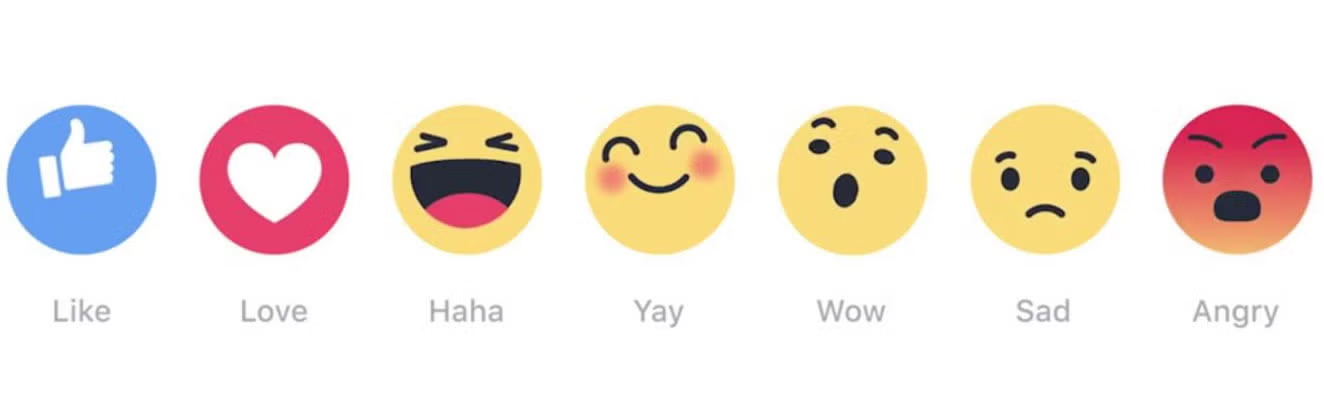
Mastering Facebook Emojis: A Comprehensive Guide
Are you tired of struggling to express yourself on Facebook? Do you want to add a touch of personality to your posts and comments without resorting to lengthy descriptions? Look no further! In this article, we will delve into the world of Facebook emojis, providing you with a comprehensive guide on how to use them effectively.
What Are Emojis?
Emojis are small digital images or icons used to express emotions or ideas in electronic communication. They have become an integral part of online language, allowing users to convey their feelings and tone without relying on words alone.
Why Use Facebook Emojis?
Using emojis on Facebook offers numerous benefits:
- Enhanced Expression: Emojis enable you to express yourself more effectively, conveying emotions and ideas that might be lost in text-based communication.
- Increased Engagement: Emojis can increase engagement by making your posts and comments more visually appealing and interactive.
- Time-saving: Emojis save time by allowing you to quickly convey complex emotions or ideas without needing to type out lengthy descriptions.
How to Use Facebook Emojis on Your PC
Using emojis on Facebook is a straightforward process:
- Access Facebook: Log in to your Facebook account using your PC.
- Create a Post: Click on the “What’s on your mind?” field and select the emoji icon (a smiling face) from the bottom right corner of the box.
- Choose an Emoji: Browse through the available emojis and click on the one you’d like to use.
How to Use Facebook Emojis on Your Smartphone or Tablet
Using emojis on Facebook is equally easy on mobile devices:
- Access Facebook: Log in to your Facebook account using your smartphone or tablet.
- Create a Post: Tap on the “What’s on your mind?” field and select the emoji icon (a smiling face) from the bottom right corner of the box.
- Choose an Emoji: Browse through the available emojis and tap on the one you’d like to use.
Facebook Emojis: A World of Expression
Emojis are not limited to Facebook alone; they can be used across various platforms, including messaging apps, social media, and even email. The sheer variety of emojis available ensures that there’s a perfect representation for every mood, emotion, or idea.
Conclusion
Mastering the art of using Facebook emojis is easier than you think! By following this comprehensive guide, you’ll be able to express yourself more effectively on Facebook, engaging with your audience and making your online interactions more enjoyable. So why not give it a try? Your Facebook friends will thank you!
Here are 8 unique FAQs:
- Q: What Are Emojis, And How do They Differ From Emoticons?
A: Emojis are small digital images or icons used to express emotions or ideas in electronic communication. They have become an integral part of online language, allowing users to convey their feelings and tone without relying on words alone. Emoticons, on the other hand, are text-based representations of emotions. - Q: Why Should I Use Emojis on Facebook?
A: Using emojis on Facebook offers numerous benefits, including enhanced expression, increased engagement, and time-saving. - Q: How do I Access Emojis on Facebook?
A: You can access emojis by clicking on the emoji icon (a smiling face) from the bottom right corner of the “What’s on your mind?” field. - Q: Can I Use Emojis Across Multiple Platforms, or Are They Exclusive to Facebook?
A: Emojis can be used across various platforms, including messaging apps, social media, and even email. - Q: How do I Find The Perfect Emoji For my Post or Comment?
A: You can browse through the available emojis by clicking on the emoji icon (a smiling face) from the bottom right corner of the “What’s on your mind?” field. - Q: What is The Difference Between Ascii Art And Kaomoji?
A: ASCII art refers to text-based representations of images, while kaomoji are Japanese-style emojis used to express emotions or ideas in electronic communication. - Q: Can I Use Emojis to Convey Complex Ideas or Emotions?
A: Yes, emojis can be used to convey complex ideas or emotions by combining multiple emojis or using emoticons. - Q: How do I Report a Problem With Emojis on Facebook?
A: You can report problems with emojis by clicking on the “Help” button at the top of the Facebook page and selecting the option for reporting technical issues.


