
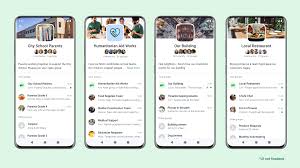
How to Use Whatsapp: A Comprehensive Guide
Are you new to WhatsApp or just looking to brush up on its features? Look no further! This article will guide you through the ins and outs of this popular messaging app.
What is Whatsapp?
WhatsApp is a free, cross-platform messaging app that allows users to send messages, make voice and video calls, share photos and videos, and more. It’s owned by Meta, the same company behind Facebook and Instagram.
How Much Does Whatsapp Cost?
The best part about WhatsApp is that it’s completely free! You can use it without spending a single cent. There are no annual fees or subscription charges. Just download the app, create an account, and start chatting with your friends and family.
How Does Whatsapp Function?
WhatsApp uses a custom-made server called XMPP (Extensible Messaging and Presence Protocol) to facilitate communication between users. When you send a message, it’s routed through this server, which then forwards the message to the recipient’s device. The messages are encrypted end-to-end, ensuring that only the sender and receiver can read them.
Is Whatsapp Safe?
WhatsApp takes user privacy very seriously. It uses end-to-end encryption, which means that only you and the person you’re communicating with can read your messages. However, it’s worth noting that WhatsApp does collect some metadata, such as who sent the message, when it was sent, and more.
How to Install Whatsapp
Installing WhatsApp is a breeze! Just follow these steps:
- Open the Play Store or App Store on your device.
- Search for WhatsApp and download the app.
- Tap the “Install” button to install the app.
- Once installed, tap the “Open” button to launch the app.
How to Create an Account
Creating a WhatsApp account is easy! Just follow these steps:
- Launch the WhatsApp app on your device.
- Accept the terms and conditions by tapping the “Accept” button.
- Enter your phone number and verify it via SMS or voice call.
- Set up your profile picture, name, and other details.
- You’re now ready to start chatting with your friends and family!
How to Use Whatsapp
Using WhatsApp is straightforward! Here are some basic steps:
- Open the WhatsApp app on your device.
- Tap the “Chat” tab to access your conversations.
- Select a contact or type their phone number to initiate a conversation.
- Type a message, add media like photos and videos, or make a voice/video call.
- Use the menu options to forward messages, share files, or create groups.
How to Protect Your Privacy on Whatsapp
Want to keep your conversations private? Here’s how:
- Open the Settings app within WhatsApp.
- Tap the “Account” tab and select “Privacy”.
- Choose who can see your profile picture, status, and last seen information.
- Turn off read receipts to prevent others from seeing when you’ve read their messages.
How to Carry Out a Backup on Whatsapp
Want to back up your conversations? Here’s how:
- Open the Settings app within WhatsApp.
- Tap the “Chat” tab and select “Backup”.
- Choose whether to backup immediately or set up an automatic daily, weekly, or monthly backup.
Using Whatsapp on PC
Want to use WhatsApp on your computer? You can do so using the WhatsApp Web client:
- Open a web browser on your PC.
- Visit the WhatsApp Web website.
- Scan the QR code with your phone’s camera.
- Access your WhatsApp conversations and chats directly from your PC.
Using Whatsapp on Tablet
Want to use WhatsApp on your tablet? You can do so using the same steps as on a smartphone:
- Download the WhatsApp app from the Play Store or App Store.
- Install the app and set up an account.
- Use WhatsApp just like you would on a smartphone!
What is Whatsapp Business?
WhatsApp Business is a separate version of the app designed for businesses. It allows companies to communicate with customers, manage their catalog, and more:
- Download the WhatsApp Business app from the Play Store or App Store.
- Set up an account and associate it with your business phone number.
- Use WhatsApp Business to interact with customers, share updates, and more!
That’s a wrap! With this comprehensive guide, you’re now equipped to use WhatsApp like a pro.
Faqs
- Q: Is Whatsapp Free?
A: Yes, WhatsApp is completely free! - Q: How Does Whatsapp Function?
A: WhatsApp uses end-to-end encryption and a custom-made server called XMPP. - Q: Is Whatsapp Safe?
A: Yes, WhatsApp takes user privacy seriously and uses end-to-end encryption. - Q: How to Create an Account on Whatsapp?
A: Simply follow the steps outlined in this article! - Q: How to Use Whatsapp on Pc?
A: Use the WhatsApp Web client by scanning a QR code with your phone’s camera. - Q: How to Protect my Privacy on Whatsapp?
A: Follow the steps outlined in this article to customize your settings and keep your conversations private. - Q: Can I Carry Out a Backup on Whatsapp?
A: Yes, you can back up your conversations using the built-in feature! - Q: What is Whatsapp Business?
A: A separate version of the app designed for businesses, allowing them to communicate with customers and manage their catalog.
Hope this article was helpful!


