
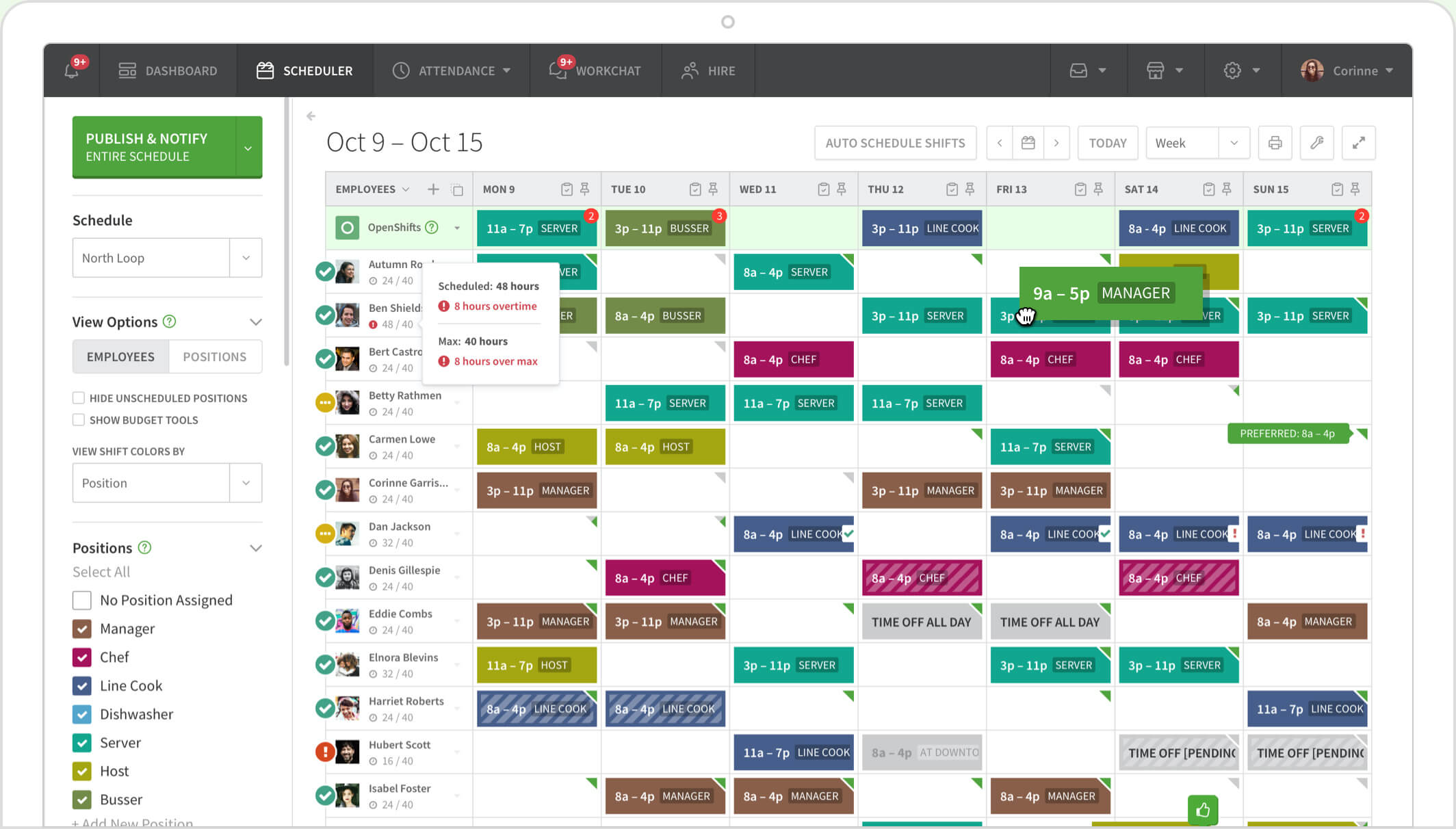
Programs For Managing Work Shifts: A Comprehensive Guide
As a business owner or manager, managing work shifts effectively is crucial for the success of your organization. With the development of smart working, planning work shifts has become even more complex. In this article, we will explore some of the best programs for managing work shifts, including their features, pricing, and how to use them.
Benefits of Managing Work Shifts
Before we dive into the programs, let’s discuss the benefits of managing work shifts:
- Improved productivity: By planning work shifts effectively, you can ensure that tasks are completed on time, and employees have a better work-life balance.
- Reduced absenteeism: With a well-planned schedule, employees are less likely to call in sick or take unnecessary days off.
- Enhanced employee satisfaction: When employees feel their needs are being met, they are more likely to be happy and engaged at work.
Programs For Managing Work Shifts
Here are some of the best programs for managing work shifts:
1. Clockify (Web/Windows/macOS/Linux)
Clockify is a free, web-based time-tracking tool that allows you to track hours worked by employees. It also features a calendar view, where you can schedule tasks and allocate them to specific employees.
Key Features:
- Free plan available
- Unlimited users
- Automatic time tracking
- Calendar view for scheduling tasks
Pricing: Free (Basic), $10/month (Plus), $30/month (Premium)
2. Sling (Web)
Sling is a web-based platform that allows you to schedule work shifts, manage employee availability, and track hours worked.
Key Features:
- Free plan available
- Unlimited users
- Automatic time tracking
- Shift scheduling with employee availability
Pricing: Free (Basic), $1.70/Month (Premium), $3.40/Month (Business)
3. Findmyshift (Web)
Findmyshift is a web-based platform that allows you to schedule work shifts, manage employee availability, and track hours worked.
Key Features:
- Free plan available for up to 5 users
- Unlimited users with paid plans
- Automatic time tracking
- Shift scheduling with employee availability
Pricing: Free (Basic), €22/month (20 users), €33/month (100 users), €55/month (500 users)
4. Bitrix24 (Web/Windows/macOS/Linux)
Bitrix24 is a comprehensive platform that includes features for managing work shifts, tasks, and employee availability.
Key Features:
- Shift scheduling with employee availability
- Automatic time tracking
- Task management
- Employee availability management
Pricing: Custom pricing available for businesses
5. Microsoft Excel (Web/Windows/macOS)
Microsoft Excel is a popular spreadsheet tool that can be used to schedule work shifts and track hours worked.
Key Features:
- Shift scheduling with employee availability
- Automatic time tracking
- Task management
Pricing: Included in Microsoft Office subscription plans
6. Connecteam (Web)
Connecteam is a comprehensive platform that includes features for managing work shifts, tasks, and employee availability.
Key Features:
- Shift scheduling with employee availability
- Automatic time tracking
- Task management
- Employee availability management
Pricing: Free plan available for up to 10 users; €29/month (Basic), €49/month (Advanced), €99/month (Expert)
How to Choose The Right Program
When choosing a program for managing work shifts, consider the following factors:
- Scalability: Will the program grow with your business?
- Ease of Use: Is the program user-friendly and easy to navigate?
- Features: Does the program offer the features you need, such as shift scheduling, automatic time tracking, and task management?
- Pricing: What is the pricing structure, and does it fit within your budget?
Conclusion
Managing work shifts effectively is crucial for business success. With these programs, you can streamline your workflow, improve productivity, and reduce absenteeism. Remember to choose a program that fits your needs, is scalable, easy to use, and offers the features you require.
Frequently Asked Questions (FAQs)
- Q: What Are Some of The Best Programs For Managing Work Shifts?
A: Clockify, Sling, Findmyshift, Bitrix24, Microsoft Excel, and Connecteam are some of the top programs for managing work shifts. - Q: How do I Choose The Right Program For my Business?
A: Consider factors such as scalability, ease of use, features, and pricing when choosing a program. - Q: What is The Pricing Structure For Each Program?
A: Pricing varies depending on the program; some offer free plans, while others require paid subscriptions or custom quotes. - Q: How do I Schedule Work Shifts Using These Programs?
A: Each program has its own method of scheduling work shifts; refer to their user guides for specific instructions. - Q: Can These Programs Integrate With Other Tools And Platforms?
A: Yes, many of these programs can integrate with popular tools and platforms, such as Google Calendar or Microsoft Office.
I hope this comprehensive guide helps you choose the right program for managing work shifts!


