
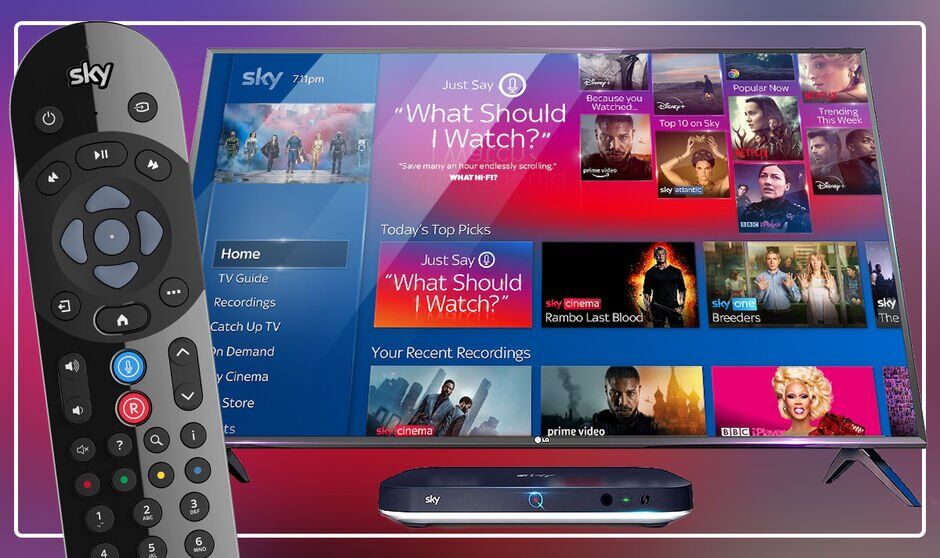
Sky Q: The Ultimate Guide to Sky’s Revolutionary Service
Are you tired of juggling multiple remotes or devices to watch your favorite TV shows or sports events? Do you wish there was a way to enjoy your Sky subscription on any device, anywhere in the house? Look no further than Sky Q!
What is Sky Q?
Sky Q is a revolutionary new service from Sky that allows you to access all of your favorite TV channels and content on any device, anywhere in the house. With Sky Q, you can watch live TV, catch up on missed shows, and even download content to watch offline – all without the need for multiple remotes or devices.
How Does Sky Q Work?
Sky Q works by using a state-of-the-art decoder that connects to your home network via Wi-Fi or Ethernet. This decoder is then connected to any device with a screen (such as a TV, tablet, or smartphone), allowing you to access all of the content from your Sky subscription.
Road Internet vs Road Parabola
Sky Q can be accessed in two ways: Road Internet and road parabola. With road Internet, you can access all of the content from your Sky subscription without the need for a satellite connection. This is ideal for those with fast and reliable internet connections. On the other hand, road parabola uses a traditional satellite connection to receive signal, providing faster speeds and more stable images.
Benefits of Sky Q
The benefits of Sky Q are numerous:
- Access to All Content: With Sky Q, you can access all of your favorite TV channels and content on any device, anywhere in the house.
- No Need For Multiple Remotes: Say goodbye to juggling multiple remotes or devices – with Sky Q, everything is controlled from a single interface.
- Catch up on Missed Shows: Missed a show? No problem! With Sky Q, you can catch up on any episode of your favorite TV series at any time.
- Download Content to Watch Offline: Want to watch something offline? With Sky Q, you can download content to watch on the go.
How Do I Get Sky Q?
Getting Sky Q is easy:
- Visit the Sky website and choose the service that suits your needs.
- Select your preferred package and subscription options.
- Receive your decoder and installation instructions via email or phone call from a technician.
- Follow the on-screen prompts to install and set up your new Sky Q system.
Frequently Asked Questions
Here are some answers to common questions about Sky Q:
- Q: Is Sky Q Available in my Area?
A: Yes, Sky Q is available across most of the UK. - Q: Do I Need a Fast Internet Connection to Use Sky Q?
A: Yes, you will need a minimum speed of 10 Mbps for Internet access. - Q: Can I Watch Live TV on my Tablet or Smartphone With Sky Q?
A: Yes, you can watch live TV on any device connected to your Sky Q system.
Conclusion
Sky Q is the ultimate solution for anyone looking to revolutionize their viewing experience. With its ability to connect multiple devices and provide seamless access to all content, Sky Q is the perfect choice for those who want more from their television subscription.
Whether you’re a busy parent or an avid sports fan, Sky Q has something for everyone. So why not give it a try today? Your TV viewing will never be the same again!
Frequently Asked Questions
Here are some answers to common questions about Sky Q:
- Q: How Much Does Sky Q Cost?
A: The cost of Sky Q varies depending on your package and subscription options. - Q: Do I Need to Install Any Software or Apps to Use Sky Q?
A: Yes, you will need to download the Sky Q app on your devices for seamless access. - Q: Can I Cancel my Sky Q Service at Any Time?
A: Yes, you can cancel your Sky Q service by contacting customer support directly.
Additional Resources
For more information about Sky Q, check out these additional resources:
Please let me know if you need anything else.


