
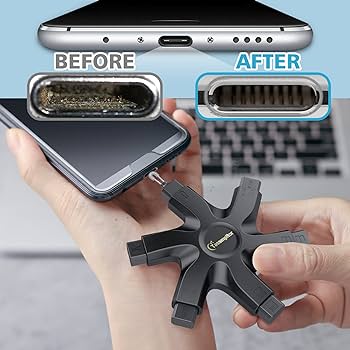
How to Clean Your Iphone’s Lightning Connector: A Step-by-step Guide
As a smartphone user, you’ve probably noticed that your iPhone’s Lightning connector can get pretty dirty over time. Dirt, dust, and other debris can accumulate on the connector, making it difficult to charge your device properly. In this article, we’ll show you how to clean your iPhone’s Lightning connector using simple household items.
Why is Cleaning The Lightning Connector Important?
Cleaning the Lightning connector is crucial for several reasons:
- A dirty connector can prevent your iPhone from charging properly, leading to battery drain and other issues.
- Dirt and debris on the connector can also cause damage to the device’s internal components.
- Regular cleaning can help extend the lifespan of your iPhone.
What You’ll Need:
Before we begin, make sure you have the following items:
- A soft cloth (microfiber or cotton)
- A brush with soft bristles
- Optional: A small cotton swab or a toothbrush
Step 1: Prepare Your Iphone And Workspace
To clean your iPhone’s Lightning connector, follow these steps:
- Disconnect From Power Source: Make sure your iPhone is not connected to any power source.
- Gather Materials: Get the soft cloth, brush, and cotton swab (if needed).
- Clear Workspace: Find a clean surface to work on.
Step 2: Remove Any Debris or Dirt
Use the soft cloth to gently wipe away any visible debris or dirt from the Lightning connector. Do not use harsh chemicals or abrasive cleaners, as they can damage the device’s finish.
- If there are stubborn stains or dust particles, you can lightly brush them away with the soft-bristled brush.
- Avoid using compressed air, as it can push dirt further into the connector.
Step 3: Use a Soft Cloth to Clean The Connector
Once you’ve removed any loose debris, take the soft cloth and gently rub the entire Lightning connector, paying special attention to the areas around the charging port. Be sure to clean both sides of the connector.
- If there’s still dirt or grime stuck in tight spaces, try using a small cotton swab or toothbrush (gently) to help dislodge it.
- Remember not to push too hard, as this might damage the device’s internal components.
Step 4: Inspect And Clean Any Remaining Dirt
If there are still areas with dirt buildup, repeat the cleaning process until you’ve removed all debris. If needed, use a small amount of water and mild soap on the soft cloth before wiping down the connector.
- Be very careful not to get any liquids into the charging port or internal components.
Step 5: Dry Your Iphone And Connector
Once you’ve finished cleaning, use a dry section of the soft cloth to wipe away any remaining moisture from your iPhone’s Lightning connector.
- Make sure there are no signs of water spots on the device or its connectors.
- Finally, inspect the Lightning connector one last time for any remaining dirt or debris.


