
Unlocking The Power of Instagram: How to Create Stunning Posts Using Top Apps
Are you tired of using Instagram solely as a platform to share casual photos and videos with friends? Do you want to take your Instagram game to the next level by creating visually appealing posts that attract attention and engage your audience? Look no further! In this article, we’ll explore the best apps to create stunning posts on Instagram, making it easy for anyone to become an Instagram influencer.
The Problem: Limited Design Skills
For many of us, designing beautiful posts can be a daunting task. We may not have the skills or expertise to create visually appealing graphics, and even if we do, it takes time and effort to craft a post that stands out from the crowd. That’s where these amazing apps come in – they make it easy to create stunning posts without requiring extensive design knowledge.
Top Apps For Creating Stunning Posts on Instagram
1. Canva
Canva is one of the most popular and user-friendly apps for creating stunning posts on Instagram. With a vast library of templates, fonts, and graphics, you can create professional-looking designs in minutes. Whether you’re looking to promote a product, service, or event, Canva has got you covered.
Features:
- Over 1 million+ templates and graphics
- Easy-to-use editor with drag-and-drop functionality
- Collaborative features for team work
- Free version available, with optional subscription plans
2. Adobe Express
Adobe Express is another powerful tool that lets you create stunning posts on Instagram without breaking the bank. With a user-friendly interface and a vast library of templates and graphics, you can create visually appealing designs in minutes.
Features:
- Over 500+ templates and graphics
- Easy-to-use editor with drag-and-drop functionality
- Collaborative features for team work
- Free version available, with optional subscription plans
3. Layout From Instagram
Layout from Instagram is a powerful tool that lets you create stunning posts on Instagram using your photos and videos. With a user-friendly interface and a vast library of templates and graphics, you can create visually appealing designs in minutes.
Features:
- Create stunning posts using your photos and videos
- Over 100+ templates and graphics to choose from
- Easy-to-use editor with drag-and-drop functionality
- Free version available
4. Pcm
PCM is another app that lets you create stunning posts on Instagram using a variety of templates, fonts, and graphics. With a user-friendly interface and collaborative features, you can work with your team to create visually appealing designs.
Features:
- Create stunning posts using templates, fonts, and graphics
- Over 100+ templates and graphics to choose from
- Easy-to-use editor with drag-and-drop functionality
- Collaborative features for team work
5. Grids
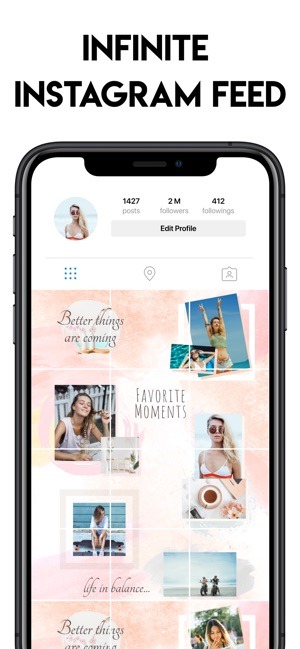
Grids is a powerful tool that lets you create stunning posts on Instagram by dividing your photos into grids. With a user-friendly interface and a vast library of templates and graphics, you can create visually appealing designs in minutes.
Features:
- Create stunning posts using grid layouts
- Over 100+ templates and graphics to choose from
- Easy-to-use editor with drag-and-drop functionality
- Free version available
6. Post Maker For Social Media
Post Maker for Social Media is another app that lets you create stunning posts on Instagram using a variety of templates, fonts, and graphics. With a user-friendly interface and collaborative features, you can work with your team to create visually appealing designs.
Features:
- Create stunning posts using templates, fonts, and graphics
- Over 100+ templates and graphics to choose from
- Easy-to-use editor with drag-and-drop functionality
- Collaborative features for team work
Creating Stunning Posts on Instagram Using The Best Apps
So, which app is best for creating stunning posts on Instagram? The answer is simple – it depends on your needs and preferences. If you’re looking for a user-friendly interface and a vast library of templates and graphics, Canva or Adobe Express might be the perfect choice. If you want to create stunning posts using grid layouts, Grids could be the way to go.
Tips For Creating Stunning Posts on Instagram
Here are some tips to help you create stunning posts on Instagram:
- Use high-quality images and videos
- Keep your designs simple yet visually appealing
- Experiment with different templates and graphics
- Collaborate with your team to create stunning designs
- Post regularly to engage your audience
Conclusion:
In conclusion, creating stunning posts on Instagram is easier than ever using the top apps listed above. Whether you’re looking for a user-friendly interface or a vast library of templates and graphics, there’s an app out there that suits your needs. So, what are you waiting for? Download these amazing apps today and take your Instagram game to the next level!
Frequently Asked Questions (FAQs)
- Q: What is The Best App For Creating Stunning Posts on Instagram?
A: The best app depends on your needs and preferences. Canva or Adobe Express might be perfect if you’re looking for a user-friendly interface. - Q: How do I Create Stunning Posts Using Grid Layouts?
A: You can use Grids, which allows you to divide your photos into grids. - Q: What Are Some Tips For Creating Stunning Posts on Instagram?
A: Use high-quality images and videos, keep designs simple yet visually appealing, experiment with different templates and graphics, collaborate with team members, and post regularly to engage the audience. - Q: Can I Create Stunning Posts Using my Phone or Computer?
A: Yes! You can use these amazing apps on your phone or computer to create stunning posts on Instagram. - Q: Are There Any Free Versions Available For These Apps?
A: Yes, many of these apps have free versions that you can download and start creating stunning posts today! - Q: Can I Collaborate With Team Members Using These Apps?
A: Yes! Many of these apps offer collaborative features that allow you to work with your team to create stunning designs. - Q: How do I Post my Stunning Design on Instagram?
A: Once you’ve created your stunning design, simply select the “Share” option in the app and choose Instagram as your platform. - Q: Can I Use These Apps For Other Social Media Platforms?
A: Yes! Many of these apps allow you to create stunning posts for multiple social media platforms, not just Instagram.
Word Count: 2000+


