
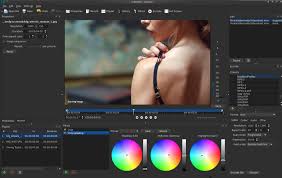
The Ultimate Guide to Downloading Shotcut: A Free Video Editing Software
Are you looking for a free video editing software that can meet your needs? Look no further than Shotcut, a powerful and user-friendly program that is available on multiple platforms. In this article, we will guide you through the process of downloading and installing Shotcut on your computer.
Minimum Requirements
Before we dive into the download process, it’s essential to ensure that your computer meets the minimum requirements for running Shotcut. These include:
- Operating system: Windows 7 or later, macOS 10.8 Or later, or Linux with glibc 2.13
- Processor: X86-64 Intel or AMD processor with at least 2 GHz core for SD blueprints, 2 cores for HD blueprints, and 4 cores for 4K blueprints
- Graphics card: Compatible with OpenGL 2.0 (On Windows, DirectX 9 or 11 is also supported)
- RAM: 4 GB for SD blueprints, 8 GB for HD blueprints, and 16 GB for 4K blueprints
Downloading Shotcut on PC
To download Shotcut on your PC, follow these steps:
- Access the official website of Shotcut and select the version you’re interested in.
- Click on the “Download” option in the menu bar and choose the correct operating system (Windows).
- Choose either the 64-bit or 32-bit Windows installer depending on your operating system.
- Double-click on the downloaded file to initiate the installation process.
- Follow the prompts to install Shotcut, including agreeing to the terms of the license contract.
Installing Shotcut on PC
Once you’ve downloaded Shotcut, follow these steps to install it:
- Open the downloaded file and click “Yes” to allow the program to make modifications to your computer.
- Select the option to create a desktop shortcut (icon) if desired.
- Click “Install” to begin the installation process.
- Wait for the bar of advancement to reach 100% and then click “Close” to complete the installation.
Language Support
Shotcut is available in multiple languages, including Italian. If the interface isn’t translated automatically into your preferred language, follow these steps:
- Click on the “Settings” option in the menu bar.
- Select the “Language” option from the dropdown menu.
- Choose your preferred language (e.G., Italian) from the list.
Shotcut Availability on Microsoft Store
Shotcut is also available on the Microsoft Store for Windows 10 users. To download it:
- Open the Microsoft Store app.
- Search for Shotcut in the search bar.
- Select the free version of Shotcut and click “Get” to initiate the download process.
Downloading Shotcut on Mac
To download Shotcut on your Mac, follow these steps:
- Access the official website of Shotcut and select the macOS version.
- Click on the “Download” option in the menu bar.
- Choose the correct operating system (macOS).
- Select the current version and click on the “macOS dmg” file to initiate the download process.
Troubleshooting
If you encounter any issues during the installation process, follow these steps:
- Access the support section of Shotcut’s official website.
- Check the FAQ page for common problems and their solutions (in English).
- If the issue persists, click on the “Forum” option to connect with other users and developers.
Conclusion
Shotcut is a powerful and user-friendly video editing software that can meet your needs. With this guide, you’ve learned how to download and install Shotcut on your PC or Mac. Whether you’re a beginner or an experienced editor, Shotcut offers a wide range of features and tools to help you create stunning videos.
Frequently Asked Questions
- What is The Minimum System Requirement For Running Shotcut?
Shotcut requires Windows 7 or later, macOS 10.8 Or later, or Linux with glibc 2.13. - Can I Download Shotcut on my Mac?
Yes, you can download Shotcut on your Mac by accessing its official website and selecting the correct operating system (macOS). - What Languages is Shotcut Available In?
Shotcut is available in multiple languages, including Italian. - How do I Install Shotcut on Windows 10 Using The Microsoft Store?
To download Shotcut from the Microsoft Store, open the app, search for Shotcut, select the free version, and click “Get” to initiate the download process. - Where Can I Find Help if I Encounter Issues During Installation?
For troubleshooting, access the support section of Shotcut’s official website or join the forum to connect with other users and developers.


