
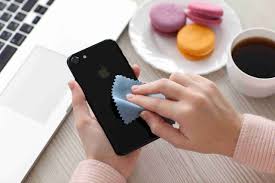
How to Disinfect Your Iphone: A Step-by-step Guide
As we go about our daily lives, it’s easy to forget that our iPhones are constantly exposed to germs and bacteria. In fact, research has shown that smartphones can harbor some of the most common types of bacteria, including E. Coli and Salmonella. This is especially concerning for individuals with weakened immune systems or allergies.
Why Disinfect Your Iphone?
Disinfecting your iPhone regularly can help prevent the spread of germs and bacteria. By following a simple cleaning routine, you can keep your device clean and germ-free. In this article, we’ll explore how to disinfect your iPhone using various methods.
What You Need to Clean Your Iphone
Before we dive into the steps, make sure you have the necessary materials:
- Microfiber Cloth: This will be your primary cleaning tool. You can use a microfiber cloth specifically designed for cleaning electronics or a soft, lint-free cloth.
- Alcohol Wipes: You’ll need alcohol-based wipes to disinfect your iPhone. Look for wipes with at least 70% isopropyl alcohol.
- Soft, Dry Cloth: For drying your iPhone after cleaning.
Disinfecting The Front of Your Iphone
- Start by turning off your iPhone and removing any cases or accessories.
- Use a microfiber cloth to wipe down the front of your device, paying attention to areas around the screen, buttons, and camera lens.
- Dampen a separate microfiber cloth with water, but make sure it’s not soaking wet. Gently wipe down the front of your iPhone again, focusing on any stubborn stains or dirt buildup.
- Use an alcohol wipe to disinfect the front of your iPhone. Apply the wipe to the microfiber cloth and gently rub it onto the device.
Disinfecting The Back of Your Iphone
- Repeat the same process as before, using a microfiber cloth to wipe down the back of your iPhone.
- Dampen a separate microfiber cloth with water and gently wipe down the back of your iPhone again.
- Use an alcohol wipe to disinfect the back of your iPhone.
Using UV Light Sterilizers
- Consider investing in a UV light sterilizer specifically designed for smartphones.
- Follow the manufacturer’s instructions to use the device, typically involving placing your iPhone inside and activating the sterilization process.
- This method can be more effective than manual cleaning, but make sure to follow proper usage guidelines.
Tips And Precautions
- Be gentle when cleaning your iPhone to avoid damaging any components.
- Avoid using bleach or other harsh chemicals that could damage your device’s surface.
- Regularly disinfecting your iPhone will help prevent the buildup of germs and bacteria.
- If you’re unsure about how to clean a specific area, consult your iPhone’s user manual or contact Apple support.
Conclusion
Keeping your iPhone clean is essential for maintaining its functionality and preventing the spread of germs. By following these simple steps and using the right materials, you can ensure that your device stays clean and germ-free. Don’t hesitate to reach out if you have any further questions or concerns!
Frequently Asked Questions (FAQs)
- Q: What’s The Best Way to Disinfect my Iphone?
A: Use a microfiber cloth with at least 70% isopropyl alcohol to effectively clean and disinfect your iPhone. - Q: Can I Use Bleach or Other Harsh Chemicals to Clean my Iphone?
A: No, avoid using bleach or any other chemical that could damage the surface of your iPhone. - Q: How Often Should I Disinfect my Iphone?
A: Regularly cleaning and disinfecting your iPhone can help prevent the buildup of germs and bacteria. - Q: Are There Any Specific Areas on my Iphone That Require Extra Attention When Cleaning?
A: Yes, pay special attention to areas around the screen, buttons, camera lens, and charging port.


