
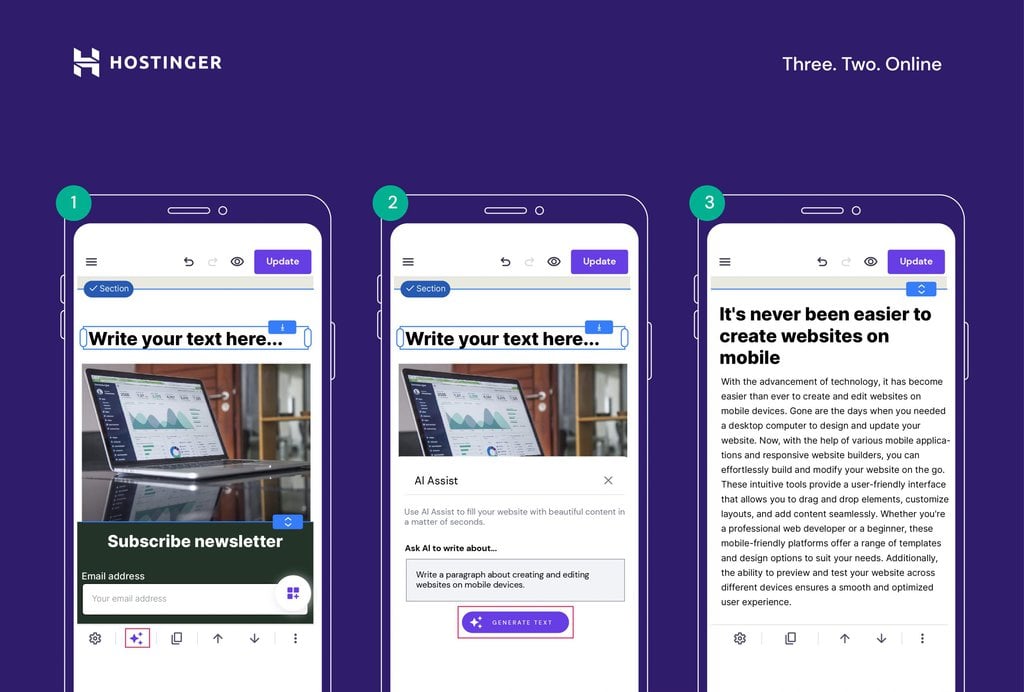
The Ultimate Guide to Creating a Website on Your Smartphone
As technology continues to advance, creating a website has become more accessible than ever. Gone are the days when you needed extensive knowledge of programming or graphic design to build a website. Today, there are numerous apps and platforms that allow you to create a professional-looking website with just a few taps on your smartphone.
Why Create a Website?
In today’s digital age, having an online presence is crucial for businesses, individuals, and organizations alike. A website serves as a virtual storefront, allowing you to showcase your products or services, share information, and connect with your target audience. Whether you’re looking to establish an online business, promote your personal brand, or simply share your passion with the world, creating a website is an excellent way to do so.
The Best Apps For Creating a Website on Your Smartphone
In this article, we’ll explore the top apps for creating a website on your smartphone. These apps are user-friendly, versatile, and packed with features that will help you create a professional-looking website without requiring extensive technical knowledge.
1. Wix
Wix is one of the most popular website builders in the market. It offers a wide range of customizable templates, drag-and-drop functionality, and an intuitive interface that makes it easy to create a website on your smartphone.
Features:
- Customizable templates
- Drag-and-drop editor
- Integrated hosting
- E-commerce capabilities
- Mobile-responsive design
Pricing: Free version available; Premium plans start at $11/month
2. Shopify
Shopify is a leading e-commerce platform that allows you to create an online store with ease. Its app offers a seamless user experience, making it perfect for entrepreneurs and small business owners.
Features:
- E-commerce capabilities
- Integrated payment gateways
- Customizable templates
- Product management
- Order tracking
Pricing: Free trial available; Premium plans start at $21/month
3. Blogger
Blogger is a free blogging platform offered by Google that allows you to create a website on your smartphone with ease. Its user-friendly interface and customizable templates make it an excellent choice for beginners.
Features:
- Customizable templates
- Integrated hosting
- Drag-and-drop editor
- Mobile-responsive design
- SEO optimization
Pricing: Free
4. WordPress
WordPress is a popular content management system (CMS) that allows you to create a website on your smartphone with ease. Its vast array of customizable templates and plugins make it an excellent choice for bloggers, small business owners, and entrepreneurs.
Features:
- Customizable templates
- Integrated hosting
- Drag-and-drop editor
- Mobile-responsive design
- SEO optimization
Pricing: Free version available; Premium plans start at $4/month
5. Weebly
Weebly is a website builder that offers a range of customizable templates, drag-and-drop functionality, and an intuitive interface that makes it easy to create a website on your smartphone.
Features:
- Customizable templates
- Drag-and-drop editor
- Integrated hosting
- E-commerce capabilities
- Mobile-responsive design
Pricing: Free version available; Premium plans start at $10/month
Getting Started With Wix
To get started with Wix, follow these simple steps:
- Download the Wix app on your smartphone.
- Tap on the icon to open the app.
- Create a new account or log in if you already have one.
- Choose a template for your website.
- Customize your template by adding text, images, and other elements.
- Publish your website online.
Tips And Tricks
- Use high-quality images that are optimized for mobile devices.
- Make sure your website is mobile-responsive to ensure a seamless user experience across all devices.
- Use social media integration to reach a wider audience.
- Optimize your website for SEO by using relevant keywords and meta descriptions.
- Keep your website up-to-date with fresh content and updates.
Conclusion
Creating a website on your smartphone has never been easier. With these top apps, you can create a professional-looking website without requiring extensive technical knowledge. Whether you’re looking to establish an online business, promote your personal brand, or simply share your passion with the world, these apps are perfect for beginners and seasoned web developers alike.
Frequently Asked Questions (FAQs)
- What is The Best App For Creating a Website on my Smartphone?
Wix is one of the most popular website builders in the market, offering a wide range of customizable templates, drag-and-drop functionality, and an intuitive interface that makes it easy to create a website on your smartphone.
- Can I Create an E-commerce Store Using These Apps?
Yes, all the apps mentioned above offer e-commerce capabilities, allowing you to sell products or services online with ease.
- Are These Apps Free?
Some of the apps mentioned above offer free versions, while others require a premium subscription for full access to their features and functionalities.
- Can I Customize my Website Using These Apps?
Yes, all the apps mentioned above offer customizable templates, drag-and-drop editors, and intuitive interfaces that make it easy to create a unique and personalized website.
- Do I Need Technical Knowledge to Use These Apps?
No, these apps are designed for beginners and seasoned web developers alike, making it easy to create a professional-looking website without requiring extensive technical knowledge.
- Can I Access my Website From Any Device Using These Apps?
Yes, all the apps mentioned above offer mobile-responsive designs that ensure a seamless user experience across all devices.
- How do I Get Started With Creating a Website on my Smartphone?
To get started, download the app of your choice, create a new account or log in if you already have one, choose a template for your website, customize your template by adding text, images, and other elements, and publish your website online.
- What Are Some Tips And Tricks For Creating an Effective Website Using These Apps?
Use high-quality images that are optimized for mobile devices, make sure your website is mobile-responsive to ensure a seamless user experience across all devices, use social media integration to reach a wider audience, optimize your website for SEO by using relevant keywords and meta descriptions, and keep your website up-to-date with fresh content and updates.
Final Thoughts
Creating a website on your smartphone has never been easier. With these top apps, you can create a professional-looking website without requiring extensive technical knowledge. Whether you’re looking to establish an online business, promote your personal brand, or simply share your passion with the world, these apps are perfect for beginners and seasoned web developers alike.
Get Started Today!
Download one of these apps on your smartphone today and start creating your dream website in no time!


