
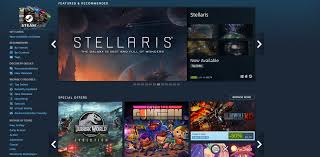
How to Give a Game on Steam: A Step-by-step Guide
Are you thinking of giving a game on Steam to your best friend or loved one? Look no further! In this article, we’ll guide you through the process of buying and gifting games on Steam.
Why Gift Games on Steam?
Gifting games on Steam is a great way to share your favorite titles with friends and family. It’s also a convenient way to give someone access to a game without having to physically send them a copy. Plus, it’s a thoughtful gift that any gamer would appreciate!
How to Give a Game on Steam: A Step-by-step Guide
Preliminary Information
Before we dive into the guide, here are some preliminary things you should know:
- On Steam, there is an option to buy and give games as gifts.
- When buying a game for someone else, you can specify that it’s a gift in the payment process.
- The recipient will receive an email with a link to access the game.
Giving Games on Steam: A Step-by-step Guide
Using The Steam Client
To give a game on Steam using the client, follow these steps:
- Open the Steam client and log in to your account.
- Click on “Shop” at the top of the screen.
- Search for the game you want to gift by typing its name in the search bar.
- Select the game from the search results.
- Click on the “Add to Cart” button.
- In the cart, click on the dropdown menu next to the game’s title and select “This is a gift.”
- Enter the recipient’s Steam account information (username and email address).
- Add a message (optional) and choose whether to send the gift immediately or schedule it for later.
- Review your order and proceed to payment.
Using The Mobile App
To give a game on Steam using the mobile app, follow these steps:
- Open the Steam mobile app and log in to your account.
- Tap on “Shop” at the bottom of the screen.
- Search for the game you want to gift by typing its name in the search bar.
- Select the game from the search results.
- Tap on the “Add to Cart” button.
- In the cart, tap on the dropdown menu next to the game’s title and select “This is a gift.”
- Enter the recipient’s Steam account information (username and email address).
- Add a message (optional) and choose whether to send the gift immediately or schedule it for later.
- Review your order and proceed to payment.
Alternative Solutions
If you’re not able to give a game directly through Steam, there are other options available:
- Steam Gift Cards: You can purchase physical or digital gift cards that can be used to buy games on Steam.
- Instant Gaming: This website allows you to buy and send game codes at a discounted price.
- Sharing Steam Accounts: If you have multiple family members who want to play the same games, you can share your Steam account with them.
Why Choose Steam For Gifting Games?
Steam is an excellent platform for gifting games because it’s:
- Convenient: No need to physically send a copy of the game.
- Easy: The process of buying and gifting games on Steam is straightforward and user-friendly.
- Secure: Your gift will be safely delivered to the recipient.
Conclusion
Giving games on Steam is a thoughtful and convenient way to share your favorite titles with friends and family. Follow our step-by-step guide, and you’ll be able to give a game like a pro!
Frequently Asked Questions (FAQs)
- Q: Can I Gift a Game Directly Through The Steam Client?
A: Yes, simply follow the steps outlined in this article. - Q: What if I’m Not Logged in to my Steam Account?
A: Make sure you’re logged in before attempting to give a game. - Q: Can I Gift Multiple Games at Once?
A: Yes, simply add all the games you want to gift to your cart and follow the steps outlined above. - Q: How do I Know if Someone Has Already Purchased The Game I’m Gifting?
A: Steam will notify you if the recipient already owns the game. - Q: Can I Gift a Game Directly From my Mobile Device?
A: Yes, simply download and install the Steam mobile app to give games on the go! - Q: What’s The Difference Between Gifting a Game Immediately And Scheduling it For Later?
A: Gifting a game immediately sends the code to the recipient instantly, while scheduling it for later allows you to choose when to send the gift. - Q: Can I Share my Steam Account With Multiple Family Members?
A: Yes, simply add them as friends on your account and they’ll be able to access the shared library of games.
**We hope this article has been informative and helpful! If you have any further questions or concerns, please don’t hesitate to reach out. Happy gaming!


