
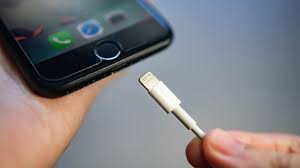
The Ultimate Guide to Removing Water From Iphone Lightning Connector
Are you tired of dealing with the frustration of water damage on your iPhone? If so, you’re in the right place! In this article, we’ll guide you through the process of removing water from your iPhone’s Lightning connector, ensuring it continues to function properly.
Why Does Water Damage Occur in The First Place?
Before we dive into the solution, let’s understand why water damage occurs in the first place. The iPhone’s Lightning connector is a sensitive area that can be prone to water ingress, especially when exposed to liquids or high humidity levels. When this happens, it can cause corrosion and permanent damage to the internal components.
What Not to Do
Before we proceed with the steps to remove water from your iPhone’s Lightning connector, let’s first discuss what not to do:
- Don’t Use a Hair Dryer or Other Heat Sources: Applying heat to the affected area can further damage the internal components.
- Avoid Submerging Your Iphone in Rice or Other Materials: While this might seem like an effective solution, it can actually push water further into the device, causing more harm than good.
- Don’t Insert Cotton Swabs or Similar Objects: These can get stuck in the Lightning connector and cause additional problems.
Step-by-step Guide to Removing Water From Iphone’s Lightning Connector
Now that we’ve covered what not to do, let’s move on to the steps you can take to remove water from your iPhone’s Lightning connector:
- Gently Shake The Iphone: Hold your iPhone with the Lightning connector facing downwards and gently shake it a few times. This will help dislodge any loose water droplets.
- Place The Iphone in a Dry, Well-ventilated Area: Let the device air dry for at least 30 minutes to an hour. Avoid exposing it to direct sunlight or other heat sources.
- Try Charging Your Iphone: After the drying process, attempt to charge your iPhone using a cable and power source. If this doesn’t work, proceed to the next step.
- Use a Microfiber Cloth to Dry The Lightning Connector: Gently wipe the area with a soft, dry microfiber cloth to remove any remaining moisture.
Additional Tips And Solutions
If the above steps don’t resolve the issue, there are other solutions you can try:
- Use a Wireless Charging Pad: If your iPhone has wireless charging capabilities, try using a wireless charging pad to see if it will charge.
- Consult Apple’s Official Support Resources: Visit the Apple Support website or contact their customer support team for additional guidance and assistance.
Conclusion
Removing water from your iPhone’s Lightning connector requires patience, caution, and the right techniques. By following these steps and avoiding common mistakes, you can minimize the risk of permanent damage to your device. Remember to be gentle when handling your iPhone, and don’t hesitate to seek professional help if the issue persists.
Frequently Asked Questions (FAQs)
-
Q: What Should I do if my Iphone is Still Wet After Shaking It?
A: If the water hasn’t been fully removed after shaking the device, let it air dry for a longer period or try using a microfiber cloth to gently wipe away any remaining moisture.
-
Q: Can I Use a Hair Dryer to Speed up The Drying Process?
A: No, applying heat can further damage the internal components of your iPhone. Instead, let it air dry naturally.
-
Q: Will Using a Wireless Charging Pad Resolve The Issue if my Iphone Won’t Charge Via Cable?
A: Yes, if your iPhone has wireless charging capabilities, try using a wireless charging pad to see if it will charge. If this doesn’t work, you may want to consult Apple’s official support resources for additional guidance.
-
Q: Can I Take my Iphone to an Authorized Repair Center or Apple Store?
A: Yes, if the issue persists after trying the above steps and solutions, consider visiting an authorized repair center or Apple Store for professional assistance.
-
Q: How Can I Prevent Water Damage in The Future?
A: To minimize the risk of water damage, ensure your iPhone is properly sealed when exposed to liquids or high humidity levels. Regularly clean the Lightning connector and surrounding areas with a soft, dry microfiber cloth to maintain its integrity.
By following these steps and tips, you can protect your iPhone from water damage and ensure it continues to function optimally.


