
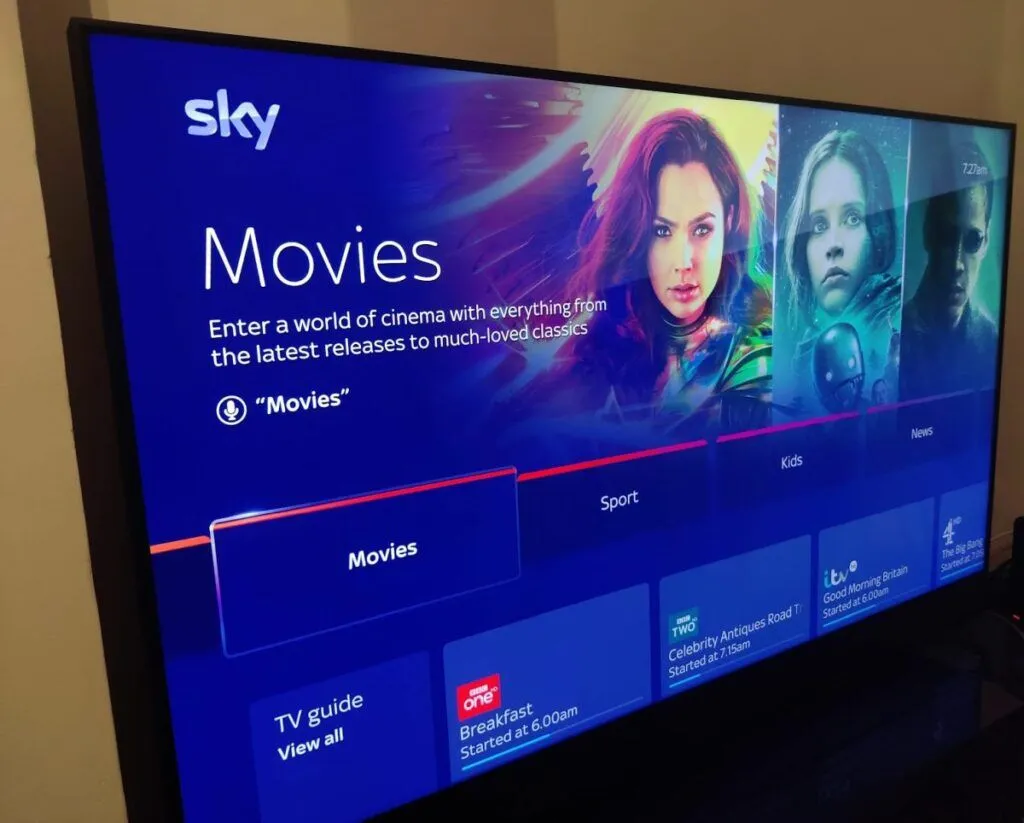
Here’s the guide rewritten in proper English:
The Ultimate Guide to Switching Between Sky And Your Tv: A Step-by-step Tutorial
Are you tired of navigating through the various functionalities of your Sky service? Do you want to know how to switch between Sky and your normal TV or vice versa? Look no further! In this comprehensive guide, we will walk you through the step-by-step process of switching between Sky and your digital terrestrial (DTT) and vice versa.
Table 1: Switching Between Sky And Digital Terrestrial
| Step | Action |
|---|---|
| 1. Install the set-top box or decoder provided by Sky | Follow the instructions to install the device |
| 2. Connect the antenna directly to the preferred input of the decoder | Ensure a stable connection for optimal reception |
How to Switch Between Sky And Digital Terrestrial
If you have decided to connect your antenna directly to the input of the decoder, follow these steps:
- Take the Sky Q remote control in hand and press the Home button (represented by the house icon).
- Select the menu that guides you through the TV Guide.
- Use the directional arrow key to navigate to the Digital Terrestrial option.
- Press the right directional button (or the ring-shaped button) to access the sub-menu related to digital terrestrial.
- Scroll down to highlight the Digital Terrestrial option.
Table 2: Switching Between Sky And Your TV
| Step | Action |
|---|---|
| 1. Connect the decoder to your TV using an HDMI cable | Ensure a stable connection for optimal reception |
| 2. Select the input source on your TV menu | Choose the correct input source (DTT, TV, or another voice) |
How to Switch Between Sky And Your TV
If you have decided to connect your decoder to your TV, follow these steps:
- Press the Source button on the remote control.
- Select the menu that guides you through the HDMI input on which you connected the decoder in your TV settings.
- Confirm the selection.
Table 3: Switching Between Sky And Now
| Step | Action |
|---|---|
| 1. Cancel your Sky contract | Follow the instructions to cancel your contract |
| 2. Subscribe to NOW service | Access the NOW ticket of your interest |
How to Switch Between Sky And Now
If you want to switch from Sky to NOW, follow these steps:
- Cancel your Sky contract.
- Subscribe to NOW service.
Conclusion
Switching between Sky and your digital terrestrial or vice versa is a straightforward process that requires minimal technical knowledge. By following the step-by-step guide provided in this article, you can easily navigate through the various functionalities of your Sky service and enjoy seamless viewing experience.
Frequently Asked Questions (FAQs)
- Q: How do I Switch Between Sky And Digital Terrestrial?
A: To switch between Sky and digital terrestrial, follow the steps outlined in Table 1. - Q: How do I Connect my Decoder to my Tv?
A: To connect your decoder to your TV, follow the steps outlined in Table 2. - Q: Can I Switch From Sky to Now Service Directly?
A: Unfortunately, it is not possible to switch from Sky to NOW service directly. You will need to cancel your Sky contract and subscribe to NOW service separately. - Q: What Are The Benefits of Switching Between Sky And Digital Terrestrial?
A: Switching between Sky and digital terrestrial allows you to enjoy seamless viewing experience with minimal disruption. - Q: How do I Troubleshoot Any Issues With Switching Between Sky And my Tv?
A: If you encounter any issues with switching between Sky and your TV, refer to the guide provided in Table 3 for troubleshooting tips. - Q: Can I Switch Between Sky And Multiple Devices at Once?
A: Yes, you can switch between Sky and multiple devices simultaneously using the correct input source (DTT, TV, or another voice). - Q: How do I Update my Sky Q Remote Control to The Latest Version?
A: To update your Sky Q remote control, follow the instructions provided by Sky support. - Q: Can I Use my Sky Q Remote Control With Other Devices Besides my Tv?
A: Yes, you can use your Sky Q remote control with other compatible devices, such as your NOW service or other streaming services.


