
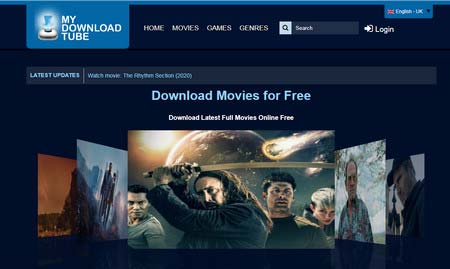
Software to Download Free Movies: A Guide
Are you tired of scouring the internet for free movie downloads? Look no further! In this article, we’ll explore the best software to download free movies, including popular streaming services and alternative solutions.
The Rise of Streaming Services
In recent years, streaming services have become increasingly popular. With the rise of platforms like Netflix, Amazon Prime Video, and Apple TV+, it’s easier than ever to access a vast library of movies and TV shows with just one subscription. However, these services often come with limitations, such as geographical restrictions and limited content selection.
Amazon Prime Video: A Great Option For Free Movie Downloads
One of the best streaming services for free movie downloads is Amazon Prime Video. With an active subscription, you can download movies and TV shows to watch offline, without worrying about internet connectivity. Amazon Prime Video offers a 30-day free trial, which can be extended to 90 days for university students.
To download movies from Amazon Prime Video, follow these steps:
- Install the Amazon Prime Video app on your Windows or macOS device.
- Log in to your Amazon account and navigate to the movie you want to download.
- Click on the “Download” button, and select the quality and format you prefer.
Apple Tv: A Great Option For Mac Users
If you’re a Mac user, Apple TV is an excellent option for downloading free movies. With Apple TV+, you can access a wide selection of movies and TV shows, including exclusive content. The service offers a 7-day free trial, which can be extended to 3 months with the purchase of a new device.
To download movies from Apple TV, follow these steps:
- Install the Apple TV app on your Mac.
- Log in to your Apple ID and navigate to the movie you want to download.
- Click on the “Download” button, and select the quality and format you prefer.
Youtube: A Great Option For Free Movie Downloads
YouTube is another popular platform for free movie downloads. With a YouTube Premium subscription, you can access ad-free videos, exclusive content, and offline playback. The service offers a 30-day free trial, which can be extended to several months for new subscribers.
To download movies from YouTube, follow these steps:
- Install the YouTube app on your Windows or macOS device.
- Log in to your Google account and navigate to the movie you want to download.
- Click on the “Download” button, and select the quality and format you prefer.
Alternative Solutions: Qbittorrent, Jdownloader, And Emule
If you’re looking for alternative solutions to streaming services, consider using qBittorrent, JDownloader, or eMule. These programs allow you to download movies from various sources, including public domain films and independent productions.
- Qbittorrent: A popular torrent client that allows you to download movies from various sources.
- Jdownloader: A download manager that can help you download files from services like MEGA.
- Emule: A peer-to-peer file sharing program that allows you to download movies and other content.
Tips And Tricks
- Before downloading movies, make sure you have a stable internet connection and enough storage space on your device.
- Always check the quality and format of the movie before downloading.
- Consider using a VPN to protect your online privacy and security.
- Be aware of copyright laws and respect the rights of content creators.
Conclusion
Downloading free movies has never been easier. With these software options, you can access a vast library of movies and TV shows with just one subscription or download them from alternative sources. Remember to always respect copyright laws and follow the guidelines outlined in this article.
Frequently Asked Questions (FAQs)
- What Are The Best Streaming Services For Free Movie Downloads?
Amazon Prime Video, Apple TV, and YouTube Premium are excellent options for downloading free movies. - Can I Download Movies From Alternative Sources Like Qbittorrent or Jdownloader?
Yes, you can use these programs to download movies from various sources, but be aware of copyright laws and respect the rights of content creators. - How do I Protect my Online Privacy While Downloading Movies?
Use a VPN to protect your online security and privacy. - Can I Download Movies Without an Internet Connection?
Yes, many streaming services allow you to download movies for offline playback, but check the terms and conditions before doing so. - Are There Any Risks Associated With Downloading Free Movies?
Be aware of copyright laws and respect the rights of content creators. Some downloaded movies may contain malware or viruses, so exercise caution when downloading files from unknown sources. - Can I Download Movies on Multiple Devices?
Check the terms and conditions of each streaming service to see if you can download movies on multiple devices. - How do I Know if a Movie is Available For Free Download?
Check the streaming service’s website or app for information on available movies and their respective pricing plans.
Important Note
Downloading copyrighted content without permission is illegal. This article is intended for informational purposes only, and we encourage you to respect the rights of content creators by using legitimate streaming services or purchasing movies through official channels.


