
How to See Visualizations on Tiktok: A Step-by-step Guide
Are you curious about how many people are watching your videos on TikTok? Do you want to know which content is performing well on the platform? Look no further! In this article, we’ll guide you through the process of seeing visualizations on TikTok, both on your smartphone and computer.
Understanding Visualizations on Tiktok
Before we dive into the steps, let’s quickly understand what visualizations mean on TikTok. Visualizations refer to the number of views, likes, comments, and shares your videos have received. By checking the visualizations, you can gain insights into which content is resonating with your audience.
How to See Visualizations on Tiktok (Mobile)
To see visualizations on TikTok using your smartphone, follow these steps:
- Open the TikTok app.
- Tap on the profile icon at the bottom right corner of the screen.
- Select “Me” from the menu.
- Swipe up to view all your videos.
- Look for the counter in the top-right corner of each video thumbnail. This counter displays the total visualizations (views, likes, comments, and shares) for that specific video.
How to See Visualizations on Tiktok (Computer)
If you prefer to check visualizations on your computer, follow these steps:
- Go to the official TikTok website.
- Log in to your account using your credentials.
- Click on your profile picture at the top right corner of the screen.
- Select “Your Videos” from the dropdown menu.
- Look for the counter next to each video thumbnail, which displays the total visualizations (views, likes, comments, and shares) for that specific video.
How to See Visualizations of Histories on Tiktok
Seeing visualizations of histories (TikTok’s term for “stories”) is equally easy. Follow these steps:
- Access the TikTok app or website.
- Log in to your account using your credentials.
- Click on your profile picture at the top right corner of the screen.
- Select “Your Videos” from the dropdown menu.
- Look for the counter next to each video thumbnail, which displays the total visualizations (views, likes, comments, and shares) for that specific video.
How to See Visualizations of Profiles on Tiktok
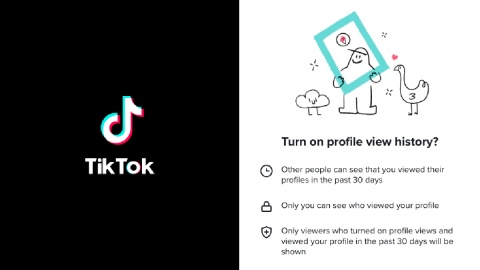
To see visualizations of your profile on TikTok, follow these steps:
- Access the TikTok app.
- Tap on the profile icon at the bottom right corner of the screen.
- Select “Me” from the menu.
- Tap on the three horizontal lines at the top right corner of the screen.
- Select “Settings” and then tap on “Visualizations.”
- Toggle the switch to activate visualizations for your profile.
Can You Hide Visualizations on Tiktok?
Unfortunately, it’s not possible to hide visualizations on TikTok as of now. However, you can deactivate the feature if you’re concerned about seeing certain metrics.
Conclusion
In conclusion, seeing visualizations on TikTok is a straightforward process that provides valuable insights into your content’s performance. By following these steps, you’ll be able to monitor your video and history visualizations, as well as your profile’s viewership, using both your smartphone and computer.
Frequently Asked Questions (FAQs)
Q: Can I see visualizations on TikTok if I’m not the creator of a specific video?
A: Yes, you can see visualizations for any video, even if you’re not the creator.
Q: How do I disable visualizations on TikTok?
A: Unfortunately, it’s not possible to disable visualizations entirely. However, you can deactivate the feature by following the steps outlined above.
Q: What are some other metrics besides visualizations that I can see on TikTok?
A: Besides visualizations (views, likes, comments, and shares), you can also view advanced analytics such as audience growth rate, engagement rate, and more.


