
How to Get a Paypal Card: A Step-by-step Guide
Are you interested in getting a PayPal card? Perhaps you’re wondering how to use it, what benefits it offers, or how to activate it? Look no further! In this article, we’ll take you through the process of obtaining and using a PayPal card.
What is a Paypal Card?
A PayPal card is a physical debit card linked to your PayPal Business account. It’s designed for businesses that want to accept payments online or in-person without needing a traditional bank account. The card can be used to make purchases, withdraw cash, and pay bills, all while avoiding the hassle of dealing with traditional banking fees.
Benefits of a Paypal Card
Before we dive into the process of getting a PayPal card, let’s explore its benefits:
- Convenience: A PayPal card allows you to accept payments online or in-person without needing a traditional bank account.
- Flexibility: The card can be used for both personal and business transactions.
- Cost-effective: Avoiding traditional banking fees can save you money in the long run.
How to Get a Paypal Card
Now that we’ve covered the benefits, let’s move on to the process of obtaining a PayPal card.
Step 1: Access Your Paypal Business Account
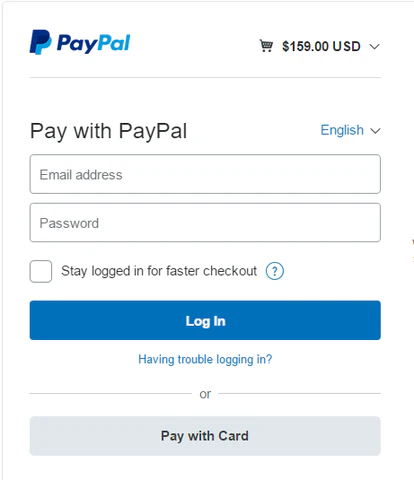
To get started, log in to your PayPal Business account using your email address and password. If you don’t have an account, create one by following these steps:
- Go to the PayPal website (www.Paypal.Com)
- Click on “Create Account”
- Fill out the registration form with your personal details
- Verify your email address
Step 2: Request a Paypal Card
Once you’re logged in, navigate to the “PayPal Business Debit Mastercard” section. Follow these steps:
1. Select the option to request a card.
2. Confirm your account information.
3. Choose the type of document you’d like to use for verification (e.G., Passport, driver’s license, or ID card).
4. Upload the required documents.
5. Review and confirm your details.
6. Wait for PayPal to process your request. This may take a few minutes.
Step 3: Activate Your Paypal Card
Once you receive your PayPal card in the mail, follow these steps:
1. Log in to your PayPal account.
2. Go to the “PayPal Business Debit Mastercard” section.
3. Click on the “Activate Card” button.
4. Enter the card details (found on the back of the card).
5. Follow the prompts to complete the activation process.
Step 4: Use Your Paypal Card
Now that your card is activated, you can start using it for various transactions. Remember to always keep your card details secure and follow best practices when making online payments.
How to Use a Paypal Card Online
Using a PayPal card online is straightforward:
1. Log in to your PayPal account.
2. Select the “PayPal Business Debit Mastercard” option.
3. Choose the payment method (e.G., Credit card, debit card, or PayPal balance).
4. Enter the amount you’d like to pay.
5. Confirm your transaction.
How to Use a Paypal Card in Stores
Using a PayPal card in stores is equally easy:
1. Make sure you have sufficient funds on your card.
2. Select the payment method (e.G., Credit card, debit card, or PayPal balance).
3. Enter the amount you’d like to pay.
4. Confirm your transaction.
Troubleshooting Common Issues
If you encounter any issues with your PayPal card, try these troubleshooting steps:
1. Check that your card is activated and has sufficient funds.
2. Ensure that your account information is up-to-date.
3. Try contacting PayPal customer support for assistance.
Conclusion
Getting a PayPal card can be a convenient way to manage your finances online or in-person. By following the step-by-step guide outlined above, you’ll be able to obtain, activate, and use your PayPal card with ease.
Frequently Asked Questions (FAQs)
Here are some additional questions and answers:
Q: What is a PayPal card?
A: A PayPal card is a physical debit card linked to your PayPal Business account.
Q: How do I get a PayPal card?
A: Log in to your PayPal account, navigate to the “PayPal Business Debit Mastercard” section, and follow the prompts to request a card.
Q: Can I use my PayPal card online?
A: Yes, you can use your PayPal card for online transactions.
Q: How do I activate my PayPal card?
A: Log in to your PayPal account, go to the “PayPal Business Debit Mastercard” section, and follow the prompts to complete the activation process.
Q: Can I contact PayPal customer support if I have issues with my PayPal card?
A: Yes, you can contact PayPal customer support for assistance with any issues related to your PayPal card.


