
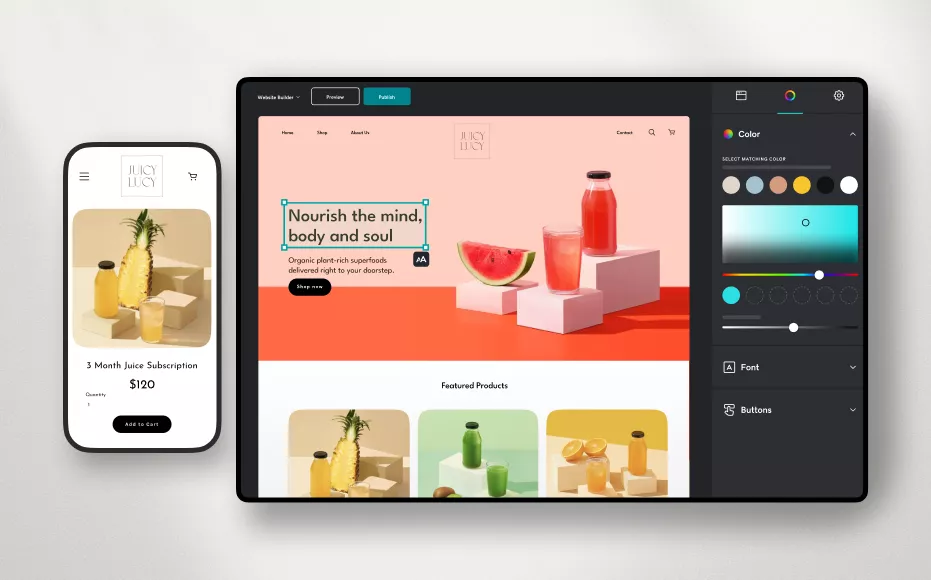
Creating a Website Without Breaking The Bank: A Guide to Free Website Builders
Are you thinking of opening a website but don’t know where to start? Do you want to have a blank slate to create anything without spending a cent? Look no further! In this article, we’ll explore the best free website builders that can help you achieve your online goals.
Why Choose Free Website Builders?
In today’s digital age, having an online presence is crucial for individuals and businesses alike. However, creating a website can be expensive, especially if you’re not tech-savvy. That’s where free website builders come in – they offer a cost-effective solution to create a professional-looking website without breaking the bank.
Top Free Website Builders
- Wix
One of the most popular free website builders is Wix. With its user-friendly interface and drag-and-drop editor, creating a website has never been easier. You can choose from various templates and customize your site to suit your needs. - Shopify
If you’re looking to create an e-commerce website, Shopify is an excellent choice. This platform offers a free trial period, and its user-friendly interface makes it easy to set up an online store. - Google Sites
Google Sites is another popular free website builder that allows you to create simple websites with ease. You can add text, images, and videos to your site without requiring any coding knowledge. - WordPress.Com
While WordPress is primarily known for its self-hosted version, its free website builder offers a range of features and templates to help you create a professional-looking website.
How to Create a Free Website With Wix
To create a free website with Wix, follow these steps:
- Sign up for a Wix account on their official website.
- Choose a template that suits your needs.
- Customize your site by adding text, images, and videos.
- Publish your site and share it with the world!
How to Create an E-commerce Website With Shopify
To create an e-commerce website with Shopify, follow these steps:
- Sign up for a Shopify account on their official website.
- Choose a template that suits your needs.
- Add products and customize your store’s design.
- Set up payment and shipping options.
Benefits of Free Website Builders
Free website builders offer several benefits, including:
- Cost-effective: Create a professional-looking website without spending a cent.
- User-friendly Interface: No coding knowledge required – just drag and drop to create your site.
- Customization: Choose from various templates and customize your site to suit your needs.
Conclusion
Creating a website doesn’t have to be expensive. With these free website builders, you can achieve your online goals without breaking the bank. Whether you’re looking to create an e-commerce website or a simple blog, there’s a platform out there for you.
Frequently Asked Questions (FAQs)
- What is The Best Free Website Builder?
The best free website builder depends on your needs and preferences. Wix, Shopify, Google Sites, and WordPress.Com are all popular options. - Can I Create an E-commerce Website With a Free Website Builder?
Yes, you can create an e-commerce website with Shopify or other platforms that offer e-commerce features. - Do I Need Coding Knowledge to Use a Free Website Builder?
No, most free website builders have user-friendly interfaces that allow you to create a website without requiring any coding knowledge. - Can I Customize my Website’s Design And Layout?
Yes, all the free website builders mentioned above allow you to customize your site’s design and layout. - How Much Does it Cost to Host a Website With a Free Website Builder?
Most free website builders offer free hosting, but some may have limitations on storage space or bandwidth. - Can I Monetize my Website With Ads?
Yes, some free website builders allow you to monetize your site with ads, but this may require upgrading to a paid plan.
I hope this article has helped you understand the world of free website builders. Remember, creating a website doesn’t have to be expensive – just choose the right platform for your needs and start building!


