
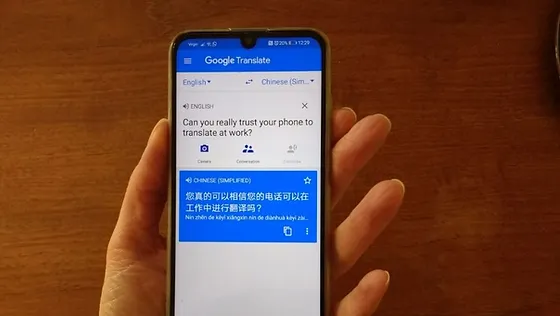
In today’s digital age, email has become an essential means of communication for millions of people around the world. However, when you receive an email in a language you don’t understand or struggle to comprehend, it can be frustrating and time-consuming to translate. That’s why we’ve created this step-by-step guide on how to translate emails on your phone.
Why Translate Emails?
Translating emails is not only useful for personal purposes but also for professionals who need to communicate with clients or colleagues from different linguistic backgrounds. By translating emails, you can:
- Ensure that important messages are conveyed accurately
- Avoid misunderstandings and miscommunications
- Enhance your professional image and reputation
Method 1: Translating Emails on Gmail
Gmail is one of the most popular email services used worldwide. Here’s how to translate emails on Gmail:
- Open The Gmail App: Launch the Gmail app on your Android or iOS device.
- Select The Email: Choose the email you want to translate.
- Tap on The Three Dots: Click on the three dots at the top right corner of the screen.
- Select Translate: Tap on “Translate” from the menu options.
Method 2: Translating Emails on Microsoft Outlook
Microsoft Outlook is another widely used email service that offers a built-in translation feature:
- Open The Outlook App: Launch the Outlook app on your Android or iOS device.
- Select The Email: Choose the email you want to translate.
- Tap on The Three Dots: Click on the three dots at the top right corner of the screen.
- Select Translate Message: Tap on “Translate message” from the menu options.
Method 3: Translating Emails on Apple Mail
Apple Mail is a popular email service used by iOS device users:
- Open The Mail App: Launch the Mail app on your iPhone or iPad.
- Select The Email: Choose the email you want to translate.
- Tap on The Three Dots: Click on the three dots at the top right corner of the screen.
- Select Translate: Tap on “Translate” from the menu options.
Other Helpful Solutions
While these methods are straightforward, there are other helpful solutions you can use:
- Share to Translate App: Share the email content with a translation app like iTranslate or Google Translate.
- Copy And Paste: Copy the email content and paste it into a translation website like Google Translate.
- Gboard Keyboard: Use the Gboard keyboard to compose an email in the desired language.
Conclusion
Translating emails on your phone is easier than ever with these step-by-step guides. Whether you use Gmail, Microsoft Outlook, or Apple Mail, you can ensure that important messages are conveyed accurately and enhance your professional image.


