
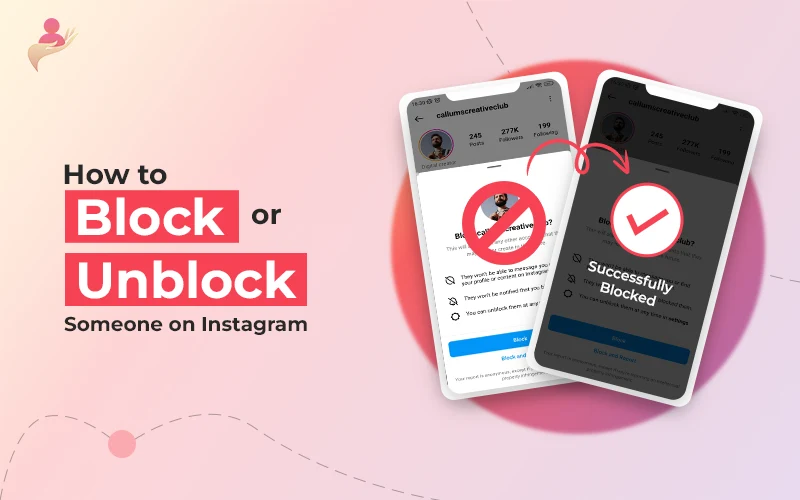
How to Unblock Instagram Blocked Account: A Step-by-step Guide
Are you an avid user of Instagram, but can’t access your account due to some issue? Don’t worry; we’ve got you covered! In this article, we’ll provide a comprehensive guide on how to unblock your Instagram blocked account.
Table 1: Common Reasons For Instagram Blocked Account
| Reason | Solution |
|---|---|
| Phishing Attack | Follow the instructions provided by Instagram’s security team. |
| Error of Instagram | Report the issue to Instagram’s support team, and they will assist you in resolving it. |
| Deleted or Disactivated Account | Try recovering your account using the recovery process. If that doesn’t work, create a new account. |
How to Unblock Instagram Blocked Account
If you’ve been blocked due to some error or security reason, here’s how you can unblock your account:
Step 1: Identify The Reason For Blockage
Check your email or notification section on Instagram for any message from their security team regarding why your account has been blocked.
Step 2: Follow Instructions
If it was a phishing attack, follow the instructions provided by Instagram’s security team to unblock your account. If it was an error of Instagram, report the issue to their support team, and they will assist you in resolving it.
Step 3: Recover Your Account (if Applicable)
If your account has been deleted or disactivated due to some reason, try recovering it using the recovery process provided by Instagram.
How to Unblock Instagram Blocked Account For Phishing Attack
If you’ve fallen victim to a phishing attack and are unable to access your Instagram account, follow these steps:
- Open the app on your Android device.
- Tap on the “Get assistance with the access” link immediately below the login form.
- On the new screen that opens up, tap on the “Have need of ulterior assistance?” (in lowercase).
- In the guide for access section, enter your username and password, then follow the instructions provided.
How to Unblock Instagram Blocked Account For Error of Instagram
If you’re certain that it wasn’t a phishing attack or an error on your part, but rather an issue with Instagram itself, report the problem to their support team:
- Open the app on your Android device.
- Tap on the “Get assistance with the access” link immediately below the login form.
- On the new screen that opens up, tap on the “Have need of ulterior assistance?” (in lowercase).
- In the guide for access section, enter your username and password, then follow the instructions provided.
How to Unblock Instagram Blocked Account if Deleted or Disactivated
If you’re sure that your account has been deleted or disactivated due to some reason:
- Open the app on your Android device.
- Tap on the “Get assistance with the access” link immediately below the login form.
- On the new screen that opens up, tap on the “Have need of ulterior assistance?” (in lowercase).
- In the guide for access section, enter your username and password, then follow the instructions provided.
How to Unblock Instagram Blocked Account if Forgotten
If you’re unable to access your account due to forgotten credentials:
- Open the app on your Android device.
- Tap on the “Get assistance with the access” link immediately below the login form.
- On the new screen that opens up, tap on the “Have need of ulterior assistance?” (in lowercase).
- In the guide for access section, enter your username and password, then follow the instructions provided.
The Difference Between Unblocking And Recovering an Instagram Account
Unblocking an account means removing any temporary restrictions or blocks placed by Instagram’s security team due to suspicious activity. On the other hand, recovering an account implies retrieving it from a deleted or disactivated state.
How to Change Font on Android Device (iOS Users Can Skip)
If you’re using an Android device and want to change the font, follow these steps:
- Open Settings.
- Go to Display > Advanced.
- Tap on Font size and style.
- Choose a new font from the available options.
How to Change Font in Whatsapp or Messenger
If you want to customize your message font on WhatsApp or another messaging app:
- Download and install an app like Cool Fonts or Stilysh Text.
- Open the app, select your preferred font, and tap on “Apply”.
- Copy and paste the text into your messaging app.
How to Change Font Size in Android Device
If you want to change the font size on your Android device:
- Open Settings.
- Go to Display > Advanced.
- Tap on Font size and style.
- Choose a new font size from the available options.
Conclusion
Unblocking an Instagram blocked account can be frustrating, but following these steps should help you resolve the issue quickly and efficiently. Remember that if your account has been deleted or disactivated due to some reason, it might take longer to recover it.


