
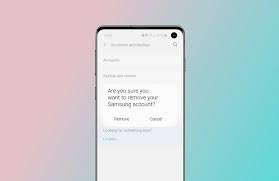
Samsung Account: A Comprehensive Guide
As a Samsung user, you may have wondered how to capsize your account on your smartphone or tablet. Perhaps you’ve forgotten your password and need help recovering it. Or maybe you simply want to modify your account settings to suit your needs better. Whatever the reason, this article will guide you through the process of managing your Samsung account with ease.
Why Manage Your Samsung Account?
Your Samsung account is a central hub for all your device-related activities. By managing your account, you can access various services and features offered by Samsung, including:
- Cloud storage
- Device synchronization
- App purchases
- Personalized recommendations
Managing your account also ensures that your device remains secure and up-to-date with the latest software updates.
How to Capsize Your Samsung Account
To capsize your Samsung account on your smartphone or tablet, follow these steps:
- Delete The Original Account Associated With The Device: Open the Settings app on your Android device and tap on the gear icon to access the settings menu.
- Tap on “Account And Backup” and then select “Account and identify.” From the list that appears, find the email address associated with the old profile (marked as “Samsung account”).
- Tap on The Identified Account and then tap on the three-dot menu icon (⋮) to access additional options.
- Select “Disconnect” to delete the original account from your device.
How to Modify Your Samsung Account
If you need to modify your Samsung account settings, such as changing your password or email address, follow these steps:
- Go to The Samsung Account Management Page: Access the Samsung account management page using a web browser.
- Log in With Your Credentials: Enter your existing email address and password to access your account.
- Modify Your Profile: From the settings menu, select “Profile” to modify your personal details, including name, surname, and date of birth.
How to Capsize Your Password
If you’ve forgotten your Samsung account password or need to change it for security reasons, follow these steps:
- Go to The Samsung Account Management Page: Access the Samsung account management page using a web browser.
- Click on “Forgot Password”: Select this option and enter your email address associated with the account.
- Follow The Instructions: Follow the on-screen instructions to reset your password.
How to Capsize Your Email
If you need to change your email address associated with your Samsung account, follow these steps:
- Contact Samsung Support: Call the free green number 800 726 7864 (Monday to Sunday, 09:00 To 21:00) For assistance.
- Explain Your Issue: Describe your problem and provide identification details to verify your identity.
Tips And Precautions
Before attempting to modify or capsize your Samsung account:
- Make sure you’re using the correct login credentials.
- Be cautious when entering sensitive information, such as passwords or email addresses.
- Back up any important data associated with your account before making changes.
Conclusion
Managing your Samsung account is essential for ensuring a secure and smooth user experience. By following these step-by-step guides, you can modify or capsize your account settings with ease. Remember to be cautious when entering sensitive information, and don’t hesitate to contact Samsung support if you need assistance.
Frequently Asked Questions (FAQs)
- Q: What Happens When I Delete my Original Account?
A: Deleting the original account will remove it from your device, but your data will still be associated with the account. - Q: Can I Modify my Email Address Associated With my Samsung Account?
A: Yes, you can change your email address by contacting Samsung support and following their instructions. - Q: How do I Recover my Forgotten Password?
A: Visit the Samsung account management page and click on “Forgot password” to reset your password using a new one. - Q: What Should I do if I Encounter Any Issues While Modifying or Capsizeing my Account?
A: Contact Samsung support for assistance, providing identification details to verify your identity. - Q: Will Modifying or Capsizeing my Account Affect my Device’s Security?
A: No, managing your account settings will not compromise your device’s security; however, be cautious when entering sensitive information. - Q: Can I Create a New Samsung Account From Scratch?
A: Yes, you can create a new Samsung account by following the steps outlined in this article. - Q: How do I Associate my Samsung Account With Other Services, Like Cloud Storage or Device Synchronization?
A: Visit the Samsung account management page to access and manage these services. - Q: What Happens if I Forget my Password or Email Address Associated With my Samsung Account?
A: Contact Samsung support for assistance in recovering your forgotten password or modifying your email address.


