
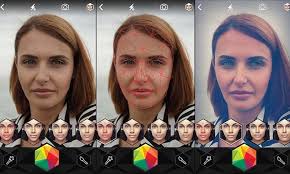
How to Substitute a Face in a Video: A Step-by-step Guide
Are you tired of watching the same old videos without a touch of humor? Do you want to create funny moments with your friends and family? Look no further! In this article, we will guide you on how to substitute a face in a video using various tools and apps.
The Fun of Video Editing
Video editing is an art that allows us to express ourselves creatively. With the advancements in technology, it’s now possible to edit videos like a pro without any prior experience. Whether you want to create funny moments or simply enhance your memories, video editing has become a fun activity for many.
Tools And Apps For Substituting Faces
There are several tools and apps available that allow you to substitute faces in videos. Here are some of the most popular ones:
- Wondershare Filmora: This is a user-friendly video editing software that allows you to add emojis, stickers, and even replace faces with other images.
- Veed.Io: A web-based tool that enables you to edit videos online without any software installation. You can upload your video, select the face replacement option, and choose from various pre-made templates.
- Jibjab: A fun app that allows you to create funny videos by inserting your face into different scenarios. You can choose from various backgrounds, add music, and even share your creation with friends.
How to Substitute a Face in a Video Using Wondershare Filmora
Substituting faces in a video using Wondershare Filmora is a straightforward process:
- Install the software on your computer and launch it.
- Import the video you want to edit into the software.
- Select the face replacement option from the menu.
- Choose the emoji or image you want to replace with, and adjust its size and position as needed.
- Export the edited video in your desired format.
How to Substitute a Face in a Video Using Veed.Io
Substituting faces in a video using VEED.IO is an online process that requires no software installation:
- Go to the VEED.IO website and sign up for an account.
- Upload your video and select the face replacement option.
- Choose from various pre-made templates or upload your own image.
- Adjust the size and position of the emoji as needed.
- Export the edited video in your desired format.
How to Substitute a Face in a Video Using Jibjab
Substituting faces in a video using JibJab is a fun and easy process:
- Install the app on your smartphone or tablet.
- Launch the app and select the face replacement option.
- Choose from various backgrounds, add music, and even record your own voiceover.
- Share your creation with friends and family.
Tips And Tricks
- Use a High-quality Video: The quality of your video will greatly impact the final result. Make sure to use a clear and stable camera when recording your video.
- Experiment With Different Templates: Don’t be afraid to try out various templates and effects to add some humor or creativity to your video.
- Have Fun: Video editing is all about experimentation and creativity. Don’t take it too seriously, and have fun making funny moments with your friends and family!
Conclusion
Substituting faces in videos has become a popular activity for many. With the tools and apps mentioned above, you can create funny moments without any prior experience. Whether you’re looking to enhance memories or simply add some humor to your social media posts, video editing has become an art that’s accessible to everyone.
Frequently Asked Questions
- What is The Best Tool For Substituting Faces in a Video?
- The best tool for substituting faces in a video depends on your personal preference and needs. Wondershare Filmora, VEED.IO, and JibJab are all popular options that offer different features and effects.
- How do I Substitute a Face in a Video Using Wondershare Filmora?
- To substitute a face in a video using Wondershare Filmora, follow these steps: Import the video into the software, select the face replacement option from the menu, choose the emoji or image you want to replace with, and adjust its size and position as needed.
- How do I Substitute a Face in a Video Using Veed.Io?
- To substitute a face in a video using VEED.IO, follow these steps: Upload your video into the software, select the face replacement option from the menu, choose from various pre-made templates or upload your own image, and adjust its size and position as needed.
- How do I Substitute a Face in a Video Using Jibjab?
- To substitute a face in a video using JibJab, follow these steps: Install the app on your smartphone or tablet, launch the app and select the face replacement option, choose from various backgrounds, add music, and even record your own voiceover.
- What Are Some Tips For Substituting Faces in Videos?
- Some tips for substituting faces in videos include using a high-quality video, experimenting with different templates, and having fun making funny moments with your friends and family.
Conclusion
Substituting faces in videos has become a popular activity for many. With the tools and apps mentioned above, you can create funny moments without any prior experience. Whether you’re looking to enhance memories or simply add some humor to your social media posts, video editing has become an art that’s accessible to everyone.
Hope you enjoyed reading this article, If you have any questions feel free to ask.


