
How to Create a New Gmail Account: A Step-by-step Guide
Are you looking to create a new Gmail account? Look no further! In this article, we will guide you through the process of creating a brand new Gmail account, step by step.
Benefits of Creating a New Gmail Account
Before we dive into the process of creating a new Gmail account, let’s take a look at some of the benefits that come with having a fresh start. With a new Gmail account, you can:
- Enjoy a clean and organized inbox
- Create separate accounts for personal and professional use
- Take advantage of Google Drive storage
- Access Google Calendar and other productivity tools
Step 1: Go to The Gmail Website
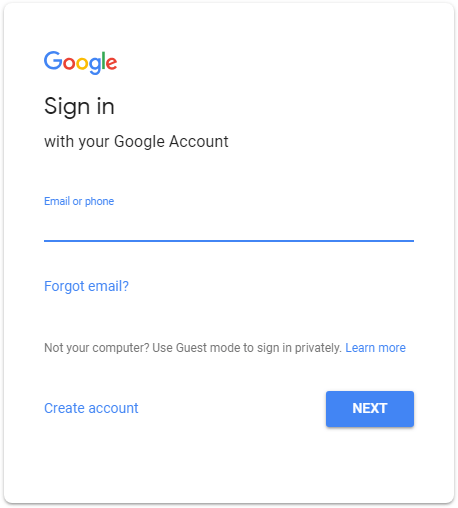
The first step in creating a new Gmail account is to go to the Gmail website. You can do this by typing www.Gmail.Com into your web browser.
[H2]How to Create a New Gmail Account on Computer**
If you’re using a computer, follow these steps:
- Click on the “Create a new account” button.
- Enter your first and last name in the corresponding fields.
- Choose a unique username for your account.
- Enter a valid email address that will serve as your recovery email address.
- Create a strong password for your account.
[H3]How to Create a New Gmail Account on Smartphone**
If you’re using a smartphone, follow these steps:
- Download the Google Mail app from the App Store (for iOS devices) or Google Play Store (for Android devices).
- Open the app and click on “Create an account.”
- Enter your first and last name in the corresponding fields.
- Choose a unique username for your account.
- Enter a valid email address that will serve as your recovery email address.
- Create a strong password for your account.
[H2]Tips for Creating a New Gmail Account**
Here are some tips to keep in mind when creating a new Gmail account:
- Use a unique and memorable username that you’ll be comfortable using.
- Choose a password that’s strong and secure.
- Make sure to enter a valid recovery email address.
- Take advantage of Google Drive storage by linking your account.
[H3]How to Access Google Drive Storage**
To access Google Drive storage, follow these steps:
- Log in to your Gmail account.
- Click on the Google Drive icon.
- You’ll be taken to a page where you can create folders and upload files.
[H4]What is Google Calendar?**
Google Calendar is a calendar app that allows you to schedule appointments and events. To access Google Calendar, follow these steps:
- Log in to your Gmail account.
- Click on the Google Calendar icon.
- You’ll be taken to a page where you can view your calendar.
[H4]How to Access Google Meet**
Google Meet is a video conferencing app that allows you to hold virtual meetings. To access Google Meet, follow these steps:
- Log in to your Gmail account.
- Click on the Google Meet icon.
- You’ll be taken to a page where you can schedule a meeting.
[H2]How to Create a New Gmail Account for Business Use**
If you’re looking to create a new Gmail account for business use, follow these steps:
- Go to the Google Workspace website.
- Click on the “Create an account” button.
- Fill out the form with your company information.
- Choose a plan that suits your business needs.
[H3]How to Create a New Gmail Account for Students**
If you’re a student, follow these steps:
- Go to the Google Workspace website.
- Click on the “Create an account” button.
- Fill out the form with your school information.
- Choose a plan that suits your needs.
[H4]How to Create a New Gmail Account for Parents**
If you’re a parent, follow these steps:
- Go to the Google Workspace website.
- Click on the “Create an account” button.
- Fill out the form with your child’s information.
- Choose a plan that suits your needs.
[H2]Conclusion**
Creating a new Gmail account is a straightforward process that can be completed in just a few minutes. Whether you’re looking to create a new account for personal or professional use, this guide has provided you with the steps necessary to get started.
Frequently Asked Questions
- Q: How Long Does it Take to Create a New Gmail Account?
A: It takes about 5-10 minutes to create a new Gmail account. - Q: Can I Create a New Gmail Account Without a Phone Number?
A: Yes, you can create a new Gmail account without a phone number. - Q: What Are The Benefits of Creating a New Gmail Account?
A: The benefits of creating a new Gmail account include enjoying a clean and organized inbox, creating separate accounts for personal and professional use, taking advantage of Google Drive storage, and accessing Google Calendar and other productivity tools. - Q: How do I Access Google Drive Storage?
A: To access Google Drive storage, log in to your Gmail account and click on the Google Drive icon. - Q: What is Google Meet?
A: Google Meet is a video conferencing app that allows you to hold virtual meetings. - Q: How do I Create a New Gmail Account For Business Use?
A: To create a new Gmail account for business use, go to the Google Workspace website and click on the “Create an account” button. - Q: Can I Create a New Gmail Account For Students?
A: Yes, you can create a new Gmail account for students by going to the Google Workspace website and clicking on the “Create an account” button. - Q: How do I Create a New Gmail Account For Parents?
A: To create a new Gmail account for parents, go to the Google Workspace website and click on the “Create an account” button.
I hope this guide has been helpful in providing you with the steps necessary to create a new Gmail account. If you have any further questions or concerns, please don’t hesitate to reach out!


