
How to Add a Bot on Telegram: A Step-by-step Guide
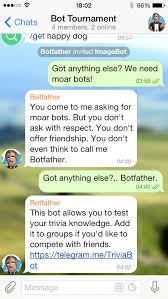
Are you curious about adding a bot on Telegram? Do you want to discover the secrets of these amazing artificial users composed of code strings that can interact with human users in chat, clusters, and channels? Well, you’ve come to the right place! In this article, we’ll guide you through the process of adding a bot on Telegram, covering all the necessary steps for smartphone, tablet, and computer users.
Why Add a Bot on Telegram?
Before we dive into the how-to part, let’s talk about why you’d want to add a bot on Telegram in the first place. Bots can be incredibly useful, whether it’s for entertainment, education, or even business purposes. They can help you with tasks, provide information, and even offer services that can make your life easier.
Adding a Bot on Smartphone And Tablet (Android/iOS)
If you’re using a smartphone or tablet, here’s how to add a bot on Telegram:
- Open The Telegram App: Find the icon in your home screen and/or drawer.
- Search For The Bot: Tap on the magnifying glass icon in the top-right corner and type the name of the bot you want to add.
- Select The Bot: If you know the complete name of the bot, type @ followed by its name. Otherwise, search using keywords.
- Initiate a Chat With The Bot: Tap on the “Start” button next to the bot’s name.
- Add The Bot to Your Chat List: The bot will be added to your chat list, and you can start interacting with it.
Adding a Bot on Computer (Windows/macOS)
If you’re using a computer, here’s how to add a bot on Telegram:
- Open The Telegram Client: Find the icon in your menu or Launchpad.
- Search For The Bot: Type the name of the bot you want to add in the search bar.
- Select The Bot: If you know the complete name of the bot, type @ followed by its name. Otherwise, search using keywords.
- Initiate a Chat With The Bot: Click on the “Start” button next to the bot’s name.
- Add The Bot to Your Chat List: The bot will be added to your chat list, and you can start interacting with it.
Adding a Bot on Telegram Web
If you’re using Telegram Web, here’s how to add a bot:
- Log in to Your Account: If you haven’t already, access your Telegram account through the web version.
- Search For The Bot: Type the name of the bot you want to add in the search bar.
- Select The Bot: If you know the complete name of the bot, type @ followed by its name. Otherwise, search using keywords.
- Initiate a Chat With The Bot: Click on the “Start” button next to the bot’s name.
- Add The Bot to Your Chat List: The bot will be added to your chat list, and you can start interacting with it.
Adding a Bot to a Cluster or Channel
If you want to add a bot to a cluster or channel, follow these steps:
- Search For The Bot: Find the bot you want to add in the search bar.
- Initiate a Chat With The Bot: Tap on the “Start” button next to the bot’s name.
- Add The Bot to The Cluster or Channel: Tap on the three dots next to the bot’s name and select “Add to clusters or channels.”
- Confirm Your Intentions: Confirm that you want to add the bot to the cluster or channel.
Contacting a Bot on Telegram
If you want to contact a bot on Telegram, follow these steps:
- Search For The Bot: Find the bot you want to contact in the search bar.
- Initiate a Chat With The Bot: Tap on the “Start” button next to the bot’s name.
- Start Interacting With The Bot: You can now start sending messages and using the bot’s services.
Conclusion
Adding a bot on Telegram is a straightforward process that can be completed in just a few steps. Whether you’re using a smartphone, tablet, or computer, following these instructions will guide you through the process of adding a bot to your chat list and starting to interact with it. So go ahead, explore the world of Telegram bots, and discover the many amazing possibilities they have to offer!
Faqs
- Q: What is a Bot on Telegram?
A: A bot on Telegram is an artificial user composed of code strings that can interact with human users in chat, clusters, and channels. - Q: How do I Add a Bot on Telegram?
A: To add a bot on Telegram, search for the bot’s name, initiate a chat with it, and add it to your chat list. - Q: Can I Add a Bot to a Cluster or Channel?
A: Yes, you can add a bot to a cluster or channel by searching for the bot, initiating a chat with it, and adding it to the cluster or channel. - Q: How do I Contact a Bot on Telegram?
A: To contact a bot on Telegram, search for its name, initiate a chat with it, and start interacting with it. - Q: Can I Create my Own Bot on Telegram?
A: Yes, you can create your own bot on Telegram by following the instructions in our guide on creating a bot on Telegram.


