
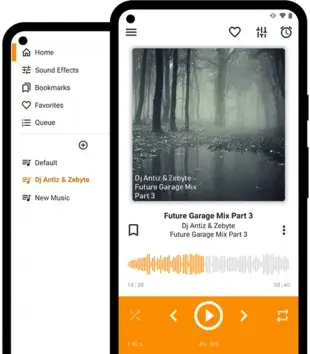
The Ultimate Guide to Listening Music Offline Free
Are you tired of listening to music online? Do you want to have your favorite artists’ songs always with you, without worrying about internet connection or traffic consumption? Look no further! In this article, we’ll explore the best apps to listen to music offline free on smartphone and tablet.
Introduction
With so many great music streaming services available, it can be hard to choose which one is right for you. But what if you want to listen to music without using up your data plan or worrying about ads? That’s where these amazing apps come in – they allow you to download your favorite songs and playlists and listen to them offline, without any subscription fees.
The Best Apps to Listen Music Offline Free
Here are some of the best apps to listen to music offline free:
Spotify (Android/iOS/iPadOS)
Spotify is one of the most popular music streaming services in the world. It’s available on PC, Smart TV, PlayStation, Chromecast, speaker Bluetooth, and, of course, smartphone and tablet Android and iOS/iPadOS. While its free version has some limitations, you can still listen to music without ads, but with a limited selection of songs.
Pros:
- Huge song library
- Ad-free listening (with some limits)
- Offline listening (premium subscription required)
Cons:
- Limited offline access in free version
- Ads can be intrusive
Apple Music (Android/iOS/iPadOS)
Apple Music is another popular music streaming service that’s part of the Apple ecosystem. You can access it on iPhone and iPad via the Music app, and also on Android devices with a dedicated app.
Pros:
- Large song library
- Offline listening available
- No ads in premium version
Cons:
- Limited offline access in free version
- Not as many songs as Spotify
Youtube Music (Android/iOS/iPadOS)
YouTube Music is Google’s answer to music streaming, and it’s a great service with a huge song library. You can listen to music for free, but some features require a subscription.
Pros:
- Huge song library
- Offline listening available
- No ads in premium version
Cons:
* Limited offline access in free version
* Not as many songs as Spotify or Apple Music
Amazon Music (Android/iOS)
Amazon Music is another great service that offers a huge song library and offline listening. You can access it on smartphone and tablet Android, and also on devices like Amazon Echo.
Pros:
- Huge song library
- Offline listening available
- No ads in premium version
Cons:
* Limited offline access in free version
* Not as many songs as Spotify or Apple Music
Other Apps
If you’re looking for more options, there are other apps that allow you to listen to music offline free:
- Jamendo Music: A service that offers independent music with artists and bands that give their songs away for free.
- Free Music Archive: A platform that allows access to a rich library of music without copyright restrictions.
Conclusion
Listening to music offline free is now easier than ever, thanks to these amazing apps. Whether you’re looking for a huge song library or just want to listen to your favorite artists’ songs without using up your data plan, there’s an app for you. So go ahead and explore these options – your ears (and phone) will thank you!
Faqs
-
What is The Best App to Listen Music Offline Free?
While Spotify and Apple Music are great services with a huge song library, they have some limitations in their free versions. If you’re looking for an ad-free experience, YouTube Music or Amazon Music might be better options. -
Do I Need a Subscription to Listen to Music Offline Free?
Yes, most of these apps require a premium subscription to access full features and offline listening. -
Can I Download Songs From These Apps?
Some apps allow you to download songs for offline listening, while others have limitations or require a subscription. -
Are There Any Ads in These Apps?
While some apps offer ad-free experiences, others might have intrusive ads in their free versions. -
What is The Difference Between Spotify And Apple Music?
Spotify has a larger song library, but Apple Music offers exclusive content from artists like Taylor Swift. -
Can I Use These Apps on Multiple Devices?
Most of these apps allow you to access your music library across multiple devices with a subscription. -
How do I Get Started With These Apps?
Just download the app, sign up or log in, and start exploring! -
What if I Want to Cancel my Subscription?
You can usually cancel your subscription from within the app or through the app’s website.


