
The Ultimate Guide to Downloading Serious TV Shows
Are you tired of binge-watching your favorite TV shows on a streaming service? Do you want to download them and watch them offline? Look no further! In this article, we will explore the best ways to download serious TV shows for free without registration.
Introduction
With the rise of online streaming services, it’s become easier than ever to access a vast library of TV shows. However, many of these services require you to have an active internet connection to watch your favorite shows. But what if you want to watch them offline? That’s where downloading comes in!
Programs to Download Serious TV Shows
There are several programs available that allow you to download serious TV shows for free without registration. Here are some of the most popular ones:
Amazon Prime Video (Windows/MacOS)
Amazon Prime Video is a popular streaming service that offers a wide selection of TV shows and movies. One of its best features is the ability to download content for offline viewing. To do this, you need to install the Amazon Prime Video app on your Windows or MacOS device.
Apple Tv+ (macOS)
If you have a Mac, you can also use Apple TV+, which comes pre-installed on your device. This service offers exclusive TV shows and movies, and allows you to download content for offline viewing.
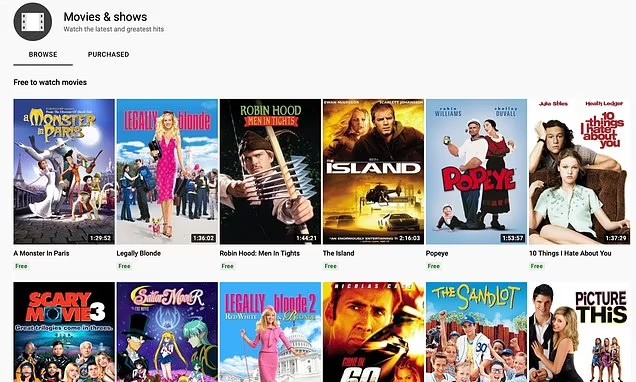
Youtube (Windows/MacOS)
Yes, YouTube can be used to download serious TV shows! While it’s primarily known as a video-sharing platform, YouTube also offers a premium service that allows you to download videos for offline viewing. This feature is available on both Windows and MacOS devices.
Free Programs to Download Serious TV Shows
If you’re looking for free programs to download serious TV shows without registration, here are some options:
App to Download Serious TV Shows
There are several apps available that allow you to download serious TV shows for free. Some of the most popular ones include:
- TV Series Downloader: This app allows you to download TV series from various streaming services and websites.
- Video Downloader: This app can be used to download videos from YouTube, Vimeo, and other video-sharing platforms.
Programs to Download Films And Serious TV Shows
If you’re looking for programs that allow you to download both films and serious TV shows, here are some options:
La TV Series Downloader
This program allows you to download TV series from various streaming services and websites. It’s available for Windows and MacOS devices.
How to Download Serious TV Shows
So, how do you download serious TV shows? Here’s a step-by-step guide:
- Choose Your Service: Select the streaming service that offers the TV show you want to download.
- Install The App: Install the app on your device (Windows or MacOS).
- Sign in: Sign in to your account using the app.
- Select The Episode: Choose the episode you want to download.
- Download: Click the “Download” button to start downloading the episode.
Conclusion
Downloading serious TV shows can be a great way to enjoy your favorite shows offline. With these programs, you can choose from a wide selection of TV shows and movies, and download them for free without registration. Just remember to always follow the terms and conditions of each service, and respect the copyright laws. Happy watching!
Frequently Asked Questions
Here are some frequently asked questions about downloading serious TV shows:
Q: Can I download serious TV shows from any streaming service?
A: Not all streaming services allow you to download content for offline viewing. Some services may require an active internet connection to watch their content.
Q: How do I download serious TV shows?
A: To download serious TV shows, you need to install the app on your device (Windows or MacOS), sign in to your account using the app, select the episode you want to download, and click the “Download” button.
Q: Can I download films from streaming services?
A: Yes, some streaming services allow you to download films for offline viewing. However, not all services offer this feature.
Q: How do I know if a TV show is available for download?
A: Check the service’s website or app for information on which TV shows are available for download. You can also check the show’s page to see if it has a “Download” option.
Q: Can I download serious TV shows from websites other than streaming services?
A: Yes, some websites offer free downloads of TV shows and movies. However, be aware that these may not be officially licensed content and could infringe on copyright laws.
Q: How do I know if the downloaded content is safe to watch?
A: Always ensure that you’re downloading from a reputable source and following the service’s guidelines for downloading content. Be cautious of websites or apps that ask for personal information or money in exchange for downloads.
Q: Can I download serious TV shows on my smartphone?
A: Yes, some streaming services allow you to download content on your smartphone (Android or iPhone) using their app. Check the service’s website or app for more information.


