
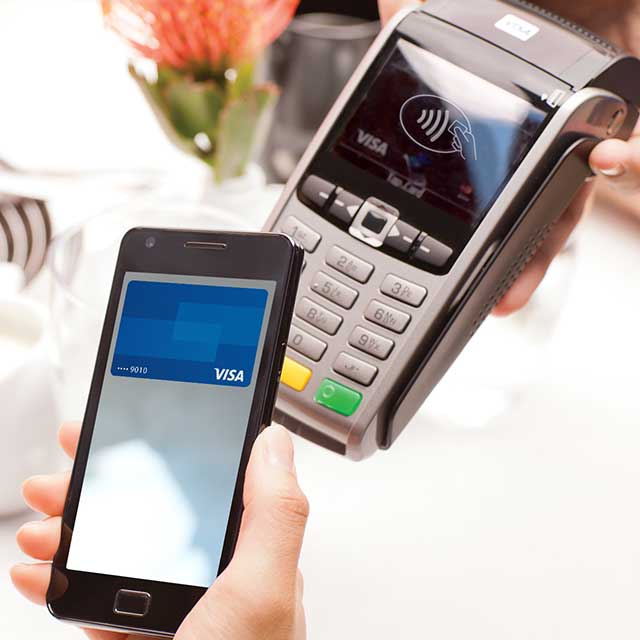
Unlocking The Power of Digital Payments: A Guide to Bancomat Pay
Are you tired of carrying around cash and credit cards? Do you want to make payments easily and conveniently? Look no further than BANCOMAT Pay, a revolutionary digital payment service that is taking Italy by storm. In this article, we will delve into the world of BANCOMAT Pay, exploring its features, benefits, and how to use it with your bank.
What is Bancomat Pay?
BANCOMAT Pay is a digital payment service launched in 2018 by BANCOMAT, a leading Italian company. The service allows users to make payments using their smartphones or smartwatches, eliminating the need for cash and credit cards. With BANCOMAT Pay, you can transfer money instantly to other people, purchase goods and services in affiliated shops, and even pay public administration fees.
How Does Bancomat Pay Work?
Using BANCOMAT Pay is incredibly simple. To make a payment, follow these steps:
- Open the app of your bank on your smartphone.
- Select the option for BANCOMAT Pay.
- Tap on the voice “In shop” and scan the QR code displayed at the checkout counter using your phone’s camera.
- Enter the amount you want to pay and tap on the confirm button.
That’s it! The dealer will receive a notification of the transaction, and once confirmed, the payment will be processed instantly. No more queuing or worrying about cash or credit card fees.
Which Banks Are Affiliated With Bancomat Pay?
BANCOMAT Pay is available at all banks that use PAGOBancomat cards, including:
- UniCredit
- Intesa Sanpaolo
- BNL
- UBI
- Desk BPM
- Popular Bank of Cheats
How to Activate Bancomat Pay With Your Bank
Activating BANCOMAT Pay is a straightforward process. The steps may vary depending on your bank, but here’s a general guide:
- Download the BANCOMAT Pay app from the App Store or Google Play.
- Open the app and tap on the activation button.
- Select your banking institute to complete the activation process.
Using Bancomat Pay With Unicredit
If you’re a UniCredit client, activating BANCOMAT Pay is easy:
- Open the UniCredit app on your smartphone.
- Tap on the “Produced” section and select “Cards.”
- Choose “Management Card” and tap on the “BANCOMAT Pay” option to activate the service.
Using Bancomat Pay With Intesa Sanpaolo
If you’re an Intesa Sanpaolo client, follow these steps:
- Open the Intesa Sanpaolo app on your smartphone.
- Tap on the “Operations” section and select “BANCOMAT Pay.”
- Activate the service by tapping on the “CONTINUOUS” button.
Benefits of Using Bancomat Pay
Using BANCOMAT Pay offers numerous benefits, including:
- Convenience: No more carrying cash or credit cards.
- Security: Transactions are processed instantly and securely.
- Time-saving: No need to queue or wait for payment processing.
- Environmental benefits: Reduced use of paper receipts and cash.
Frequently Asked Questions
Q: What is the minimum amount I can transfer using BANCOMAT Pay?
A: The minimum amount varies depending on your bank, but it’s usually around €1-€5.
Q: Are there any fees associated with using BANCOMAT Pay?
A: Most banks don’t charge fees for transactions under €50. For amounts over €50, a commission is applied (usually between €0.75 And €1).
Q: Can I use BANCOMAT Pay to pay public administration fees?
A: Yes, you can use BANCOMAT Pay to pay public administration fees using the PagoPA service.
Conclusion
BANCOMAT Pay is a game-changing digital payment service that’s revolutionizing the way we make payments. With its ease of use and numerous benefits, it’s no wonder that BANCOMAT Pay is becoming increasingly popular in Italy. By following this guide, you’ll be able to unlock the power of digital payments and enjoy a more convenient, secure, and time-saving experience.
The Future of Payments
As technology continues to advance, we can expect even more innovative payment solutions to emerge. BANCOMAT Pay is just one example of how digital payments are transforming the way we transact. With its speed, security, and convenience, it’s clear that BANCOMAT Pay is here to stay.
How to Use Bancomat Pay: A Step-by-step Guide
Activating BANCOMAT Pay is easy, even if you’re not familiar with digital payments. By following this step-by-step guide, you’ll be able to use BANCOMAT Pay with your bank in no time:
- Download The Bancomat Pay App: Available on Android and iOS devices.
- Activate The Service: Tap on the activation button and select your banking institute.
- Verify Your Phone Number: Enter your phone number to complete the activation process.
That’s it! Once activated, you can use BANCOMAT Pay to make payments easily and conveniently.
Using Bancomat Pay With Your Bank
While the steps may vary depending on your bank, here’s a general guide:
- Unicredit: Open the UniCredit app, tap on “Produced,” select “Cards,” choose “Management Card,” and activate BANCOMAT Pay.
- Intesa Sanpaolo: Open the Intesa Sanpaolo app, tap on “Operations,” select “BANCOMAT Pay,” and activate the service.
Troubleshooting
If you encounter any issues while activating or using BANCOMAT Pay, consult your bank’s customer support for assistance.


