
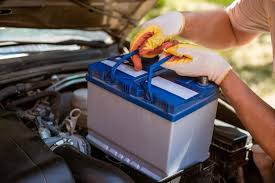
The Ultimate Guide to Contacting Batteries: A Step-by-step Tutorial
As we increasingly rely on electronic devices in our daily lives, it’s essential to understand the basics of battery contact. Whether you’re trying to replace a worn-out battery or troubleshoot an issue with your device, knowing how to contact batteries is a crucial skill. In this comprehensive guide, we’ll walk you through the process of contacting batteries for various types of devices.
Understanding Battery Contact
Before we dive into the specifics, it’s essential to understand the basic principles of battery contact. Batteries have two poles: Positive (+) and negative (-). When connecting batteries, it’s crucial to match the correct poles to avoid damaging your device or causing other problems.
Contacting a Single Battery
The process of contacting a single battery is relatively straightforward. Here are the steps:
- Identify The Poles: Locate the + and – symbols on the battery. The positive pole usually has a slight protuberance, while the negative pole has a smooth surface.
- Choose The Correct Orientation: Make sure you’re holding the battery with the correct orientation to avoid causing any damage.
Contacting Multiple Batteries
When working with multiple batteries, it’s essential to follow a specific procedure:
- Match The Poles: Connect the positive pole of one battery to the negative pole of the next.
- Continue The Process: Repeat this process for each additional battery, ensuring that the correct poles are matched.
Contacting Batteries in Parallel
Batteries can be connected in parallel, which means that each battery is connected to the same terminal. This configuration allows multiple batteries to provide power to a single device:
- Identify The Terminals: Locate the + and – terminals on the batteries.
- Match The Poles: Connect the positive pole of one battery to the positive terminal, and the negative pole of another battery to the negative terminal.
Contacting Batteries in Series
When connecting batteries in series, each battery is connected between two devices:
- Connect The Positive Pole: Connect the positive pole of a battery to the positive terminal of a device.
- Connect The Negative Pole: Connect the negative pole of another battery to the negative terminal of the same device.
Tips And Tricks
Here are some additional tips and tricks to keep in mind when contacting batteries:
- Always use protective gloves or cards to prevent corrosion and ensure accurate connections.
- Make sure you’re holding the correct orientation of the battery to avoid causing any damage.
- If you’re unsure about the correct procedure, consult the device’s manual or seek advice from a professional.
Conclusion
Contacting batteries may seem like a daunting task, but with this step-by-step guide, you’ll be well-equipped to handle various scenarios. Remember to always follow safety precautions and consult relevant documentation when working with batteries. By mastering these skills, you’ll become more confident in troubleshooting and maintaining your electronic devices.
Frequently Asked Questions (FAQs)
- Q: What Happens if I Connect The Wrong Poles?
A: Connecting the wrong poles can cause damage to your device or even lead to a short circuit. - Q: Can I Use Multiple Batteries of Different Types Together?
A: It’s generally not recommended, as this can lead to compatibility issues and potential safety risks. - Q: How do I Know Which Way to Hold The Battery?
A: Look for the + and – symbols on the battery, or check the device’s manual for guidance. - Q: Can I Use Batteries With Different Capacities Together?
A: While it may seem convenient, using batteries with different capacities can cause imbalance and affect performance. -
Q: How Often Should I Replace my Batteries?
A: The frequency of battery replacement depends on usage and device type; consult the manufacturer’s guidelines for specific recommendations. -
Q: What Are The Consequences of Connecting Batteries Incorrectly?
A: Incorrect connections can lead to device damage, malfunction, or even safety hazards like overheating or fires. -
Q: Can I Connect Batteries in Any Configuration I Want?
A: While it may seem tempting, connecting batteries in unusual configurations can cause compatibility issues and potential safety risks. -
Q: How do I Troubleshoot Battery-related Issues?
A: Consult the device’s manual, seek advice from a professional, or try troubleshooting steps like checking for corrosion or loose connections.
Remember to always follow proper safety protocols when working with batteries, and consult relevant documentation for specific guidance on your device.


