
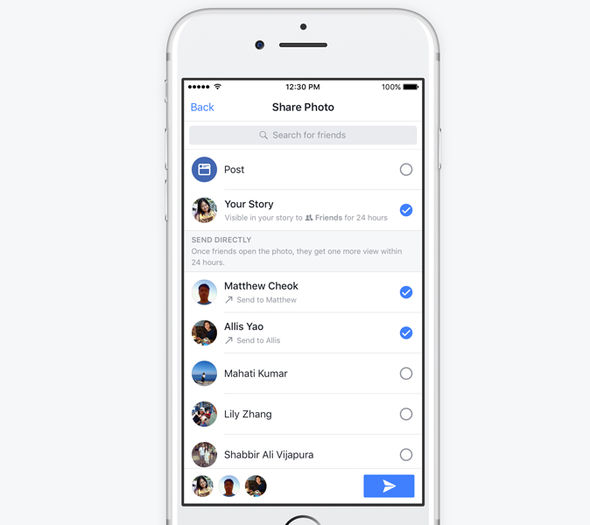
How to See Facebook Histories in Anonymous Mode: A Step-by-step Guide
Are you curious about what your friends are posting on Facebook without them knowing? Do you want to keep an eye on their activities without being seen? In this article, we’ll show you how to see Facebook histories in anonymous mode using various methods.
What You Need to Know Before Starting
Before diving into the nitty-gritty of seeing Facebook histories in anonymous mode, it’s essential to understand that Facebook is not a public platform. The content shared on Facebook is private and can only be accessed by friends or people who have been added as friends by the user in question.
Method 1: Seeing Facebook Histories in Anonymous Mode Using Smartphone And Tablet
If you’re using a smartphone or tablet, you can see Facebook histories in anonymous mode using the Facebook app. Here’s how:
- Open The Facebook App: Open the Facebook app on your device.
- Access Your Account: If necessary, access your Facebook account by logging in with your credentials.
- View Friend Histories: In the leading screen, you’ll see a list of friends who have posted recent updates. Swipe left or right to view previous or next posts without being seen.
Method 2: Seeing Facebook Histories in Anonymous Mode Using PC
If you’re using a PC, you can also see Facebook histories in anonymous mode by following these steps:
- Open The Facebook Website: Open the Facebook website on your computer.
- Access Your Account: If necessary, access your Facebook account by logging in with your credentials.
- View Friend Histories: In the leading screen, you’ll see a list of friends who have posted recent updates. Click on the “See All” button to view all histories.
Method 3: Using a Second Facebook Account
If you want to see someone’s Facebook history without being seen by them, you can create a second Facebook account and add them as a friend. Here’s how:
- Create a Second Account: Create a new Facebook account.
- Add Friend: Add the person whose history you want to see as a friend using your secondary profile.
- Access Their History: Access their history by logging in with your second profile and navigating to their profile.
Method 4: Using Third-party Apps
There are also third-party apps available that can help you see Facebook histories in anonymous mode. One such app is Bluer, which is a free app for Android and iOS devices. Here’s how it works:
- Download The App: Download the Bluer app on your device.
- Access Your Account: Access your Facebook account using the Bluer app.
- View Friend Histories: Use the Bluer app to view friend histories in anonymous mode.
Important Considerations
Before using any of these methods, it’s essential to consider the following:
- Privacy Risks: Using third-party apps or creating a second account can expose your Facebook account to potential risks of privacy.
- Account Limitations: Using unofficial clients or third-party apps may limit your account functionality or lead to restrictions.
Conclusion
Seeing Facebook histories in anonymous mode is possible using various methods. However, it’s essential to consider the potential risks and limitations involved. By following these steps and taking necessary precautions, you can keep an eye on your friends’ activities without being seen.
Frequently Asked Questions (FAQs)
- Q: Is it Possible to See Facebook Histories in Anonymous Mode?
A: Yes, it’s possible using various methods. - Q: Can I Use a Third-party App to See Facebook Histories in Anonymous Mode?
A: Yes, but be aware of potential privacy risks and account limitations. - Q: How Can I Create a Second Facebook Account to See Someone’s History Without Being Seen by Them?
A: Create a new account and add the person as a friend using your secondary profile. - Q: Are There Any Risks Involved in Using Third-party Apps or Creating a Second Account?
A: Yes, potential privacy risks and account limitations are associated with these methods.


