
How to Forward Sms From Pc: A Comprehensive Guide
Are you tired of using your smartphone to forward SMS messages? Do you want to know how to forward SMS from PC without any hassle? Look no further! In this article, we will guide you through the process of forwarding SMS from PC using various methods.
Introduction
Forwarding SMS from PC can be a convenient and efficient way to manage your messages without having to use your smartphone. However, it’s not always clear how to do it. In this article, we’ll explore the different ways to forward SMS from PC, including using Link to the phone, iMessage, Skype, and more.
Method 1: Using Link to The Phone
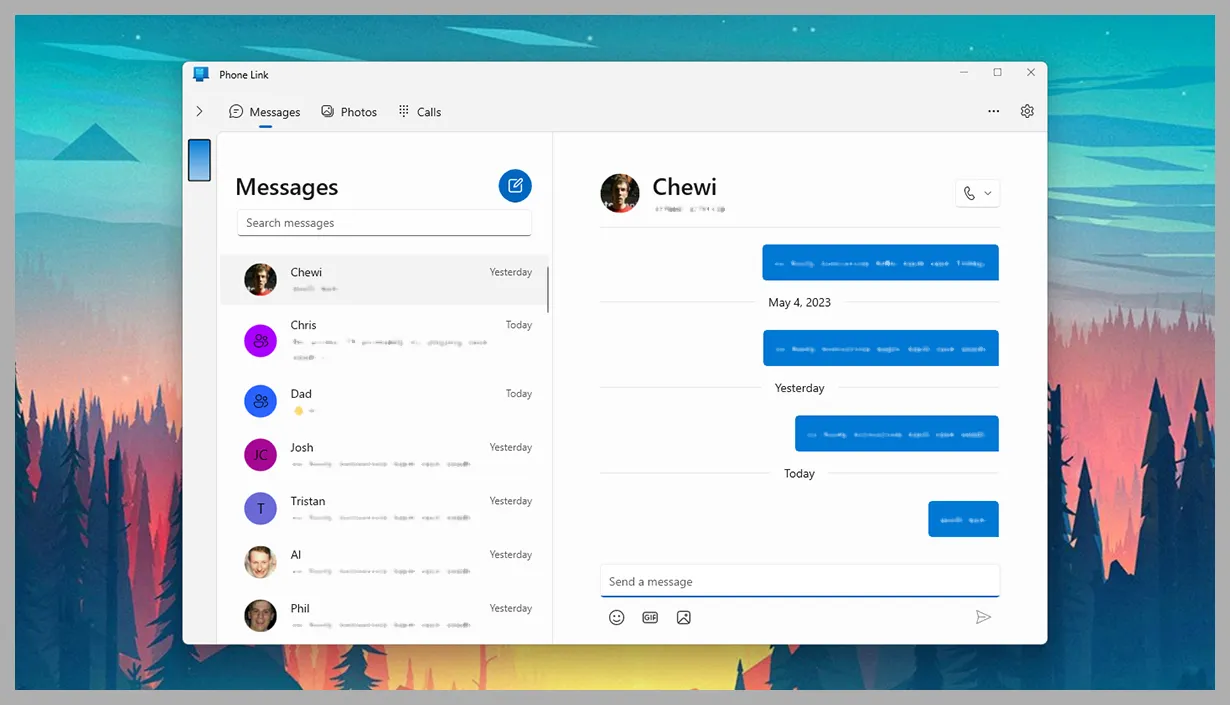
If you’re using a Windows computer with an Android smartphone, you can use the Link to the phone feature to forward SMS messages. Here’s how:
- Download the Link to the phone app on your smartphone.
- On your PC, click on the Start button and then on the Settings icon.
- Click on Bluetooth and devices > Link to the phone and select Open Link to the phone.
- Follow the instructions to scan a QR code with your smartphone.
- Once connected, you can access all your messages and forward them from your PC.
Method 2: Using Imessage
If you’re an Apple user with an iPhone and Mac, you can use iMessage to forward SMS messages from your Mac. Here’s how:
- Ensure that both devices are signed in with the same Apple ID.
- On your Mac, open Messages and select Preferences/Settings.
- Select the iMessage tab and click on Qualify Messages on iCloud.
- Click on Synchronise now to synchronize your messages.
- Once synchronized, you can access all your conversations and forward messages from your Mac.
Method 3: Using Skype
If you’re a private user without specific requirements, you can use Skype to forward SMS messages from your PC. Here’s how:
- Download Skype on your computer and sign in with your account.
- Purchase credit for Skype and acquire the necessary amount.
- Click on your name at the top of the window and select Skype to phones.
- Choose the credit package you’ve purchased and click on Acquire [amount] of credit.
- Insert the number of mobile you want to forward the message to in the Number of phone field.
- Type the text of the message in the Digita a SMS here field (maximum 160 characters).
- Click on the Forward button to send the message.
Method 4: Using Sms Aruba
SMS Aruba is a service that allows you to forward SMS messages from your PC to mobile numbers. Here’s how:
- Visit the official website of SMS Aruba and click on Acquire SMS Aruba.
- Select the pack of SMS you want to purchase (50, 100, or 250 SMS).
- Click on the Acquire your pack SMS button to complete the purchase.
- Follow the instructions to insert the number of mobile you want to forward the message to and type the text of the message.
Conclusion
Forwarding SMS from PC can be a convenient and efficient way to manage your messages without having to use your smartphone. In this article, we’ve explored four different methods to do so, including using Link to the phone, iMessage, Skype, and SMS Aruba. By following these steps, you’ll be able to forward SMS messages from your PC with ease.
Faqs
- What Are The Costs of Forwarding Sms Messages Using Skype?
Each single SMS forwarded in Italy costs 0.06 Euros. - Can I Use Skype to Forward Anonymous Sms Messages?
Yes, you can use Skype to forward anonymous SMS messages by selecting the “I’m not a robot” option and clicking on Send. - What Are The Prices of Purchasing Packs For Forwarding Sms Messages Using Sms Aruba?
The prices range from 3.45 Euros + VAT (for 50 SMS) to 16.25 Euros + VAT (for 250 SMS). - Can I Use Sms Aruba to Forward Anonymous Sms Messages?
Yes, you can use SMS Aruba to forward anonymous SMS messages by selecting the “Anonymous” option and clicking on Send. - What Are The Benefits of Using Link to The Phone For Forwarding Sms Messages?
Link to the phone allows you to access all your messages and forward them from your PC without having to use your smartphone. - Can I Use Imessage to Forward Anonymous Sms Messages?
Yes, you can use iMessage to forward anonymous SMS messages by selecting the “Anonymous” option and clicking on Send. - What Are The Costs of Purchasing Credit For Forwarding Sms Messages Using Skype?
The cost of purchasing credit ranges from 5 euros (for a small package) to 25 euros (for a large package). - Can I Use Sms Aruba to Forward Multiple Sms Messages at Once?
Yes, you can use SMS Aruba to forward multiple SMS messages at once by selecting the “Batch” option and clicking on Send.


