
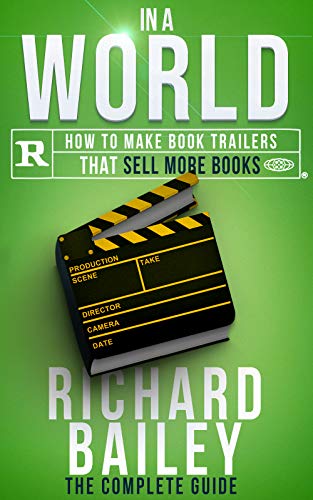
How to Create a Book Trailer: A Step-by-step Guide
Are you an author looking to promote your book and capture the attention of potential readers? Do you want to create a visually appealing video that showcases your story and entices viewers to learn more? Look no further than creating a book trailer!
In this article, we’ll take you through the process of creating a compelling book trailer using various online tools. We’ll explore different options, from free and easy-to-use platforms to more advanced software.
What is a Book Trailer?
A book trailer is a short video that summarizes your story, highlights its key themes, and encourages viewers to read it. It’s an excellent way to showcase your book and generate buzz around its release. A good book trailer should be engaging, informative, and visually appealing.
Why Create a Book Trailer?
Creating a book trailer can help you:
- Generate interest in your book and attract potential readers
- Showcase your story and key themes in a concise and engaging way
- Build anticipation for the release of your book
- Establish yourself as an author who is creative, innovative, and professional
Option 1: Animaker
Animaker is a free online platform that allows you to create animated videos, including book trailers. It’s easy to use, even if you have no prior experience with video editing.
To get started:
- Go to the Animaker website and sign up for an account.
- Choose the “Book Trailer” template from the available options.
- Add your text, images, and other elements to create a compelling story.
- Edit and customize your video as needed.
- Export your video in MP4 or GIF format.
Option 2: Canva
Canva is a popular online design platform that offers a range of free templates for creating book trailers. It’s user-friendly and provides access to a vast library of images, fonts, and other assets.
To create a book trailer with Canva:
- Go to the Canva website and sign up for an account.
- Choose the “Book Trailer” template from the available options.
- Customize your video by adding text, images, and other elements.
- Edit and export your video in MP4 or GIF format.
Option 3: Biteable
Biteable is a paid online platform that specializes in creating animated videos, including book trailers. It offers a range of templates and features to help you create a professional-looking video.
To get started with Biteable:
- Sign up for an account on the Biteable website.
- Choose the “Book Trailer” template from the available options.
- Customize your video by adding text, images, and other elements.
- Edit and export your video in MP4 format.
Other Options
If you’re looking for more advanced software or want to explore other options, consider:
- Adobe Express: A free online platform that offers a range of templates and features for creating presentations and videos.
- Animoto: A paid online service that specializes in creating animated videos, including book trailers.
- Veed.Io: A free online video editor that allows you to create engaging videos with minimal effort.
- FlexClip: A paid online platform that offers a range of templates and features for creating animated videos, including book trailers.
Conclusion
Creating a book trailer is an excellent way to promote your story and engage potential readers. With various online tools available, it’s easier than ever to create a compelling video that showcases your book’s key themes and encourages viewers to learn more. Whether you choose Animaker, Canva, Biteable, or another option, remember to have fun with the process and be creative!
Frequently Asked Questions
- What is The Best Software For Creating a Book Trailer?
The best software depends on your specific needs and preferences. Consider options like Animaker, Canva, Biteable, Adobe Express, Animoto, Veed.Io, or FlexClip. - How Long Should my Book Trailer Be?
Aim for a video that’s 1-3 minutes long, depending on the complexity of your story and the level of engagement you want to create. - What Kind of Content Should I Include in my Book Trailer?
Include key elements like character descriptions, plot summaries, and themes to give viewers an idea of what your book is about. - Can I Use Stock Footage or Images in my Book Trailer?
Yes, use high-quality stock footage or images that are relevant to your story. Make sure you have the necessary permissions or licenses to use them. - How do I Export And Share my Book Trailer?
Export your video in MP4 or GIF format and share it on social media platforms, YouTube, or embed it on your website.
I hope this article has provided valuable insights into creating a compelling book trailer using various online tools. Remember to have fun with the process, be creative, and showcase your story in an engaging way!


