
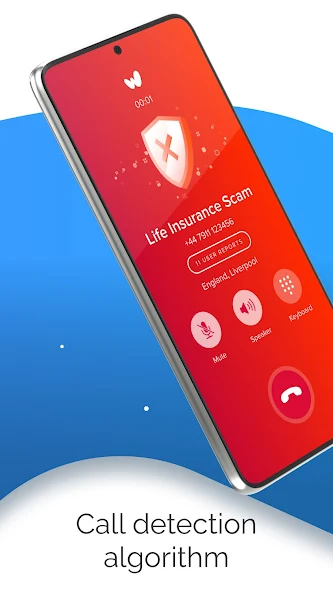
How to Know Who Is Calling: A Guide to Identifying Unknown Phone Numbers
Are you tired of receiving unwanted calls from unknown numbers? Do you want to know who is behind the mysterious phone number that keeps calling you? Look no further! In this article, we will guide you through various ways to identify and block unwanted calls using different services and apps available on both Android and iOS devices.
Understanding The Problem
With the rise of smartphones, it’s become increasingly easy for spammers and scammers to reach out to potential victims. The anonymity of phone numbers has made it difficult for people to identify who is behind these unwanted calls. However, there are solutions that can help you uncover the identity of unknown callers.
Service 1: Google Phone App
The first solution we’ll discuss is using the Google Phone app on your Android device. This app offers a feature called “Spam & Block” which allows you to identify and block numbers marked as spam. To activate this feature, follow these steps:
- Open the Google Phone app.
- Tap on the three dots in the top-right corner.
- Select Settings.
- Choose ID caller & Spam.
- Make sure the toggle switch is enabled.
Service 2: Whatsapp
Another way to identify unknown callers is by using WhatsApp’s built-in feature. Here’s how it works:
- Open WhatsApp and search for the number you want to identify.
- If the number exists, you’ll see the person’s name, profile picture, or nickname associated with that number.
- Tap on the “Info” icon next to their name to view more details.
Service 3: Sync
Sync is a useful service that allows you to search for numbers online and identify who might be behind them. To use Sync:
- Open the Sync app.
- Search for the number you want to identify.
- Tap on “Search” to see if anyone has reported this number as spam or shared information about it.
Service 4: Truecaller
Truecaller is a popular service that helps you identify unknown callers and block unwanted numbers. Here’s how to use Truecaller:
- Open the Truecaller app.
- Search for the number you want to identify.
- Tap on “Search” to view information about this number, such as the name associated with it.
Service 5: Paginebianche
PagineBianche is a digital version of the traditional phone book that allows you to search for numbers and identify who might be behind them. To use PagineBianche:
- Open the PagineBianche app.
- Search for the number you want to identify.
- Tap on “Search” to view information about this number, such as the name associated with it.
Service 6: Paginegialle
PagineGialle is another service that allows you to search for numbers and identify who might be behind them. To use PagineGialle:
- Open the PagineGialle app.
- Search for the number you want to identify.
- Tap on “Search” to view information about this number, such as the name associated with it.
Service 7: Truecaller
Another way to identify unknown callers is by using Truecaller’s built-in feature. Here’s how it works:
- Open Truecaller and search for the number you want to identify.
- If the number exists, you’ll see the person’s name, profile picture, or nickname associated with that number.
- Tap on the “Info” icon next to their name to view more details.
Service 8: Google
Finally, you can also use Google to search for numbers and identify who might be behind them. Here’s how:
- Open Google and type in the number you want to identify.
- Press Enter to see if anyone has shared information about this number online.
Conclusion
Knowing who is calling you can help prevent unwanted calls and protect your personal information. By using these services and apps, you can identify unknown callers and block their numbers. Remember to always be cautious when sharing your phone number with others, as it may compromise your privacy.
Frequently Asked Questions (FAQs)
- Q: How do I Use The Google Phone App to Identify Unknown Callers?
A: To use the Google Phone app, open the app and tap on the three dots in the top-right corner. Select Settings, then choose ID caller & Spam. - Q: Can I Use Whatsapp to Identify Unknown Callers?
A: Yes, you can use WhatsApp’s built-in feature to search for numbers and view information about them. - Q: Is Truecaller a Reliable Service?
A: Truecaller is a popular and widely used service that helps people identify unknown callers and block unwanted numbers. - Q: Can I Use Paginebianche to Search For Numbers Online?
A: Yes, you can use PagineBianche’s digital version of the traditional phone book to search for numbers and view information about them. - Q: How do I Protect my Personal Information From Being Shared With Services Like Truecaller?
A: To protect your personal information, avoid sharing your phone number with others unless it’s necessary. Also, consider using apps that allow you to block unwanted numbers. - Q: Can I Use Google to Search For Numbers Online?
A: Yes, you can use Google to search for numbers and view information about them. - Q: How do I Report a Number as Spam or Share Information About it With Services Like Truecaller?
A: To report a number as spam or share information about it with services like Truecaller, follow the instructions provided by each service.
By using these services and apps, you can take control of your phone calls and protect your personal information. Remember to always be cautious when sharing your phone number with others!


