
How to Erase a Social Media Account: A Step-by-step Guide
Are you tired of managing multiple social media accounts, but can’t seem to delete them? Do you want to know how to erase a Facebook account, Instagram account, Twitter account, and more? Look no further! In this article, we’ll show you how to easily delete your social media accounts in just a few clicks.
Why Delete Social Media Accounts?
Before we dive into the nitty-gritty of deleting social media accounts, let’s talk about why you might want to do so. Perhaps you’ve created multiple accounts for different purposes, but no longer use them. Maybe you’re tired of the constant notifications and distractions. Whatever your reason, deleting social media accounts can be a great way to declutter your digital life.
How to Delete a Facebook Account
Deleting a Facebook account is relatively straightforward. Here’s how:
- Log in to your Facebook account using the app or website.
- Click on the three horizontal lines (⋯) at the top right corner of the screen.
- Select “Settings and privacy” from the dropdown menu.
- Click on “Settings and then select “Deactivation and elimination.”
- Follow the prompts to confirm your account deletion.
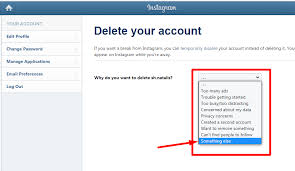
How to Delete an Instagram Account
Deleting an Instagram account is just as easy:
- Open the Instagram app or log in to the website.
- Tap the three horizontal lines (⋯) at the top right corner of the screen.
- Select “Settings” from the dropdown menu.
- Tap on “Deactivate Account.”
- Follow the prompts to confirm your account deletion.
How to Delete a Twitter Account
Deleting a Twitter account is also straightforward:
- Log in to your Twitter account using the app or website.
- Click on the three dots (⋯) at the top right corner of the screen.
- Select “Settings and privacy” from the dropdown menu.
- Click on “Your account” and then select “Deactivate your account.”
- Follow the prompts to confirm your account deletion.
How to Delete a Snapchat Account
Deleting a Snapchat account is also easy:
- Log in to your Snapchat account using the app or website.
- Tap the ghost icon at the top left corner of the screen.
- Select “Settings” from the dropdown menu.
- Tap on “Account Action.”
- Follow the prompts to confirm your account deletion.
How to Delete a Meetic Account
Deleting a Meetic account is also straightforward:
- Log in to your Meetic account using the app or website.
- Click on the three horizontal lines (⋯) at the top right corner of the screen.
- Select “My account” from the dropdown menu.
- Click on “Suspend my profile.”
- Follow the prompts to confirm your account deletion.
How to Delete a Gmail Account
Deleting a Gmail account is also easy:
- Log in to your Gmail account using the app or website.
- Click on the gear icon at the top right corner of the screen.
- Select “Settings” from the dropdown menu.
- Click on “Accounts and import.”
- Follow the prompts to confirm your account deletion.
How to Delete a Microsoft Account
Deleting a Microsoft account is also straightforward:
- Log in to your Microsoft account using the app or website.
- Click on the three horizontal lines (⋯) at the top right corner of the screen.
- Select “Settings” from the dropdown menu.
- Click on “Account actions.”
- Follow the prompts to confirm your account deletion.
How to Delete a Yahoo Account
Deleting a Yahoo account is also easy:
- Log in to your Yahoo account using the app or website.
- Click on the gear icon at the top right corner of the screen.
- Select “Settings” from the dropdown menu.
- Click on “Account info.”
- Follow the prompts to confirm your account deletion.
How to Delete an Apple ID
Deleting an Apple ID is also straightforward:
- Log in to your Apple ID using the app or website.
- Click on the three horizontal lines (⋯) at the top right corner of the screen.
- Select “Settings” from the dropdown menu.
- Click on “Account information.”
- Follow the prompts to confirm your account deletion.
How to Delete a Telegram Account
Deleting a Telegram account is also easy:
- Log in to your Telegram account using the app or website.
- Tap the three horizontal lines (⋯) at the top right corner of the screen.
- Select “Settings” from the dropdown menu.
- Click on “Account information.”
- Follow the prompts to confirm your account deletion.
How to Delete a Libero Account
Deleting a Libero account is also straightforward:
- Log in to your Libero account using the app or website.
- Click on the three horizontal lines (⋯) at the top right corner of the screen.
- Select “Settings” from the dropdown menu.
- Click on “Account actions.”
- Follow the prompts to confirm your account deletion.
How to Delete a Google Account
Deleting a Google account is also easy:
- Log in to your Google account using the app or website.
- Click on the three horizontal lines (⋯) at the top right corner of the screen.
- Select “Settings” from the dropdown menu.
- Click on “Account information.”
- Follow the prompts to confirm your account deletion.
How to Delete a Spotify Account
Deleting a Spotify account is also straightforward:
- Log in to your Spotify account using the app or website.
- Click on the three horizontal lines (⋯) at the top right corner of the screen.
- Select “Settings” from the dropdown menu.
- Click on “Account actions.”
- Follow the prompts to confirm your account deletion.
How to Delete an Ebay Account
Deleting an eBay account is also easy:
- Log in to your eBay account using the app or website.
- Click on the three horizontal lines (⋯) at the top right corner of the screen.
- Select “Settings” from the dropdown menu.
- Click on “Account actions.”
- Follow the prompts to confirm your account deletion.
How to Delete an Amazon Account
Deleting an Amazon account is also straightforward:
- Log in to your Amazon account using the app or website.
- Click on the three horizontal lines (⋯) at the top right corner of the screen.
- Select “Settings” from the dropdown menu.
- Click on “Account actions.”
- Follow the prompts to confirm your account deletion.
Conclusion
Deleting social media accounts can be a great way to declutter your digital life and reduce distractions. We’ve shown you how to easily delete social media accounts for various platforms, including Facebook, Instagram, Twitter, Snapchat, Meetic, Gmail, Microsoft, Yahoo, Apple ID, Telegram, Libero, Google Account, Spotify, eBay, and Amazon.
Frequently Asked Questions
Q: Why do I need to delete my social media account?
A: You may want to delete your social media account for various reasons, such as reducing distractions, decluttering your digital life, or taking a break from social media.
Q: How do I delete a Facebook account?
A: To delete a Facebook account, log in to your account using the app or website, click on the three horizontal lines (⋯) at the top right corner of the screen, select “Settings and privacy,” and follow the prompts to confirm your account deletion.
Q: How do I delete an Instagram account?
A: To delete an Instagram account, log in to your account using the app or website, tap the three horizontal lines (⋯) at the top right corner of the screen, select “Settings,” and follow the prompts to confirm your account deletion.
Q: How do I delete a Twitter account?
A: To delete a Twitter account, log in to your account using the app or website, click on the three dots (⋯) at the top right corner of the screen, select “Settings and privacy,” and follow the prompts to confirm your account deletion.
Q: How do I delete a Snapchat account?
A: To delete a Snapchat account, log in to your account using the app or website, tap the ghost icon at the top left corner of the screen, select “Settings,” and follow the prompts to confirm your account deletion.
Q: How do I delete a Meetic account?
A: To delete a Meetic account, log in to your account using the app or website, click on the three horizontal lines (⋯) at the top right corner of the screen, select “My account,” and follow the prompts to confirm your account deletion.
Q: How do I delete a Gmail account?
A: To delete a Gmail account, log in to your account using the app or website, click on the gear icon at the top right corner of the screen, select “Settings,” and follow the prompts to confirm your account deletion.
Q: How do I delete a Microsoft account?
A: To delete a Microsoft account, log in to your account using the app or website, click on the three horizontal lines (⋯) at the top right corner of the screen, select “Settings,” and follow the prompts to confirm your account deletion.


