
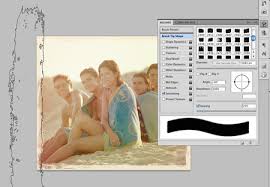
How to Give Your Photos a Retro Polaroid Effect
Are you tired of using the same old filters on your photos? Do you want to give them a retro twist that’s reminiscent of the classic Polaroid cameras? Look no further! In this article, we’ll show you how to create a polaroid effect on your photos using various tools and apps.
The Good Old Days of Polaroids
Remember when taking pictures was a fun experience that involved waiting for minutes or even hours to see the results? Those were the days of Polaroid cameras, where you could instantly develop your photos and share them with friends and family. Although those days are behind us now, we can still give our modern-day photos a retro twist using various tools and apps.
Creating a Polaroid Effect With Photoshop
If you’re familiar with Adobe Photoshop, creating a polaroid effect is as easy as pie. Here’s how to do it:
- Open Photoshop: Open your Photoshop program and create a new file. Select the dimensions of your photo, making sure they match the proportions of a classic Polaroid camera.
- Insert Your Photo: Insert your photo into the canvas, ensuring that it fits within the boundaries of the polaroid frame. You can use the rectangular selection tool to select a portion of the image and then adjust its size to fit the frame.
- Apply Filters: To give your photo a retro look, apply some filters to it. Use the “Gaussian Blur” filter to soften the edges and make the colors more muted.
Using Online Tools For a Polaroid Effect
If you’re not familiar with Photoshop or prefer not to use a computer program, there are plenty of online tools that can help you create a polaroid effect on your photos. Here are some popular options:
- Photofunia: This web-based tool offers a variety of templates and filters that you can use to give your photo a retro look.
- Canva: This graphic design platform allows you to create custom templates and apply filters to your photos to make them look like they were taken with a polaroid camera.
Using Apps For a Polaroid Effect
If you want to take a photo on the go, there are several apps that can help you give it a retro polaroid effect. Here are some popular options:
- Oldroll: This app offers a range of filters and effects that you can apply to your photos to make them look like they were taken with a classic Polaroid camera.
- Photofunia App: This app is similar to the web-based version but offers more features and templates.
Sharing Your Photos on Instagram
If you want to share your polaroid-effect photo on Instagram, here’s how to do it:
- Save Your Photo: Save your photo in your smartphone’s gallery.
- Open Instagram: Open the Instagram app and select the photo you saved earlier.
- Apply Filters: Apply a filter or effect to your photo using Instagram’s built-in features.
- Share Your Post: Share your post on Instagram by selecting the option to “Post” it.
Conclusion
In conclusion, creating a polaroid effect on your photos is easier than you think! Whether you use Photoshop, online tools, or apps, there are plenty of options available to give your photos a retro twist. So go ahead and get creative with your photos – who knows what amazing things you’ll come up with?
Frequently Asked Questions
- Q: What is The Polaroid Effect?
A: The polaroid effect refers to the distinctive look that’s reminiscent of classic Polaroid cameras. - Q: How do I Create a Polaroid Effect on my Photos?
A: There are several ways to create a polaroid effect, including using Photoshop, online tools, and apps. - Q: Can I Apply a Polaroid Effect to my Photos on Instagram?
A: Yes, you can use Instagram’s built-in filters and effects to give your photos a polaroid look.
I hope this article has been helpful! If you have any further questions or need clarification on anything, please don’t hesitate to ask.


