
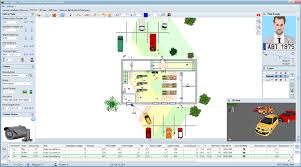
Home Security Made Easy: The Best Video Surveillance Programs
Are you tired of worrying about your home’s security while you’re away? Do you want to keep an eye on things without breaking the bank? Look no further! In this article, we’ll explore the best video surveillance programs for both PC and Mac, as well as remote monitoring options.
What is Video Surveillance?
Video surveillance refers to the use of cameras and monitors to record and display video footage. This can be used for a variety of purposes, including home security, business security, and even wildlife conservation.
Programs For Video Surveillance on PC
If you’re looking for video surveillance programs specifically designed for PC, here are some top options:
Alfred Camera
Alfred Camera is a free online service that allows you to transform your devices into surveillance cameras. Simply sign up, connect your camera, and start monitoring your home or office. Advanced features require a subscription, which costs 29.99 Euros per year.
Tebocam
TeboCam is another free application for PC that offers anti-theft and anti-intrusion features. It integrates with Dropbox and allows you to record video footage online and print the images instantly. TeboCam is only available for Windows.
Ispy
ISpy is an open-source software that uses your webcam, IP camera, or microphone to create a home security system. You can configure and control remote cameras, receive notifications via SMS or email, and even stream video footage on YouTube in private mode. ISpy is exclusive to Windows.
Programs For Video Surveillance on Mac
If you’re a Mac user, here are some top video surveillance programs specifically designed for your operating system:
Periscope Pro
Periscope Pro is an application that uses your webcam to record video footage and save it on Dropbox. It supports external IP cameras and allows you to customize parameters like framerate and resolution. Periscope Pro is a paid solution, but you can try it for free.
Alfred Camera (Mac Version)
The Mac version of Alfred Camera offers similar features to its PC counterpart, including remote monitoring and advanced functionality with a subscription.
Airbeam Video Surveillance
AirBeam Video Surveillance is an application that allows you to transform your Mac into a surveillance device. It can stream video footage from other devices on the same Wi-Fi network. AirBeam Pro is a paid solution that costs 4.49 Euros, but it’s available exclusively for macOS (plus iOS and iPadOS).
Remote Monitoring Options
If you’re interested in remote monitoring options, here are some programs that allow you to monitor your home or office from anywhere:
Panels of Management For IP Cameras
If you’ve acquired an IP camera, you can use the panel management software provided by the manufacturer to access recordings and control cameras remotely.
Ugolog
Ugolog is a free web-based application that allows you to monitor your webcam without installing any software. You can view footage directly from your browser, receive notifications in case of intrusions, and even record video footage online with a subscription (9.95 Dollars per month).
App For Video Surveillance
Here are some mobile apps that allow you to monitor your home or office using your smartphone or tablet:
Alfred Camera (Mobile Version)
The mobile version of Alfred Camera offers similar features to its PC counterpart, including remote monitoring and advanced functionality with a subscription.
Airbeam Video Surveillance (Mobile Version)
The mobile version of AirBeam Video Surveillance allows you to monitor your home or office using your iPhone or iPad. It can stream video footage from other devices on the same Wi-Fi network.
Surveillance App
This app offers remote monitoring capabilities and is available for both Android and iOS.
Conclusion
With these top video surveillance programs, you can rest assured that your home or office is secure, even when you’re away. Whether you prefer PC or Mac, or want to monitor remotely, there’s a solution for everyone. Don’t wait – take the first step towards peace of mind today!
Frequently Asked Questions
- What Are The Benefits of Video Surveillance?
Video surveillance offers numerous benefits, including enhanced security, improved monitoring capabilities, and increased peace of mind. - Which Programs Offer Remote Monitoring Options?
Several programs, such as Alfred Camera, Periscope Pro, and Ugolog, offer remote monitoring capabilities. - Are There Any Free Video Surveillance Programs Available?
Yes, some programs like TeboCam and iSpy are available for free, while others require a subscription or payment. - Can I Use my Smartphone to Monitor my Home or Office?
Yes, many mobile apps, such as Alfred Camera and AirBeam Video Surveillance, allow you to monitor your home or office using your smartphone or tablet. - Do These Programs Integrate With Other Devices or Services?
Some programs, like Periscope Pro and iSpy, integrate with Dropbox and other services to enhance their functionality. - Are There Any Specific Requirements For Installing Video Surveillance Software?
Yes, some programs require a subscription or payment, while others need to be installed on a compatible device or operating system. - Can I Customize The Settings of These Programs?
Yes, many programs allow you to customize parameters like framerate and resolution to suit your needs. - Are There Any Risks Associated With Using Video Surveillance Software?
While generally safe, some programs may require technical expertise or specific hardware configurations, which can pose risks if not handled properly.


