
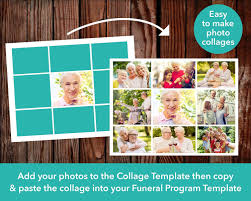
How to Create a Beautiful Collage of Photos: A Step-by-step Guide
Are you looking for a way to create a stunning collage of photos without breaking the bank? Look no further! In this article, we’ll explore some of the best free programs and online services that can help you create a beautiful collage of photos.
What is a Collage?
A collage is a creative arrangement of images, often with a specific theme or message. It’s a great way to showcase your favorite memories, whether it’s a vacation, a special event, or just a collection of photos that you love.
Why Use Free Programs And Online Services?
Using free programs and online services can save you money and time. You don’t have to worry about installing software on your computer or learning complex editing skills. With these tools, you can create a beautiful collage in just a few minutes!
Programs to Do Collage of Photo (Free)
Here are some great free programs that you can use to create a collage of photos:
- Collageit: This program is available for both Windows and macOS, and it’s very easy to use. You can create a collage with multiple images, add text, and even personalize the background.
- Shape Collage: Another great option for Windows, macOS, and Linux users, Shape Collage allows you to mix and match images in a variety of ways. You can also add effects, shapes, and more.
Other Programs to Do Collage of Photo
Here are some other programs that you might find useful:
- Tweaknow Perfect Frame: This program is designed for Windows users and offers a range of features, including image editing, collage creation, and more.
- Collagerator: Available for both Windows and macOS, Collagerator allows you to create customized collages with multiple images and effects.
- Webgobbler: A free program for Windows, macOS, and Linux users, webGobbler lets you create mosaics of photos from the internet.
Programs to Do Collage of Photo With Music
If you want to add some music to your collage, here are a few options:
- Smartshow 3D: This program is designed for Windows users and offers a range of features, including image editing, video creation, and more.
- Photo (macOS): If you’re using a Mac, the built-in Photo app has a feature called “Create” that allows you to create a presentation with music.
Programs to Do Collage of Photo Online
If you don’t want to install software on your computer, there are plenty of online services that can help you create a collage:
- Canva: A popular online service for creating graphic designs, Canva also offers a feature for creating collages.
- Photovisi: This online service allows you to create collages with multiple images and effects.
Apps to Do Collage of Photo
If you want to create a collage on the go, here are some apps that you might find useful:
- Layout From Instagram (Android/iOS): A popular app for creating collages, Layout from Instagram is available for both Android and iOS devices.
- Pic Collage Maker (Android): Another great option for Android users, Pic Collage Maker offers a range of features and effects.
- Shotcut (iOS): This app allows you to create collages with multiple images and effects.
Conclusion
Creating a collage of photos is easier than ever, thanks to these free programs and online services. Whether you’re using Windows or macOS, or just want to create something on the go, there’s an option for everyone. So why not give it a try?


