
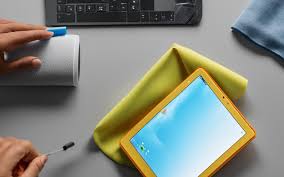
How to Clean Your Tablet Screen: A Step-by-step Guide
Are you tired of looking at a dirty tablet screen? Cleaning your tablet screen is an essential part of maintaining its appearance and functionality. In this article, we will guide you through the process of cleaning your tablet screen, including the necessary materials, steps to follow, and tips for disinfecting.
Why Clean Your Tablet Screen?
Your tablet screen can become dirty due to various reasons such as:
- Continuous use
- Exposure to dust and dirt
- Fingerprints and smudges
- Liquids or spills
A clean tablet screen is not only aesthetically pleasing but also important for maintaining the overall performance of your device.
Materials Needed
To clean your tablet screen, you will need the following materials:
- A soft, dry cloth (microfiber cloth recommended)
- A water-dampened cloth (if necessary)
- A disinfectant wipe or spray
- A UV sterilizer (optional)
Step 1: Turn Off Your Tablet
Before cleaning your tablet screen, make sure to turn it off. This will prevent any accidental touchscreen inputs.
Step 2: Disconnect Accessories
Remove any accessories connected to your tablet, such as a keyboard or cover, to ensure easy access to the screen.
Step 3: Clean The Screen With a Dry Cloth
Take a soft, dry cloth and gently wipe the tablet screen in a circular motion. This will remove any loose dust or dirt particles.
Step 4: Dampen The Cloth (if Necessary)
If there are stubborn stains or spills on the screen, you may need to dampen the cloth with water. However, be cautious not to get any liquids into the ports or crevices of your tablet.
Step 5: Clean The Screen With a Water-dampened Cloth
Use the damp cloth to wipe the tablet screen in a circular motion. Avoid applying too much pressure, as this can scratch the screen.
Step 6: Dry The Screen
Take a clean, dry cloth and gently wipe the tablet screen to remove any excess moisture.
Step 7: Disinfect The Screen (optional)
To disinfect your tablet screen, use a disinfectant wipe or spray specifically designed for electronics. Follow the instructions on the product label and take necessary precautions to avoid damaging the screen.
Using a UV Sterilizer
If you want an extra layer of protection against germs and bacteria, consider using a UV sterilizer. These devices emit ultraviolet light that can help kill germs and bacteria on contact.
Tips For Cleaning Your Tablet Screen
- Avoid using harsh chemicals or abrasive cleaners that may damage the screen.
- Never spray liquids directly onto the screen.
- Don’t touch the screen with dirty hands, as this can transfer dirt and oils to the surface.
- Clean your tablet screen regularly to maintain its appearance and functionality.
How Often Should You Clean Your Tablet Screen?
Clean your tablet screen:
- Every 1-2 weeks if you use it frequently
- After exposure to dust or liquids
- When you notice a buildup of fingerprints or smudges
Conclusion
Cleaning your tablet screen is an essential part of maintaining its appearance and functionality. By following the steps outlined in this guide, you can keep your tablet screen looking clean and new.
Frequently Asked Questions (FAQs)
- What is The Best Way to Clean a Dirty Tablet Screen?
Answer: Use a soft, dry cloth to wipe away loose dust and dirt particles. If necessary, dampen the cloth with water to remove stubborn stains or spills. - Can I Use Any Cleaning Product on my Tablet Screen?
Answer: No, avoid using harsh chemicals or abrasive cleaners that may damage the screen. Instead, use a soft cloth or a disinfectant wipe specifically designed for electronics. - How Often Should I Clean my Tablet Screen?
Answer: Clean your tablet screen every 1-2 weeks if you use it frequently, after exposure to dust or liquids, or when you notice a buildup of fingerprints or smudges. - Can I Disinfect my Tablet Screen With UV Light?
Answer: Yes, using a UV sterilizer can help kill germs and bacteria on contact. - What Should I do if I Accidentally Spill Something on my Tablet Screen?
Answer: Act quickly! Turn off your tablet, clean the spill immediately, and dry the area thoroughly to prevent damage. - Can I Use a Cloth With a Fabric Softener or Dryer Sheet to Clean my Tablet Screen?
Answer: No, these products can leave behind residue that may damage the screen. Instead, use a soft, dry cloth specifically designed for cleaning electronics. - How do I Remove Stubborn Stains From my Tablet Screen?
Answer: Mix a solution of equal parts water and white vinegar on a clean cloth, and gently wipe away the stain. - Can I Use a Hair Dryer or Other Heat Source to Dry my Tablet Screen?
Answer: No, avoid using any heat source that may damage the screen. Instead, let it air dry slowly.
Remember to always handle your tablet with care, and take necessary precautions to maintain its appearance and functionality.


