
How to Clean Your Samsung Lcd Tv: A Step-by-step Guide
Are you tired of looking at a dirty Samsung LCD TV? Do you want to know how to clean it without damaging the screen? Look no further! In this article, we will guide you through the process of cleaning your Samsung LCD TV with ease.
What You’ll Need
Before we begin, make sure you have the following materials:
- A soft, dry microfiber cloth (preferably antistatic)
- A gentle cleaning solution (optional)
- Water
- A damp cloth for wiping down the TV
Why Clean Your Samsung Lcd Tv?
Cleaning your Samsung LCD TV is essential to remove dust, dirt, and other debris that can accumulate on the screen. If left uncleaned, these particles can cause:
- Screen damage
- Image distortion
- Reduced display quality
Step-by-step Instructions
Follow these simple steps to clean your Samsung LCD TV:
Turn Off Your Tv
Before cleaning your TV, make sure it’s turned off and unplugged from the power source. This will prevent any accidental activation or electrical shock.
Remove Any Accessories
Take off any external accessories such as cables, remotes, or speakers to ensure a clean and safe cleaning process.
Inspect The Screen
Look closely at the screen for any visible dust, dirt, or debris. If you notice any stubborn stains or marks, you may need to use a gentle cleaning solution (see below).
Clean The Screen With a Microfiber Cloth
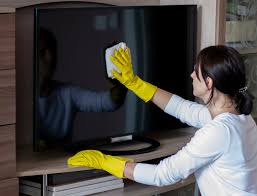
Gently wipe the screen with a soft, dry microfiber cloth in a circular motion. Start from the top and work your way down to avoid spreading dust or debris.
Cleaning Solutions: When And How to Use Them
If you notice stubborn stains or marks on your Samsung LCD TV screen, you can use a gentle cleaning solution. However, be cautious not to apply too much pressure or liquid, as this can damage the screen.
- Water: A simple water solution is fine for most cases. Dip a microfiber cloth in water, wring it out thoroughly, and wipe the screen gently.
- Gentle Cleaning Solution: Mix 1 part white vinegar with 2 parts distilled water on a microfiber cloth. Wipe the screen gently, avoiding any excessive pressure.
Drying The Screen
After cleaning the screen, use a dry microfiber cloth to wipe away any excess moisture or cleaning solution. This will prevent any streaks or marks from forming.
Repeat if Necessary
If you still notice some dirt or stains after the first clean, repeat the process until the screen is free of debris.
Tips And Variations:
- Avoid using harsh chemicals, abrasive cleaners, or rough cloths, as they can damage the screen.
- For stubborn stains or marks, try using a cleaning solution with a soft brush to gently scrub the area.
- If you’re unsure about cleaning your Samsung LCD TV, refer to the user manual for specific instructions.
Why Choose Microfiber Cloths?
Microfiber cloths are an excellent choice for cleaning electronics because they:
- Are soft and gentle on screens
- Absorb dirt and dust easily
- Won’t scratch or damage the screen
Conclusion: Cleaning Your Samsung Lcd TV is Easy!
Cleaning your Samsung LCD TV is a simple process that can be completed with basic materials. Remember to always follow proper care instructions to ensure the longevity of your device.
Frequently Asked Questions (FAQs)
- What Should I Use to Clean my Samsung Lcd Tv?
- A soft, dry microfiber cloth is ideal for cleaning your Samsung LCD TV.
- Can I Use a Wet Cloth to Clean my TV Screen?
- No, avoid using wet cloths or excessive liquid, as this can damage the screen.
- How Often Should I Clean my Samsung Lcd Tv?
- Clean your TV every 1-3 months, depending on usage and environmental conditions.
- What Happens if I Use Harsh Chemicals to Clean my Tv?
- Avoid using harsh chemicals, as they can damage or discolor the screen.
Hope this guide has been helpful!


