
How to Recover a Deleted Screenshot on Android, Iphone, Ipad, Pc, And Mac
Are you tired of losing precious screenshots? Don’t worry! This comprehensive guide will show you how to recover deleted screenshots on various devices, including Android, iPhone, iPad, PC, and Mac.
Why Do Screenshots Get Deleted?
Before we dive into the recovery process, let’s understand why screenshots get deleted in the first place. It’s often due to accidental deletion, device storage issues, or software glitches. Whatever the reason, it’s essential to act fast to recover your precious screenshot.
Recovering Deleted Screenshots on Android
If you’ve lost a screenshot on your Android device, follow these steps:
- Google Photos: Check if the deleted screenshot is still available in Google Photos’ Trash folder for 60 days. If it is, select the image and click “Restore” to recover it.
- Gallery App: Look for the screenshot in the Gallery app’s Trash or Recently Deleted section. If you find it, tap on it and choose “Recover” to restore the image.
- Diskdigger: Download and install DiskDigger, a free app that scans your device’s storage for deleted files. Follow the prompts to recover your screenshot.
Recovering Deleted Screenshots on Iphone And Ipad
If you’ve lost a screenshot on your iPhone or iPad:
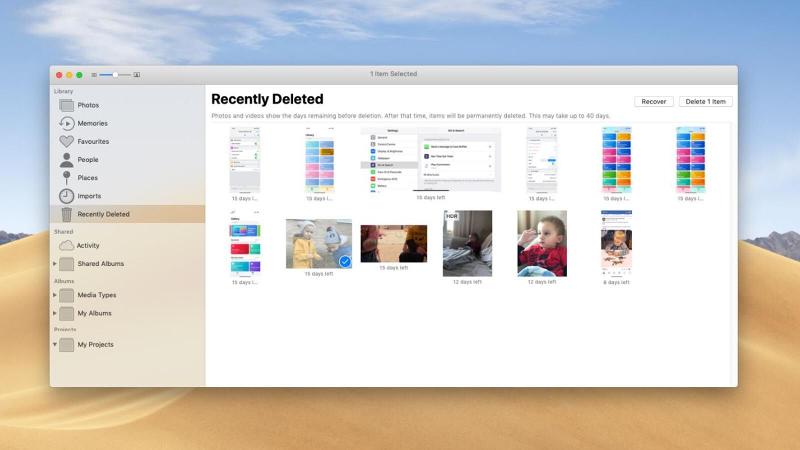
- Photos App: Check if the deleted screenshot is still available in the Photos app’s Recently Deleted album for 40 days. If it is, tap on it and choose “Restore” to recover the image.
- Easeus Mobisaver: Download and install EaseUS MobiSaver, a software that can recover deleted files from your iPhone or iPad.
Recovering Deleted Screenshots on PC
If you’ve lost a screenshot on your Windows PC:
- Recycle Bin: Check if the deleted screenshot is still available in the Recycle Bin. If it is, right-click on the image and choose “Restore” to recover it.
- Disk Drill: Download and install Disk Drill, a free software that can recover deleted files from your Windows PC.
Recovering Deleted Screenshots on Mac
If you’ve lost a screenshot on your Mac:
- Trash: Check if the deleted screenshot is still available in the Trash. If it is, right-click on the image and choose “Restore” to recover it.
- Disk Drill: Download and install Disk Drill, a free software that can recover deleted files from your Mac.
Additional Tips
- To prevent screenshots from getting deleted, consider taking regular backups of your device’s storage.
- If you’re using cloud services like Google Drive or iCloud, check if the screenshot is still available in your cloud storage.
- Use data recovery software like PhotoRec or Recuva to recover deleted files on your PC.
Conclusion
Recovering deleted screenshots can be a daunting task, but with these steps and tips, you’ll be well-equipped to retrieve your lost images. Remember to act fast, as the chances of recovering deleted files decrease over time.
Frequently Asked Questions (FAQs)
- What Happens When I Delete a Screenshot on my Device?
When you delete a screenshot, it’s removed from your device’s storage and is no longer visible in your gallery or photo app. - Can I Recover Deleted Screenshots on my Android Device?
Yes, you can recover deleted screenshots on your Android device using Google Photos’ Trash folder or third-party apps like DiskDigger. - How Long do Deleted Screenshots Remain Available in The Recycle Bin on Windows Pcs?
Deleted files, including screenshots, remain available in the Recycle Bin for a limited time before they are permanently removed. - Can I Use Data Recovery Software to Recover Deleted Screenshots on my Mac?
Yes, you can use data recovery software like Disk Drill or PhotoRec to recover deleted files, including screenshots, from your Mac. - What Should I do if I’ve Lost a Screenshot And It’s Not Available in Any of The Above-mentioned Locations?
If you’ve exhausted all other options and still can’t find your screenshot, consider using cloud services like Google Drive or iCloud to recover deleted files.
Hope This Helps!
I hope these tips and explanations have helped you understand how to recover deleted screenshots on various devices.


