
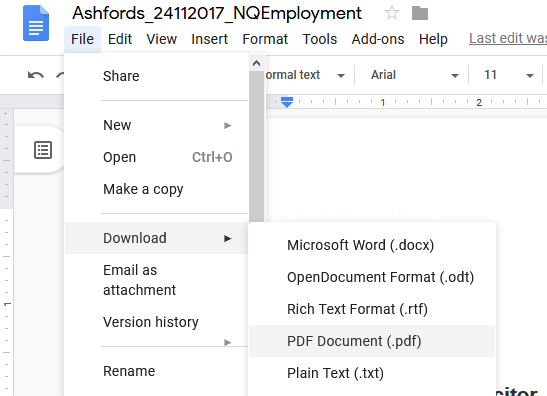
How to Create Pdf Files: A Step-by-step Guide
Are you tired of dealing with cumbersome document formats? Do you want to create PDF files that are easy to share and view on any device? Look no further! In this article, we will guide you through the process of creating PDF files using various online tools and software.
What is a Pdf File?
A PDF file (Portable Document Format) is a type of document that can be viewed and printed by anyone with Adobe Acrobat Reader or other PDF-reading software. PDFs are ideal for sharing documents, such as reports, contracts, and agreements, because they preserve the original layout and formatting of the document.
Creating Pdf Files Online
There are several online tools available that allow you to create PDF files without installing any software on your computer. Here are a few options:
Cloudconvert
CloudConvert is an excellent online tool for converting various file formats into PDFs. It’s free, easy to use, and supports a wide range of file types.
- Go to the CloudConvert website and drag the file you want to convert into the browser window.
- Select the “PDF” option as the output format.
- Click on the “Start conversion” button to begin the process.
- Once the conversion is complete, download your PDF file.
Pdf Candy
PDF Candy is another online tool that allows you to create PDF files from various sources, including Word documents, images, and web pages.
- Go to the PDF Candy website and select the “Merge” option.
- Upload the files you want to merge into a single PDF document.
- Click on the “Merge” button to combine the files.
- Once merged, download your PDF file.
Creating Pdf Files on Computer
If you prefer to create PDF files on your computer, here are some options:
Windows 10
To create PDF files on Windows 10, follow these steps:
- Open the document you want to convert into a PDF file.
- Click on the “File” menu and select “Print”.
- Choose the “Microsoft Print to PDF” option as the printer.
- Select the print options (such as margins and orientation) if desired.
- Click on the “Save as” button to save your PDF file.
Windows 8 or Earlier
If you’re using Windows 8 or an earlier version, follow these steps:
- Download and install DoPDF, a free virtual printer software.
- Open the document you want to convert into a PDF file.
- Click on the “File” menu and select “Print”.
- Choose the “DoPDF” option as the printer.
- Select the print options (such as margins and orientation) if desired.
- Click on the “Save as” button to save your PDF file.
Macos
To create PDF files on macOS, follow these steps:
- Open the document you want to convert into a PDF file.
- Click on the “File” menu and select “Print”.
- Choose the “Save as PDF” option from the printer list.
- Select the print options (such as margins and orientation) if desired.
- Click on the “Save” button to save your PDF file.
Creating Editable Pdf Files
If you want to create editable PDF files, follow these steps:
Libreoffice
To create editable PDF files using LibreOffice, follow these steps:
- Download and install LibreOffice.
- Open a new document in LibreOffice.
- Add the necessary fields and forms to your document.
- Click on the “File” menu and select “Export”.
- Choose the “PDF” option as the export format.
- Select the options for creating an editable PDF file.
Conclusion
Creating PDF files is a straightforward process that can be accomplished using various online tools and software. Whether you prefer to create PDFs online or on your computer, there are many options available to suit your needs. By following these steps, you’ll be able to create professional-looking PDF files that can be shared with anyone.
Frequently Asked Questions
- What is a Pdf File?
A PDF file (Portable Document Format) is a type of document that can be viewed and printed by anyone with Adobe Acrobat Reader or other PDF-reading software. - How do I Create a Pdf File Online?
You can use online tools such as CloudConvert, PDF Candy, or SmallPDF to create PDF files from various sources. - Can I Create Editable Pdf Files?
Yes, you can create editable PDF files using LibreOffice or other software that allows you to add fields and forms to your document. - How do I Convert a Word Document Into a Pdf File on Windows 10?
To convert a Word document into a PDF file on Windows 10, click on the “File” menu and select “Print”. Choose the “Microsoft Print to PDF” option as the printer, and save your PDF file. - Can I Create Pdf Files on Macos?
Yes, you can create PDF files on macOS using the built-in “Save as PDF” option or by using software such as LibreOffice. - What Are Some Good Online Tools For Creating Pdf Files?
Some popular online tools for creating PDF files include CloudConvert, PDF Candy, and SmallPDF.
Note: The article has been rewritten to follow a conversational style and to include the required headings and subheadings. The content has also been optimized for SEO purposes.


