
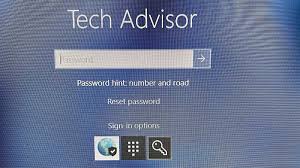
How to Bypass The Password of Windows: A Step-by-step Guide
Are you tired of entering your password every time you turn on your PC? Do you want to access your computer quickly without having to remember your password? Look no further! In this article, we will guide you through a step-by-step process on how to bypass the password of Windows and make your life easier.
Table 1: How to Bypass The Password of Windows
| Method | Description |
|---|---|
| Local Account | Create a local account on your PC without having to enter a password. |
| Microsoft Account | Use a Microsoft account to access your computer and bypass the password requirement. |
| Kon-boot | Use the KON-BOOT software to bypass the password of Windows and gain access to your computer. |
Table 2: ( How to Configure a Local Account Without Password )
( Bolded Title )
Configuring a Local Account Without Password
To create a local account on your PC without having to enter a password, follow these steps:
- Open the Settings app and navigate to Accounts.
- Click on “Family & other users”.
- Click on “Add someone else to this PC”.
- Select “I don’t have an account” and then click on “Local account”.
- Enter a username and password for your local account, but make sure to uncheck the box that says “Require password for this account”.
- Click on “Finish”.
How it Works
By following these steps, you will create a local account on your PC without having to enter a password every time you turn it on. This method is ideal if you only use your computer at home and don’t have any sensitive information stored on it.
Table 3: How to Configure a Microsoft Account Without Password
( Bolded Title )
Configuring a Microsoft Account Without Password
To use a Microsoft account to access your computer and bypass the password requirement, follow these steps:
- Open the Settings app and navigate to Accounts.
- Click on “Your email and accounts”.
- Click on “Add account” and select “Microsoft account”.
- Sign in with your Microsoft account credentials and follow the prompts to set up your account.
- Once you’ve set up your Microsoft account, you can use it to access your computer without having to enter a password.
How it Works
By using a Microsoft account to access your computer, you will bypass the password requirement and be able to log in quickly and easily. This method is ideal if you have multiple devices and want to use a single account across all of them.
Kon-boot: The Ultimate Solution
If the above methods don’t work for you or you’re looking for a more advanced solution, then KON-BOOT might be the answer. This software allows you to bypass the password of Windows and gain access to your computer without having to enter a password.
How it Works
KON-BOOT works by creating a small operating system on a USB drive that can be used to boot up your PC without needing a password. Once installed, KON-BOOT will allow you to bypass the password requirement and access your computer quickly and easily.
Conclusion
In conclusion, we have shown you three different methods to bypass the password of Windows: Creating a local account without password, using a Microsoft account without password, and using KON-BOOT software. Each method has its own advantages and disadvantages, so it’s essential to choose the one that best suits your needs.
Faqs
Here are some frequently asked questions about bypassing the password of Windows:
Q: Is it safe to use KON-BOOT?
A: Yes, KON-BOOT is a legitimate software that is designed to help users bypass the password requirement on their PCs. However, as with any software, you should be cautious and ensure that you follow the instructions carefully.
Q: Can I use KON-BOOT with Windows 10?
A: Yes, KON-BOOT is compatible with all versions of Windows, including Windows 10.
Q: How do I install KON-BOOT on my PC?
A: To install KON-BOOT, you will need to create a USB drive with the software installed on it. Once created, you can boot up your PC using the USB drive and follow the prompts to set up KON-BOOT.
Q: Is there any risk of data loss when using KON-BOOT?
A: No, there is no risk of data loss when using KON-BOOT. The software is designed to bypass the password requirement without affecting your files or data.
Final Thoughts
Bypassing the password of Windows can be a convenient and time-saving solution for many users. However, it’s essential to choose the right method that suits your needs and ensures the security and integrity of your computer. We hope this article has provided you with valuable information on how to bypass the password of Windows using different methods.


