
How to Create Custom Emojis on Iphone
Are you tired of using the same old default emojis on your iPhone? Do you want to express yourself in a more unique and personalized way? Look no further! In this article, we will guide you through the process of creating custom emojis on your iPhone.
What Are Animoji And Memoji?
Before we dive into the world of custom emojis, let’s talk about Animoji and Memoji. These two features allow you to create animated and interactive emojis that can be used in Messages, FaceTime, and other apps. Animoji is a feature that uses facial recognition technology to create customized emojis based on your expressions, while Memoji allows you to create custom avatars with different hairstyles, accessories, and more.
How to Create Animoji
To create Animoji, follow these steps:
- Open the Messages app on your iPhone.
- Select a conversation or start a new one.
- Tap on the icon of a monkey face in the bottom left corner of the screen.
- Choose an Animoji that you want to use.
- Tap on the record button to start recording a video with your chosen Animoji.
- Record your video and add effects, stickers, or text as desired.
- Save your video and share it with others.
How to Create Memoji
To create Memoji, follow these steps:
- Open the Messages app on your iPhone.
- Select a conversation or start a new one.
- Tap on the icon of a human face in the bottom left corner of the screen.
- Choose a Memoji that you want to use.
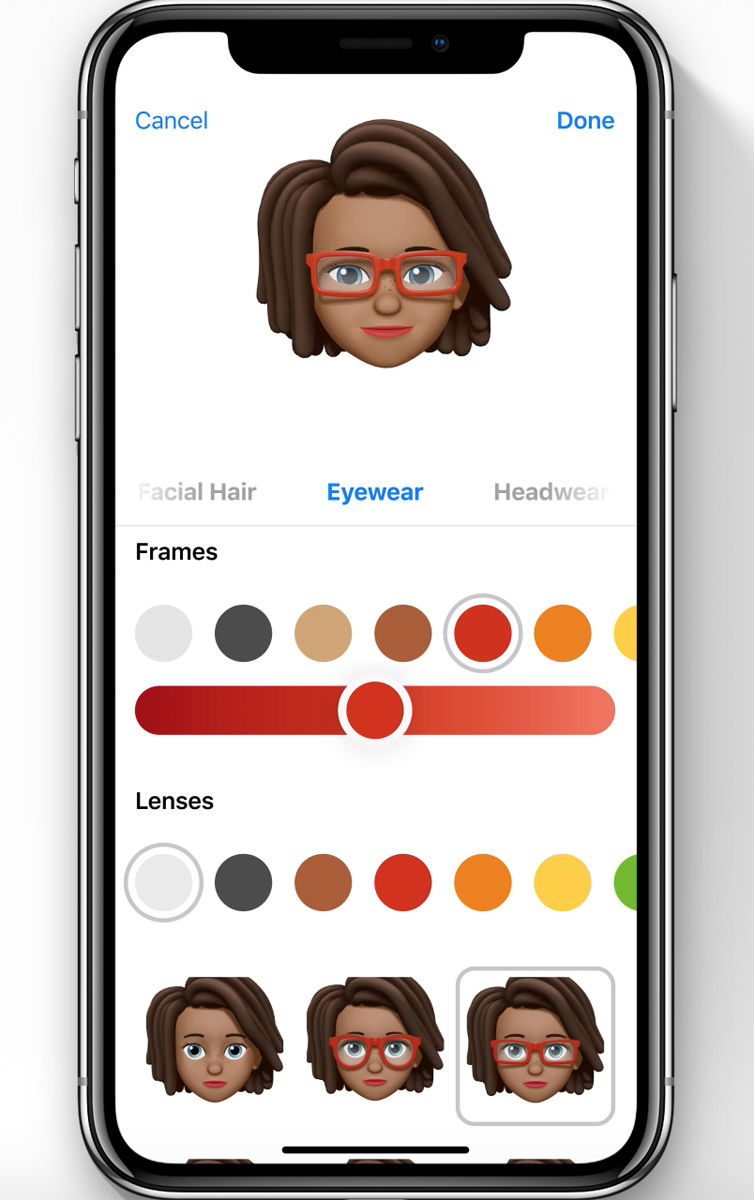
- Tap on the edit button to customize your Memoji with different hairstyles, accessories, and more.
- Save your customized Memoji and use it in Messages or other apps.
Other Apps For Creating Custom Emojis
If Animoji and Memoji don’t meet your needs, there are several other apps available that allow you to create custom emojis on your iPhone. Some popular options include:
- Bitmoji: A free app that allows you to create customized avatars with different hairstyles, accessories, and more.
- EMOJI Face Recorder: An app that uses facial recognition technology to create animated emojis based on your expressions.
- Moji Maker: An app that provides a range of customization options for creating custom emojis.
How to Use Custom Emojis on Android
If you have an Android device and want to use custom emojis like those found on the iPhone, there are several apps available that can help. Some popular options include:
- Bitmoji: A free app that allows you to create customized avatars with different hairstyles, accessories, and more.
- Emoji Keyboard: An app that provides a range of customization options for creating custom emojis.
Conclusion
Creating custom emojis on your iPhone or Android device is easier than ever. With Animoji, Memoji, and other apps available, you can express yourself in a unique and personalized way. Whether you want to create animated emojis based on your expressions or customized avatars with different hairstyles and accessories, there’s an app out there for you.
Faqs
Q: What is the difference between Animoji and Memoji?
A: Animoji uses facial recognition technology to create customized emojis based on your expressions, while Memoji allows you to create custom avatars with different hairstyles, accessories, and more.
Q: How do I use custom emojis in Messages or other apps?
A: To use custom emojis, simply open the app and select the emoji that you want to use. You can also save custom emojis to your iPhone’s gallery for easy access later.
Q: Can I create custom emojis on Android?
A: Yes! There are several apps available for Android devices that allow you to create custom emojis similar to those found on the iPhone.
Q: How do I customize my Memoji or Animoji?
A: To customize your Memoji or Animoji, simply tap on the edit button and choose from a range of customization options. You can also save customized emojis to your iPhone’s gallery for easy access later.
Q: Are custom emojis free to use?
A: Some apps that allow you to create custom emojis may require a subscription or offer in-app purchases. However, many apps are completely free to use.
Q: Can I share my custom emojis with others?
A: Yes! You can share your custom emojis with friends and family by saving them to your iPhone’s gallery or sending them via Messages or other apps.
Recommended Apps
- Bitmoji
- EMOJI Face Recorder
- Moji Maker
These apps offer a range of customization options for creating custom emojis on your iPhone or Android device.


