
The Ultimate Guide to Amazon Music Unlimited: Everything You Need to Know
Are you tired of searching for music on multiple platforms? Do you want to access a vast library of songs, albums, and playlists with just one subscription? Look no further than Amazon Music Unlimited! In this comprehensive guide, we’ll explore everything you need to know about this popular music streaming service.
What is Amazon Music Unlimited?
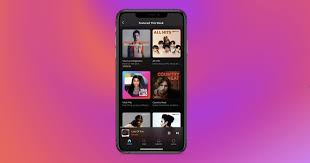
Amazon Music Unlimited is a music streaming service that offers access to millions of songs, albums, and playlists. With a subscription, you can listen to your favorite artists, discover new ones, and enjoy exclusive content from Amazon Originals. The service is available on multiple devices, including smartphones, tablets, smart speakers, and more.
Benefits of Amazon Music Unlimited
So, what are the benefits of subscribing to Amazon Music Unlimited? Here are just a few:
- Access to Millions of Songs: With a vast library of music at your fingertips, you’ll never run out of new tunes to listen to.
- Exclusive Content: Enjoy exclusive albums and playlists from Amazon Originals, featuring artists you love.
- Offline Listening: Download songs and playlists for offline listening, perfect for commutes or workouts.
- Family-friendly: Share your subscription with up to 6 family members, making it a great option for households.
How Much Does It Cost?
So, how much does Amazon Music Unlimited cost? The prices are as follows:
- Individual Subscription: $9.99/Month (or free for the first month)
- Family Subscription: $14.99/Month (or free for the first 4 months)
- Student Subscription: $4.99/Month (with a valid .Edu email address)
How to Sign Up
Signing up for Amazon Music Unlimited is easy! Here’s how:
- Go to the Amazon Music website and click on “Sign In”.
- Create a new account or log in with your existing Amazon credentials.
- Click on the “Amazon Music Unlimited” tab and select your subscription plan.
- Follow the prompts to complete your sign-up process.
How to Use Amazon Music Unlimited
Now that you’re signed up, here’s how to use Amazon Music Unlimited:
- Find The Perfect Music: Browse through millions of songs, albums, and playlists to find what you love.
- Create a Playlist: Make a list of your favorite tracks and share it with friends or family members.
- Listen Offline: Download songs and playlists for offline listening on-the-go.
- Discover New Music: Enjoy exclusive content from Amazon Originals and discover new artists.
Compatible Devices
Amazon Music Unlimited is available on multiple devices, including:
- Smartphones: IOS and Android devices
- Tablets: IPad and Android tablets
- Smart Speakers: Echo and other compatible smart speakers
- Computers: PC and Mac computers
System Requirements
To use Amazon Music Unlimited, you’ll need the following system requirements:
- Operating System: Windows 10 or macOS High Sierra (or later)
- Browser: Google Chrome, Mozilla Firefox, Microsoft Edge, Safari, or Opera
- Internet Connection: A stable internet connection is required to access the service.
Frequently Asked Questions
Here are some frequently asked questions about Amazon Music Unlimited:
- Q: How Many Devices Can I Use With One Subscription?
A: Up to 6 devices per account. - Q: Can I Cancel my Subscription at Any Time?
A: Yes, you can cancel your subscription at any time without penalty. - Q: Is Amazon Music Unlimited Available in my Country?
A: Amazon Music Unlimited is available in many countries worldwide. Check the Amazon website for availability.
Conclusion
Amazon Music Unlimited is a fantastic music streaming service that offers access to millions of songs, albums, and playlists. With its affordable prices, exclusive content, and offline listening capabilities, it’s no wonder why so many people have subscribed to this popular service. Whether you’re a music lover or just looking for a new way to discover new artists, Amazon Music Unlimited is definitely worth checking out!
Frequently Asked Questions (FAQs)
- Q: How do I Cancel my Subscription?
A: To cancel your subscription, go to the Amazon Music website and sign in with your account credentials. Click on “Settings” and select “Cancel Subscription”. - Q: Can I Get a Refund if I Cancel my Subscription?
A: Yes, you can request a refund within 30 days of cancellation. - Q: How do I Access The Amazon Music Unlimited App?
A: To access the Amazon Music Unlimited app on your smartphone or tablet, go to the App Store (for iOS devices) or Google Play Store (for Android devices). - Q: Can I Use Amazon Music Unlimited With Other Music Streaming Services?
A: Yes, you can use Amazon Music Unlimited in conjunction with other music streaming services. - Q: How do I Report a Problem With The App?
A: To report a problem with the app, go to the App Store or Google Play Store and select “Report a Problem” from the menu.
Note: The prices listed above are subject to change and may vary depending on your location.


